The Pull Requests tab is available on our Team or Enterprise plan.
Want to chat about whether this feature is right for you? Our support team is always happy to hear from you.
Each Project A way to group multiple Sites from the same Git Repository, allowing you to define a main branch, as well as branching and publishing rules. You can access the Projects Browser using the Projects link in the App Sidebar.Project
These instructions assume you have created a Project.
To turn on optional Project tabs:
- Click Projects in the App Sidebar. CloudCannon will open the Projects Browser.
- Select the Project you want to configure. CloudCannon will open the Project Sites Browser.
- Click the Project Settings tab.
- Select Details from the Section Navigation.
- Under the Optional Project Tabs heading, toggle on the Publishing, Pull Requests, or Branches tabs using the switches.
- Click the Update Project button.
CloudCannon will make the tabs you selected visible in your Project.
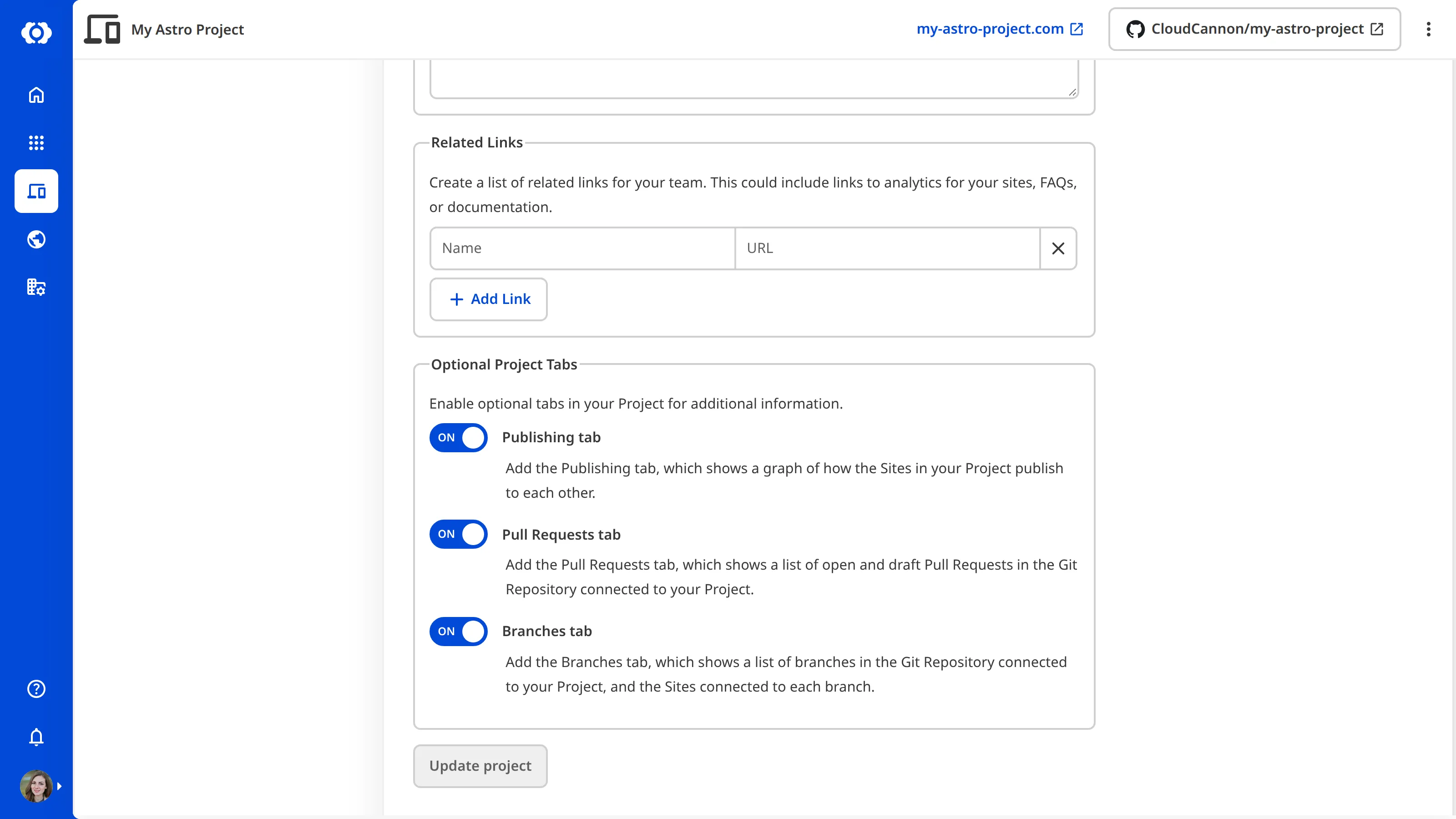
You can use the same method to hide these tabs by toggling them off.
Troubleshooting#
The Pull Requests toggle is disabled
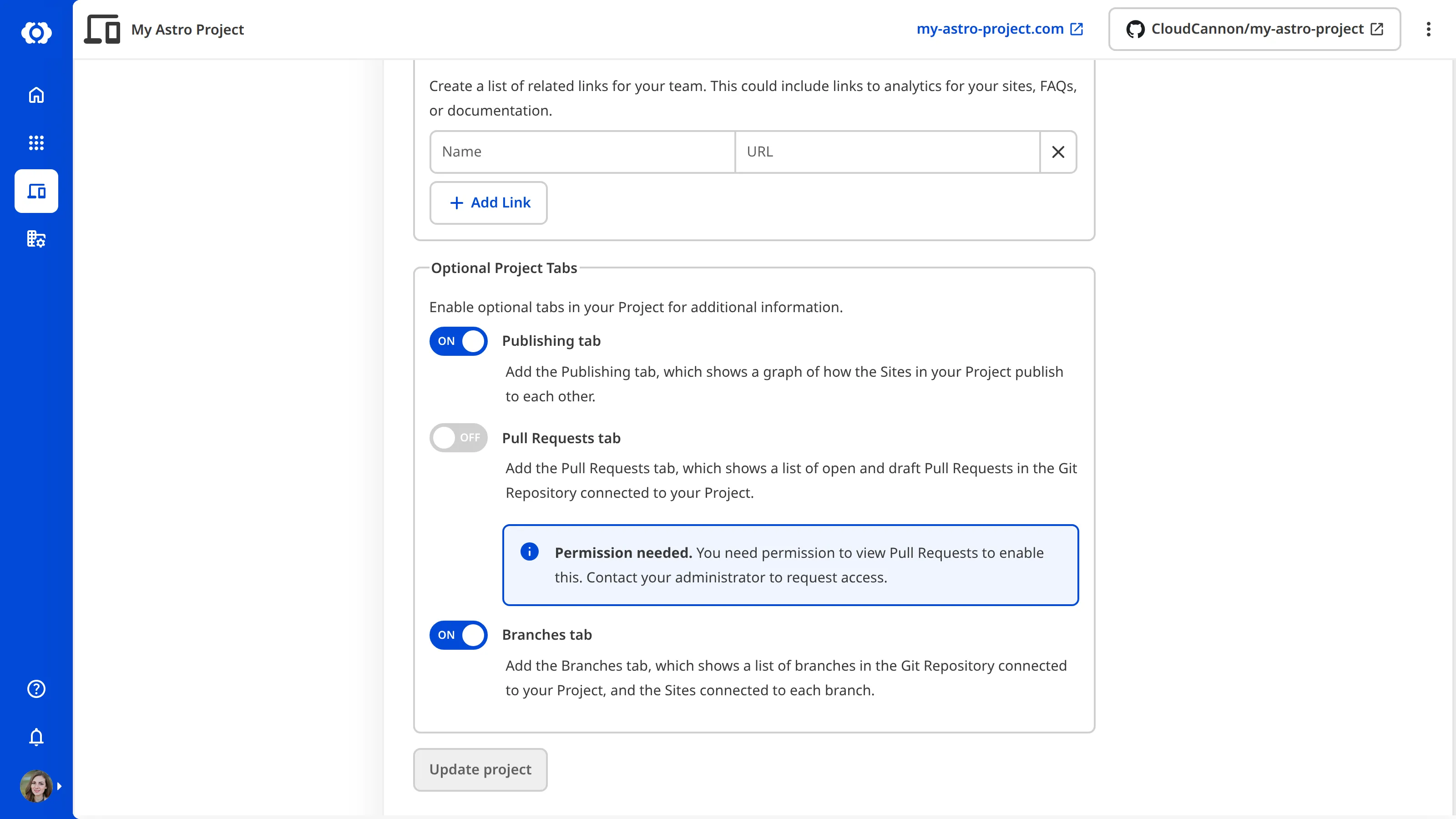
The Pull Requests toggle in Optional Project Tabs can be disabled for two reasons:
- Your Organization is not on the Team or Enterprise plan. In this case, CloudCannon shows an Upgrade to enable link next to the toggle.
- You don't have permission to view Pull Requests on this Project. In this case, CloudCannon shows a Permission needed notice next to the toggle. Ask your administrator for the
project:pull-requests:readpermission on this Project.
An Organization Member can't see the Pull Requests tab
Even with the Pull Requests toggle enabled, an Organization Member who doesn't have permission to view Pull Requests on the Project won't see the tab. Ask your administrator for the project:pull-requests:read permission on this Project.