Allow all branching is available on our Team or Enterprise plan.
Want to chat about whether this feature is right for you? Our support team is always happy to hear from you.
By default, Organization Members can only create branched Sites from your Project's A way to group multiple Sites from the same Git Repository, allowing you to define a main branch, as well as branching and publishing rules. You can access the Projects Browser using the Projects link in the App Sidebar. The branch in your Git Repository that represents your live or production content within a Project. The Main Branch determines where new branch Sites are created from and where changes are published to by default.Project
Main Branch
This is useful when Organization Members need to build on each other's in-progress work. For more information, please read our documentation on what branching is.
These instructions assume you have created a Project.
To turn on Allow all branching:
- Click Projects in the App Sidebar. CloudCannon will open the Projects Browser.
- Select the Project you want to configure. CloudCannon will open the Project Sites Browser.
- Click the Project Settings tab.
- Select Repository from the Section Navigation.
- Switch the Allow all branching toggle on.
- Click the Update Project button.
CloudCannon will save the setting, and Organization Members will be able to branch from any Site in your Project.
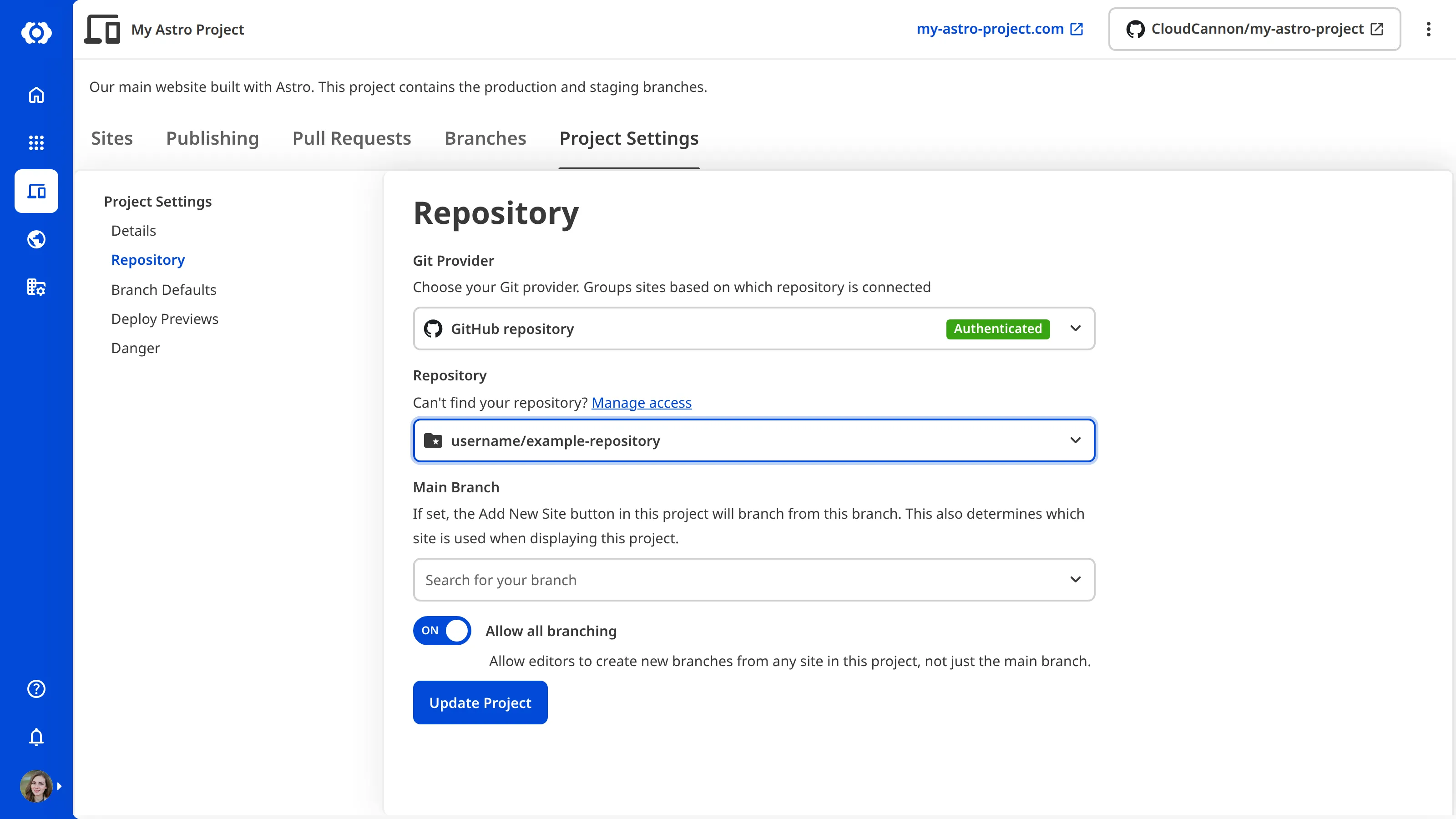
You can use the same method to turn Allow all branching off, which limits Organization Members to branching from your Main Branch. Existing branched Sites are not affected.