You can set a single minimum TLS version that applies to every domain on your base domain, rather than configuring it on each subdomain individually with an auto-generated SSL certificate. This is useful when you host several Sites on one base domain and want a consistent security baseline across all of them. On CloudCannon, the minimum TLS version is either 1.2 by default, or 1.3. For more about the minimum TLS version and how to choose between 1.2 and 1.3, please read our documentation on SSL certificates.
The minimum TLS version applies to domains on your base domain that CloudCannon serves through Cloudflare, whether they use an auto-generated SSL certificate or a custom SSL certificate. CloudCannon enforces the minimum TLS version separately from the certificate itself, and domains not served through Cloudflare are not affected.
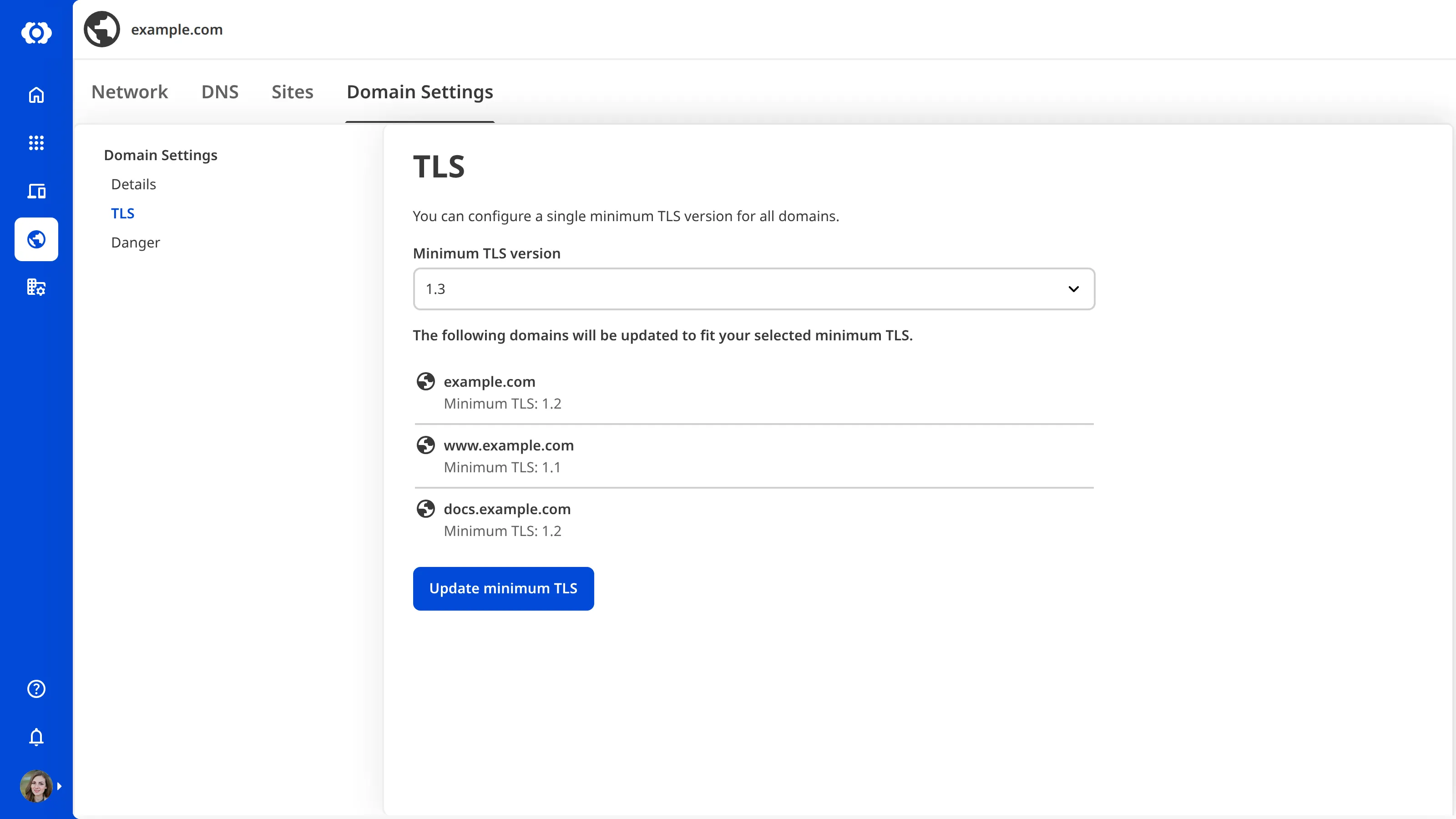
When you change the minimum TLS version, CloudCannon lists the domains on your base domain that do not yet meet it, then raises those domains to your selected version when you confirm. Domains that already meet or exceed your selected minimum are left unchanged. If you want to return to a lower TLS version, you must do so manually for each subdomain via the Configure SSL modal.
To increase the minimum TLS version for your domains:
- Log in to CloudCannon and select the Organization that contains your base domain.
- Click the Domains button in the App Sidebar. CloudCannon will open the Domains Browser.Glossary term
Domains Browser
CloudCannon's interface for managing the Custom Domains connected to your Organization. The Domains Browser allows you to connect new domains and open a Domain to manage its subdomains, DNS records, SSL certificates, and minimum TLS version. You can access the Domains Browser from the App Sidebar.
- Identify the domain you want to update and click on the Domain card. CloudCannon will open the Domain page for this Custom Domain.Glossary term
Custom Domain
A unique address used to identify a website, such as cloudcannon.com. You can purchase a domain from a Domain Registrar and add it as a Custom Domain to your CloudCannon Organization before connecting it to any number of Sites hosted on CloudCannon.
- Navigate to the TLS section under the Domain Settings tab.
- Select a version number from the Minimum TLS version dropdown.
- Review the list of domains that CloudCannon will update to your selected minimum TLS version.
- Click the Update minimum TLS button.
CloudCannon will set the minimum TLS version across the listed domains on your base domain.
When all domains on your base domain already use your selected minimum TLS version, CloudCannon displays a message confirming there are no domains to update, and the Update minimum TLS button is disabled.