When an Organization Member publishes from a branched Site A website in CloudCannon that includes all the files, content, configuration, and settings needed to edit, build, and host a complete website. A Git feature that proposes changes to a repository and allows for review before merging. In CloudCannon, Pull Requests are one method of publishing changes from a Site to its Publish Branch. Unlike direct merging, Pull Requests require approval before changes are combined. A web-based service that hosts Git Repositories. CloudCannon supports GitHub, GitLab, and Bitbucket as Git Providers for syncing your website's code and content files.Site
Pull Request
Git Provider
For more information about Publishing Methods, please read our documentation on what Publishing Methods are.
To review a Pull Request, open it on your Git Provider (GitHub, GitLab, or Bitbucket) using your Git Provider's review tools. From CloudCannon, you can navigate to a Pull Request in two places:
- The Pull Requests tab on your Project, which lists all open Pull Requests in the connected Git Repository.Glossary term
Git Repository
A storage location for the code and files that make up your website. CloudCannon supports the repository providers GitHub, GitLab, and Bitbucket, and highly recommends using a repository to store your website's files for better version control and collaboration.
- The Publishing page of a branched Site with an open Pull Request, which shows the Pull Request title, description, and changes.
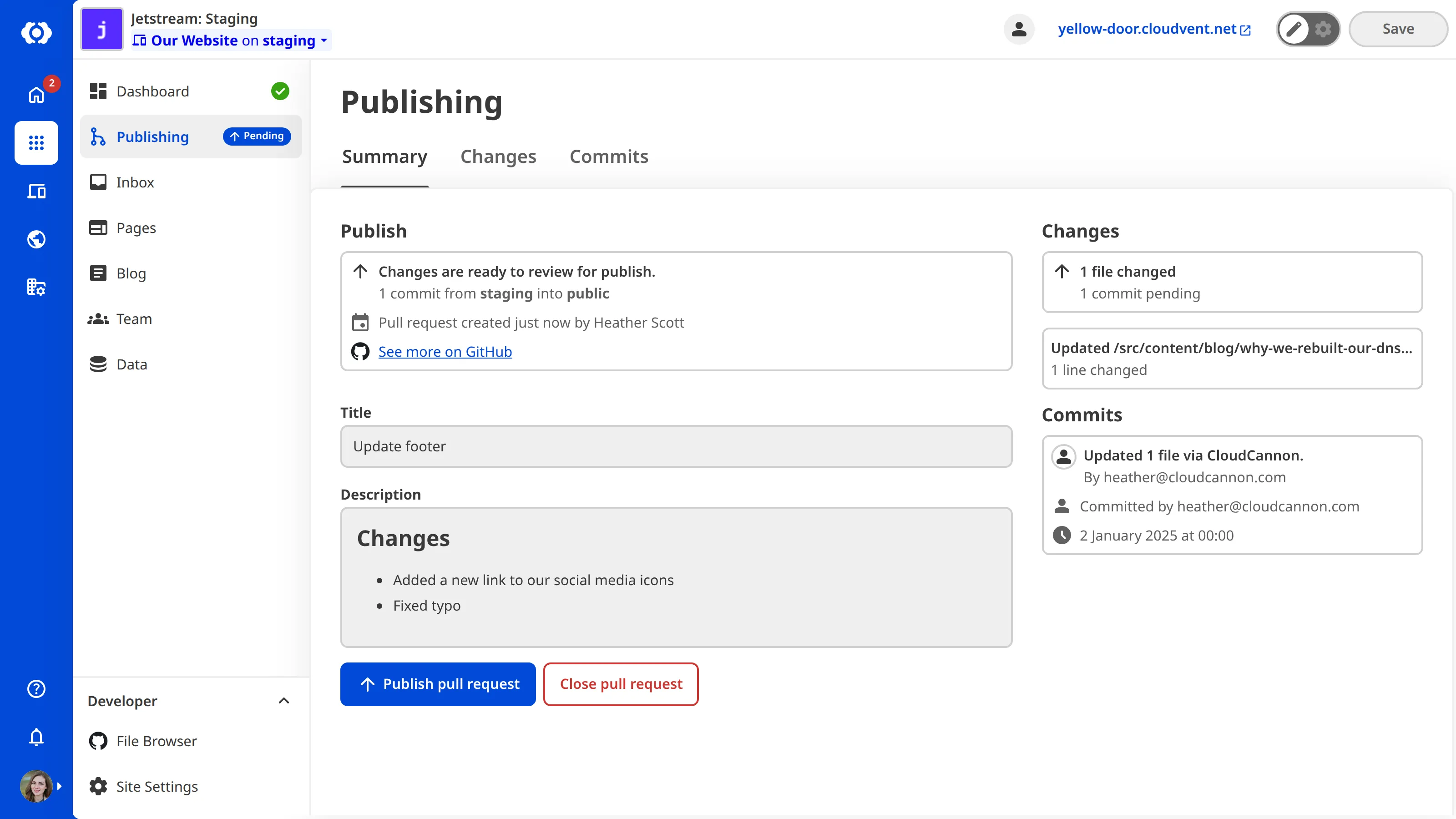
Once a Pull Request is approved on your Git Provider, you can merge it from your Git Provider or from CloudCannon. To merge from CloudCannon, click the Publish pull request button on the branched Site's Publishing page. If your Git Provider has additional restrictions on the branch, CloudCannon will return an error when those restrictions are not met.
If you close the Pull Request — either on your Git Provider or by clicking Close pull request on the Publishing page — the branched Site will retain its saved changes until an Organization Member updates the content or deletes the Site.