Deploy Previews are available on our Team or Enterprise plan.
Want to chat about whether this feature is right for you? Our support team is always happy to hear from you.
CloudCannon can use Deploy Previews Deploy Previews are a set of automations that CloudCannon can run whenever a Pull Request is opened, closed, or updated in your Git Repository. When enabled, CloudCannon can post a comment on each Pull Request with details of any connected Sites, and automatically create and delete a Site for each Pull Request. This lets your team review and edit changes in CloudCannon before a Pull Request is merged.Deploy Preview
- The Site Name and the branch it tracks
- The Site's current Build Status on CloudCannon (e.g., Ready, Building, Build Failed, or Not configured)
- A View Testing Domain link that opens the Site's Testing DomainGlossary term
Testing Domain
A free .cloudvent.net URL that CloudCannon assigns to every Site for reviewing your live website content after a successful Site build. Each Testing Domain uses a randomly generated adjective and noun separated by a hyphen. By default, CloudCannon automatically de-indexes Testing Domains so that they do not appear in search engines.
- An Open Site link that opens the Site Dashboard in CloudCannon
- A View Build Logs link that opens the Builds tab on your Site Dashboard
- A Latest Commit link (shown as the short commit SHA) that opens the latest commit on your Git Provider
If multiple Sites are connected to the same branch, CloudCannon renders the details as a table with one row per Site, including both manually connected Sites and Sites that CloudCannon created automatically for the Pull Request.
Normally, the Latest Commit is the same for each Site, because CloudCannon syncs changes from your Git Repository to every connected Site. A different Latest Commit on one row can mean syncing for that Site is blocked, paused, or filtered.
If no Sites are connected yet, the automatic comment links to your Project A way to group multiple Sites from the same Git Repository, allowing you to define a main branch, as well as branching and publishing rules. You can access the Projects Browser using the Projects link in the App Sidebar.Project
Automatic comments can be useful for teams where some members review Pull Requests in their Git Provider (e.g., developers reviewing code changes alongside the diff), and other members manage content from inside CloudCannon. Deploy Previews bridge this gap by posting the Testing Domain, Build Status, and links back to your Site directly on the Pull Request, so reviewers can preview changes and open the Site without leaving their Git Provider.
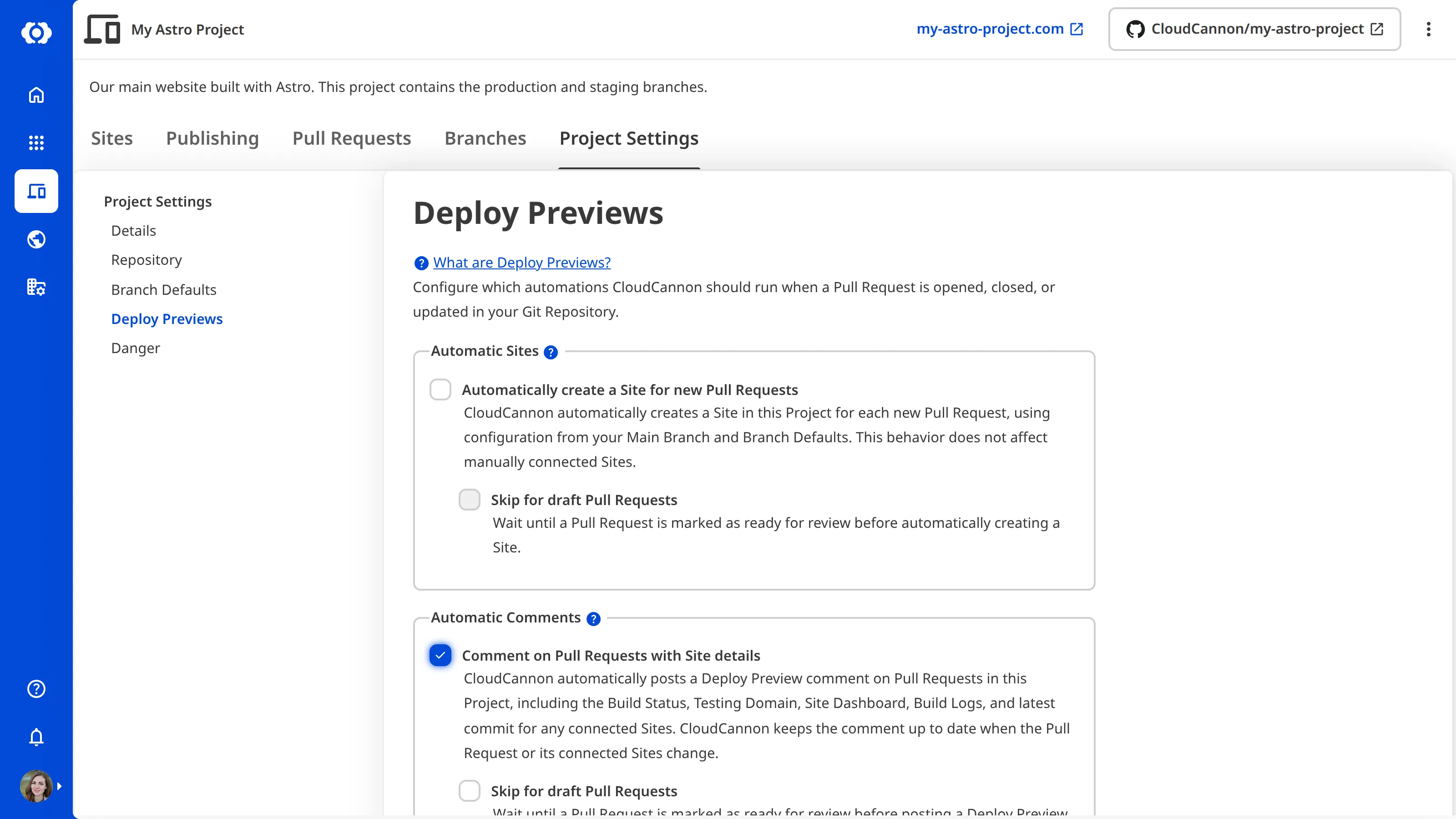
You can turn on Pull Request comments via Deploy Previews for any Project A way to group multiple Sites from the same Git Repository, allowing you to define a main branch, as well as branching and publishing rules. You can access the Projects Browser using the Projects link in the App Sidebar.Project
Posting and updating Pull Request comments#
By default, CloudCannon posts the Pull Request comment via Deploy Preview when an Organization Member opens a Pull Request for a branch in your Project. CloudCannon updates that comment after any of the following triggers:
- A Pull Request event is received (opened, reopened, ready for review, edited, and so on).
- A Site linked to the Pull Request changes branch, is renamed, or has its stable domain updated.
- A Site is created for the Pull Request (including automatically created Sites).
- A build on a connected Site completes, so the status and commit information stay current.
Rather than create a new comment after any of these triggers, CloudCannon always updates the existing comment and moves the comment to the most recent event on your Pull Request timeline (e.g., your Conversation in GitHub, Discussion in GitLab, and Overview in Bitbucket). CloudCannon identifies its own comment using a hidden HTML marker scoped to your Organization. Editing or reacting to a comment from your Git Provider does not affect CloudCannon's ability to update it.
Manually refreshing Deploy Preview comments#
CloudCannon updates Deploy Preview comments automatically when Pull Requests, Sites, or builds change. Refresh Deploy Preview comments is an option in the Context Menu on the Project page that triggers an immediate refresh, without waiting for the next event.
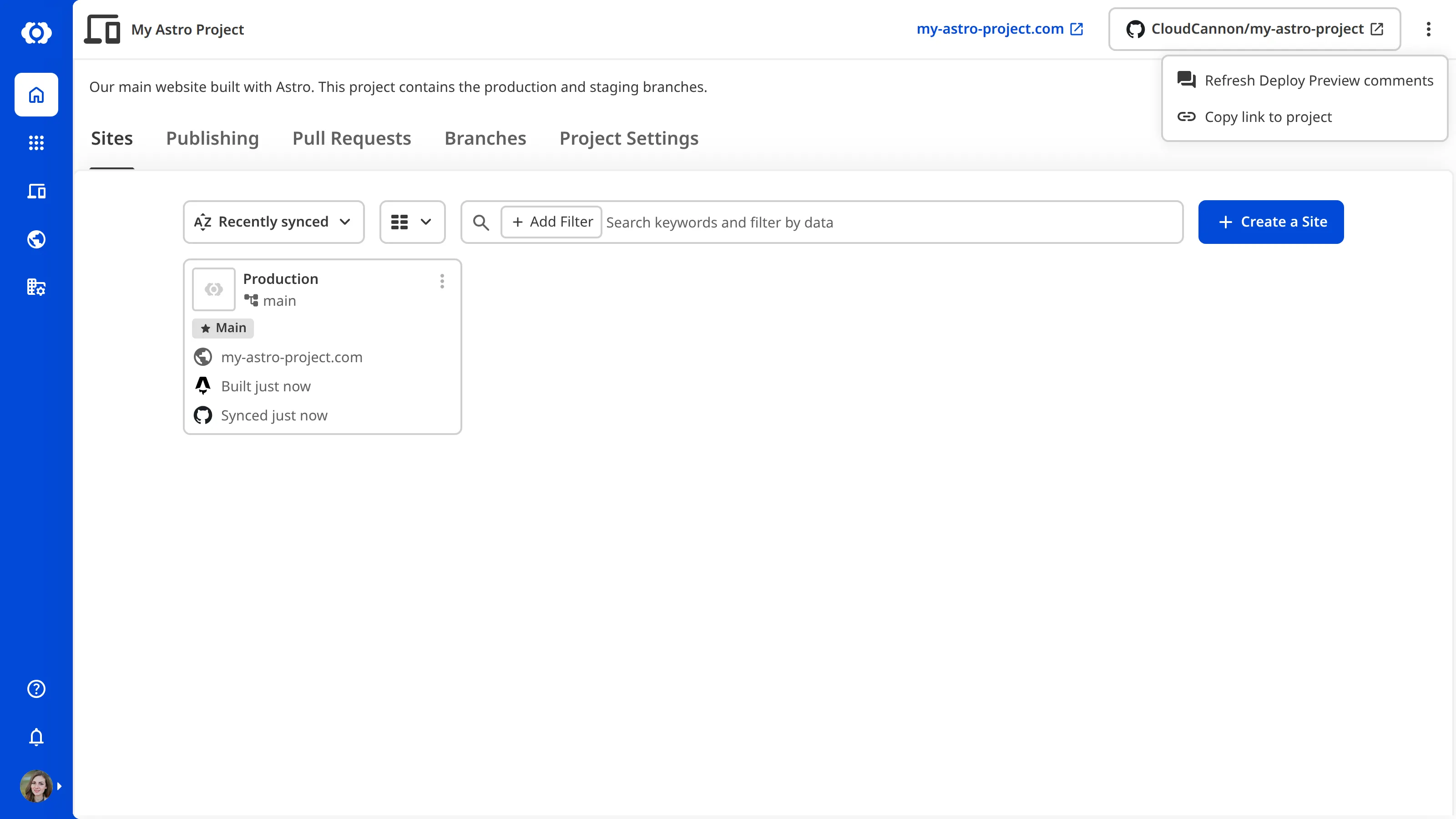
Selecting this option re-runs the comment posting and updating flow for every Site on the Project. CloudCannon updates the comment on each open Pull Request.
You must have permission to edit Build Deploys to use this option.
A manual refresh is useful when Deploy Previews settings change and existing comments should reflect the new content immediately, when CloudCannon's automatic comment failed to post or was deleted from the Pull Request, or when debugging Deploy Preview comment behavior.
The comment footer#
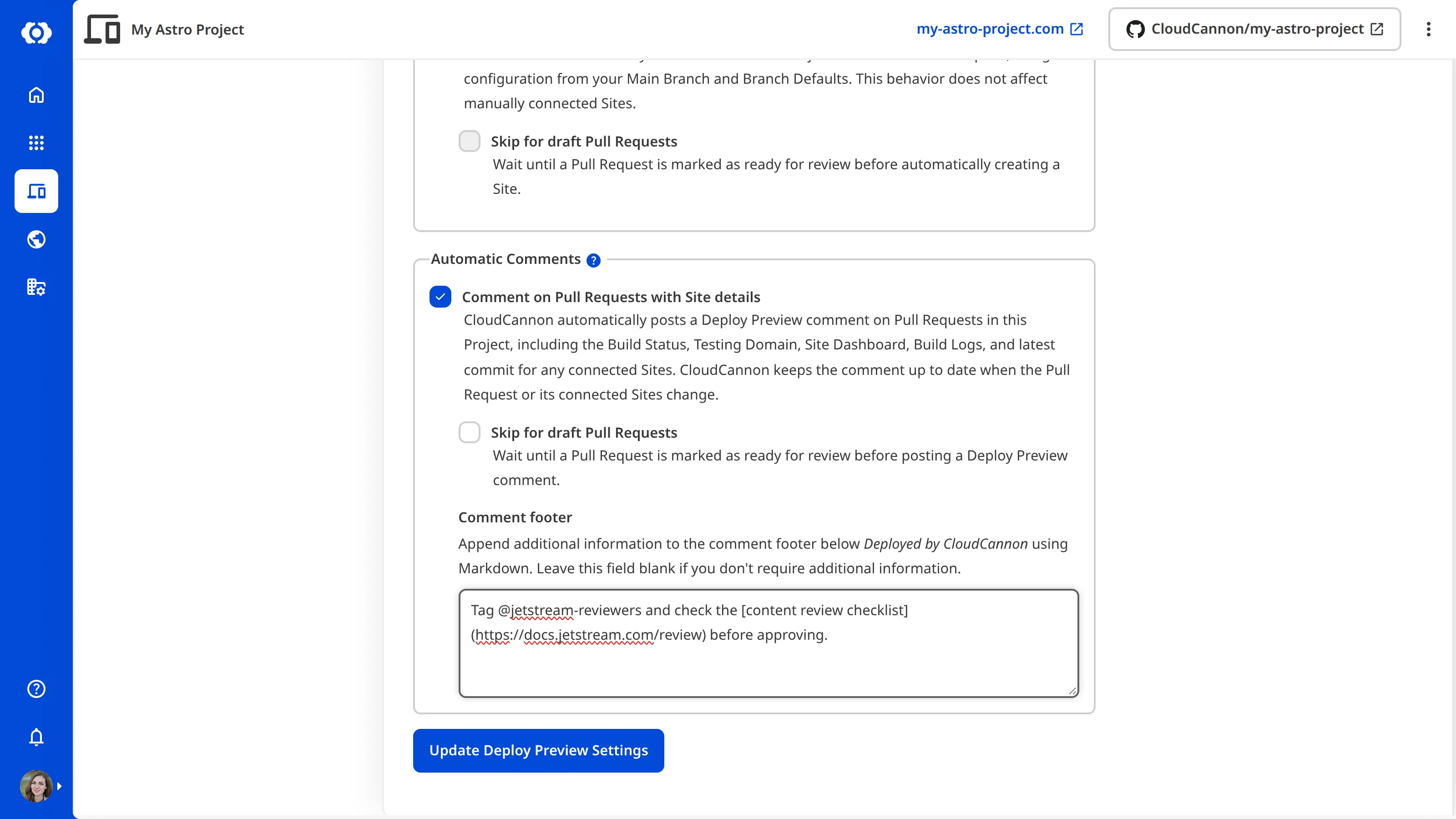
By default, each comment has a footer with the text "Deployed by CloudCannon." You can append extra content to this footer, for example, including useful links to internal review checklists, tagging reviewers, or pointing at documentation specific to your team.
Skipping draft Pull Requests#
You can skip automatic comment posting for draft Pull Requests. Once a Pull Request is marked as ready for review, CloudCannon posts a comment.
This option is independent of the Skip for draft Pull Requests option for Site creation and destruction—you can, for example, create a Site for drafts but defer posting a comment until a Pull Request is ready.
Disabling automatic comments#
If you disable automatic comments on your Project, CloudCannon does not delete any existing comments in your Git Repository. Instead, CloudCannon reconciles every open Pull Request in the Project and rewrites its automatic comment with a short notice explaining that Pull Request comments have been disabled.
The same reconciliation runs if you mark a Pull Request as a draft or change the content of the comment footer. Pull Requests that were previously eligible are updated with the disabled notice, and Pull Requests that are newly eligible are back-filled with a fresh Deploy Preview comment.
Reconciliation only touches comments that CloudCannon posted using the marker for your Organization. It never edits or deletes comments written by people or other integrations.