You can configure three links for the Guest Dashboard to help Guests find the necessary resources for your Site.
- Preview URL — Links to the preview of your live Site (e.g., the custom domain or .cloudvent.net testing domain).
- Documentation URL — Links to the location where Guests can find documentation for your Site.
- Support URL — Links to the location where Guests can find support (e.g., a mailto with your support email address).
These links will appear in the Site Navigation and on the Site Dashboard.
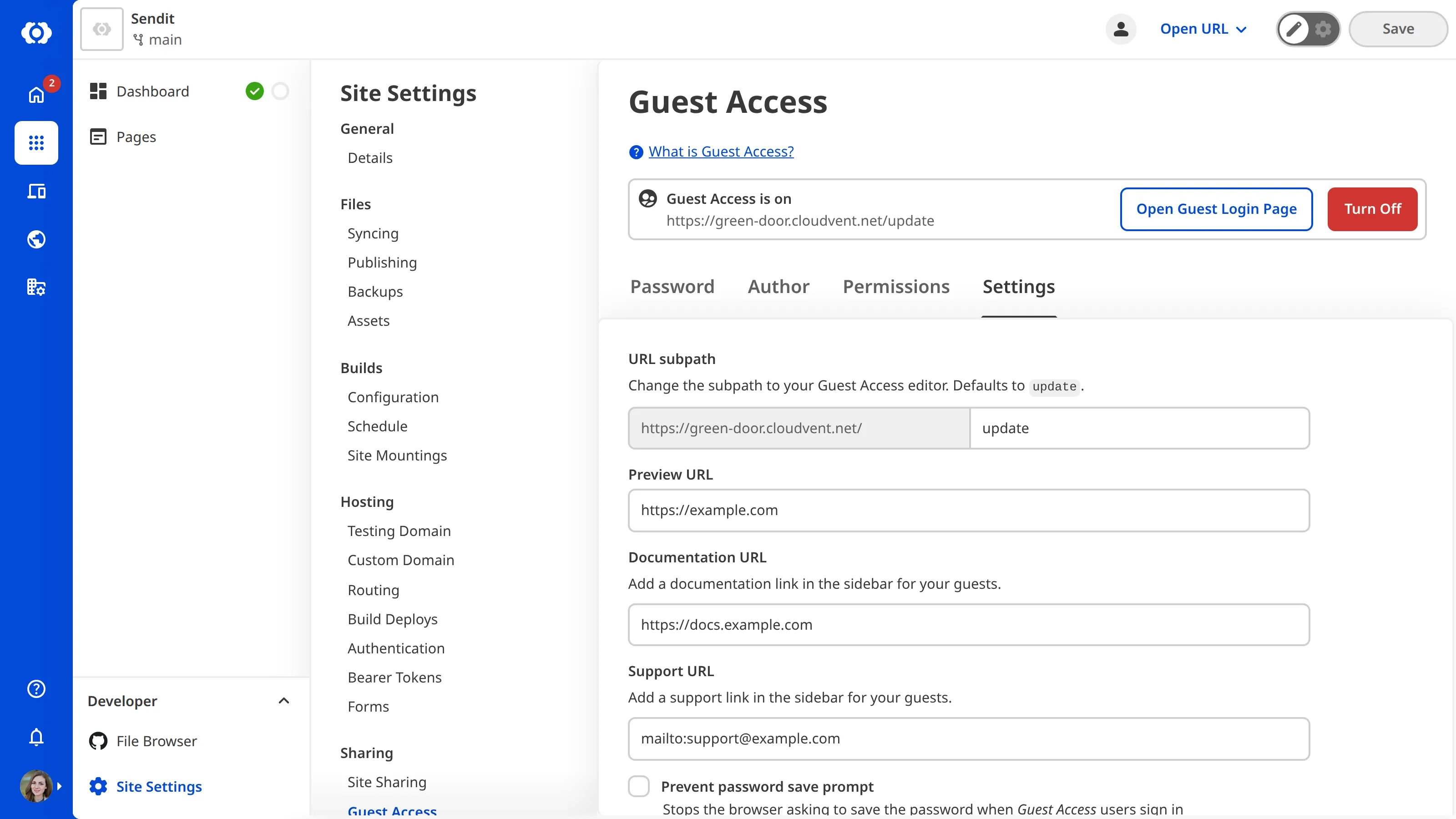
To configure the links on the Guest Dashboard:
- Navigate to the Guest Access page under Site settings.
- Click on the Settings tab.
- Enter the preview link in the Preview URL field.
- Enter the documentation link in the Documentation URL field.
- Enter the support link in the Support URL field.
- Click the Update button at the bottom of the page.
CloudCannon will update the links on the Guest Dashboard. Guests must refresh their page to see the updated links.