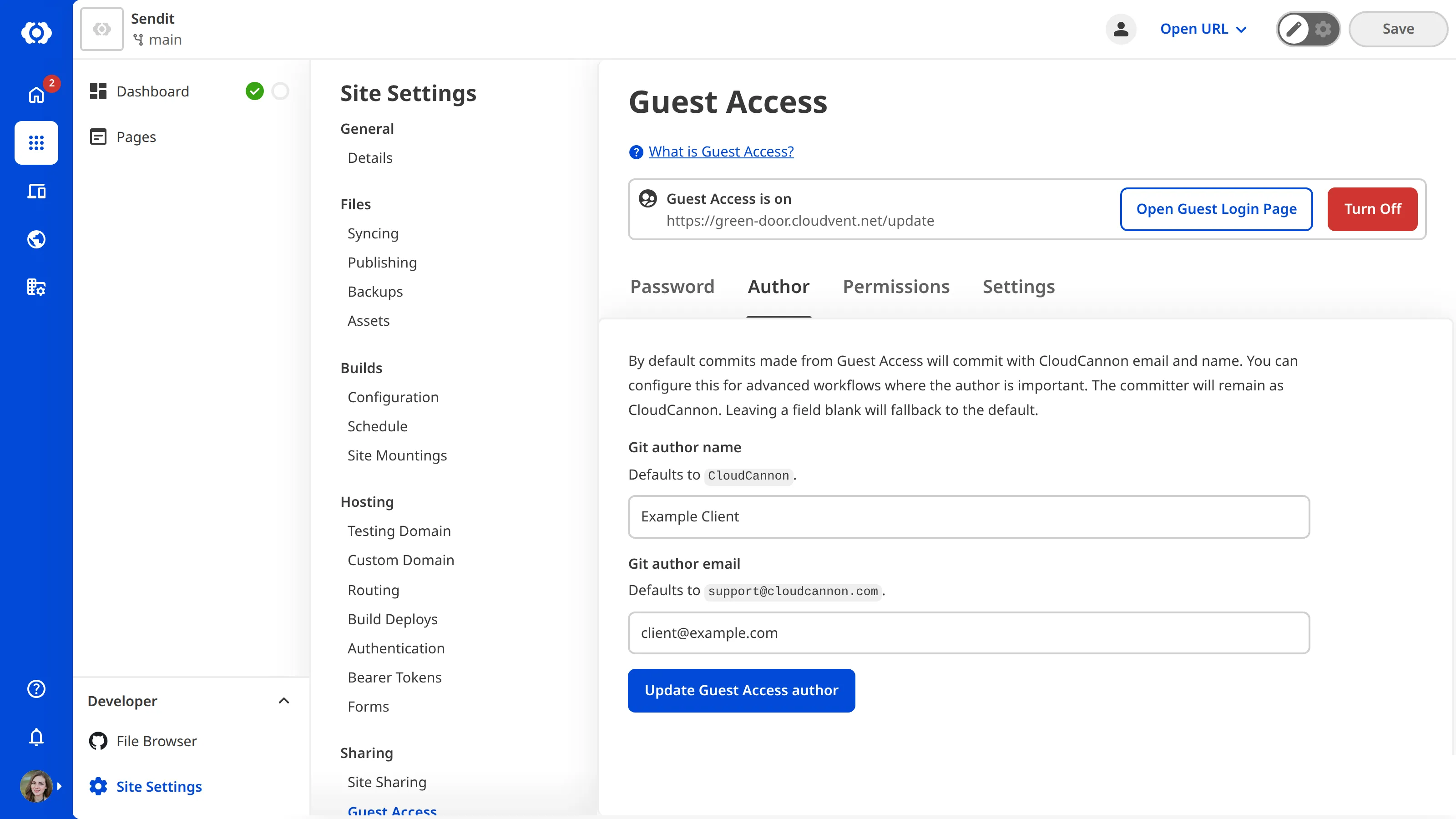
By default, when a Guest edits your Site, the commit details will contain the name “CloudCannon” and email address “support@cloudcannon.com”.
You can configure the commit details for Guests to create a more accurate history of changes made to your Site.
To configure the commit details for a Guest:
- Navigate to the Guest Access page under Site settings.
- Click on the Author tab.
- Under the Author tab, enter the name and email address you want to appear in the commit history.
- Click the Update button.