This feature is available on our Team and Enterprise plans.
Want to chat about whether this feature is right for you? Our support team is always happy to hear from you.
Each Site has one Permission Group for Guests with a Site scope. Anyone who logs into your Site using the Guest Access password is considered a member of this Permission Group. Team and Enterprise customers can customize the permissions available to Guests for each Site using Guest Access.
To customize the permissions in the Guest Permission Group:
- Navigate to the Guest Access page under Site settings.
- Click on the Permissions tab.
- Select the resources you want to add and what actions you want to allow for each resource (i.e., Read, Write, or Create).
- Click the Update permissions button.
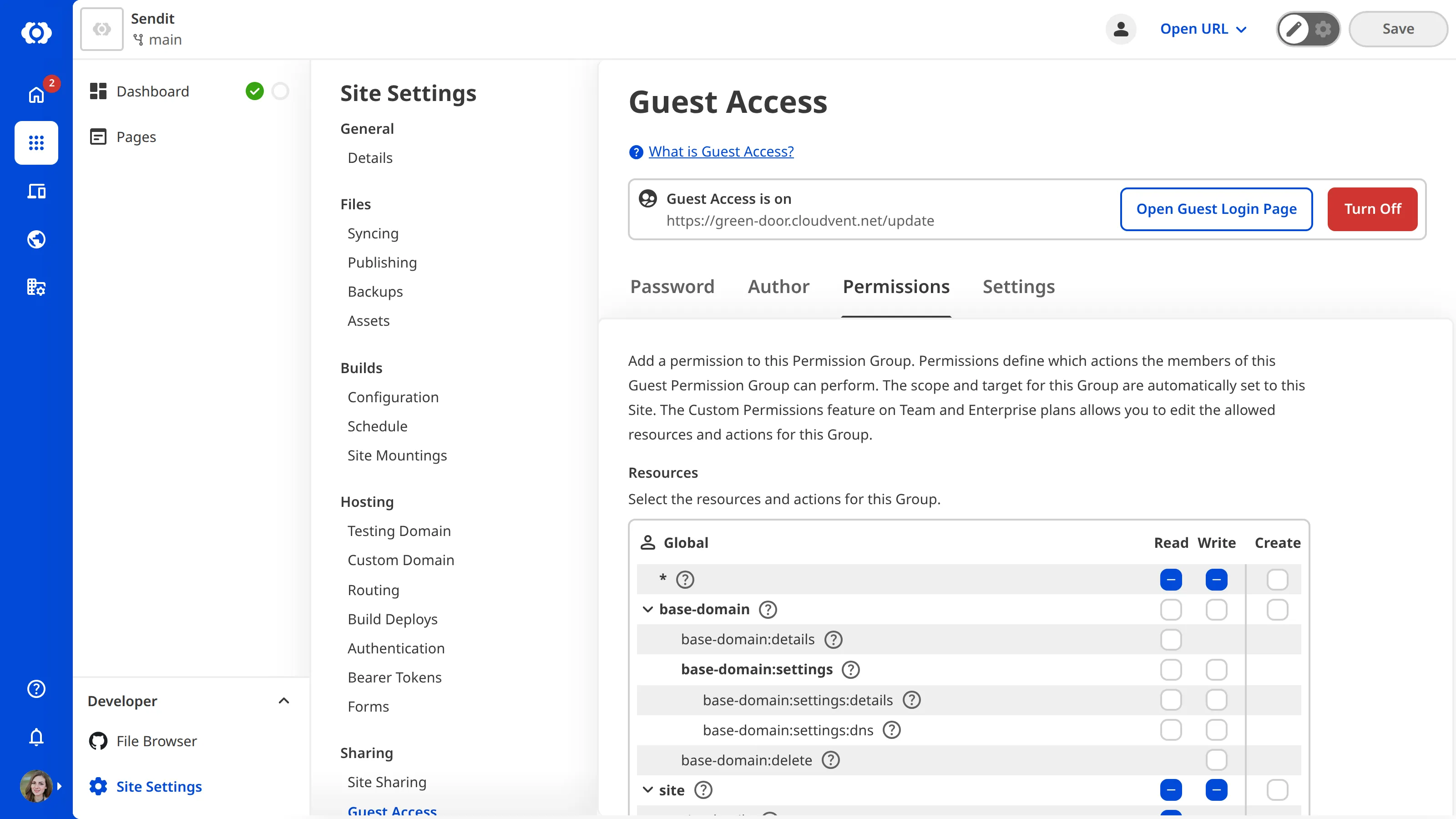
Unlike other Custom Permission Groups, you cannot configure the scope or exceptions for the Guest Access Permission Groups.
For a complete list of resources and their associated actions, please read our permissions reference documentation.