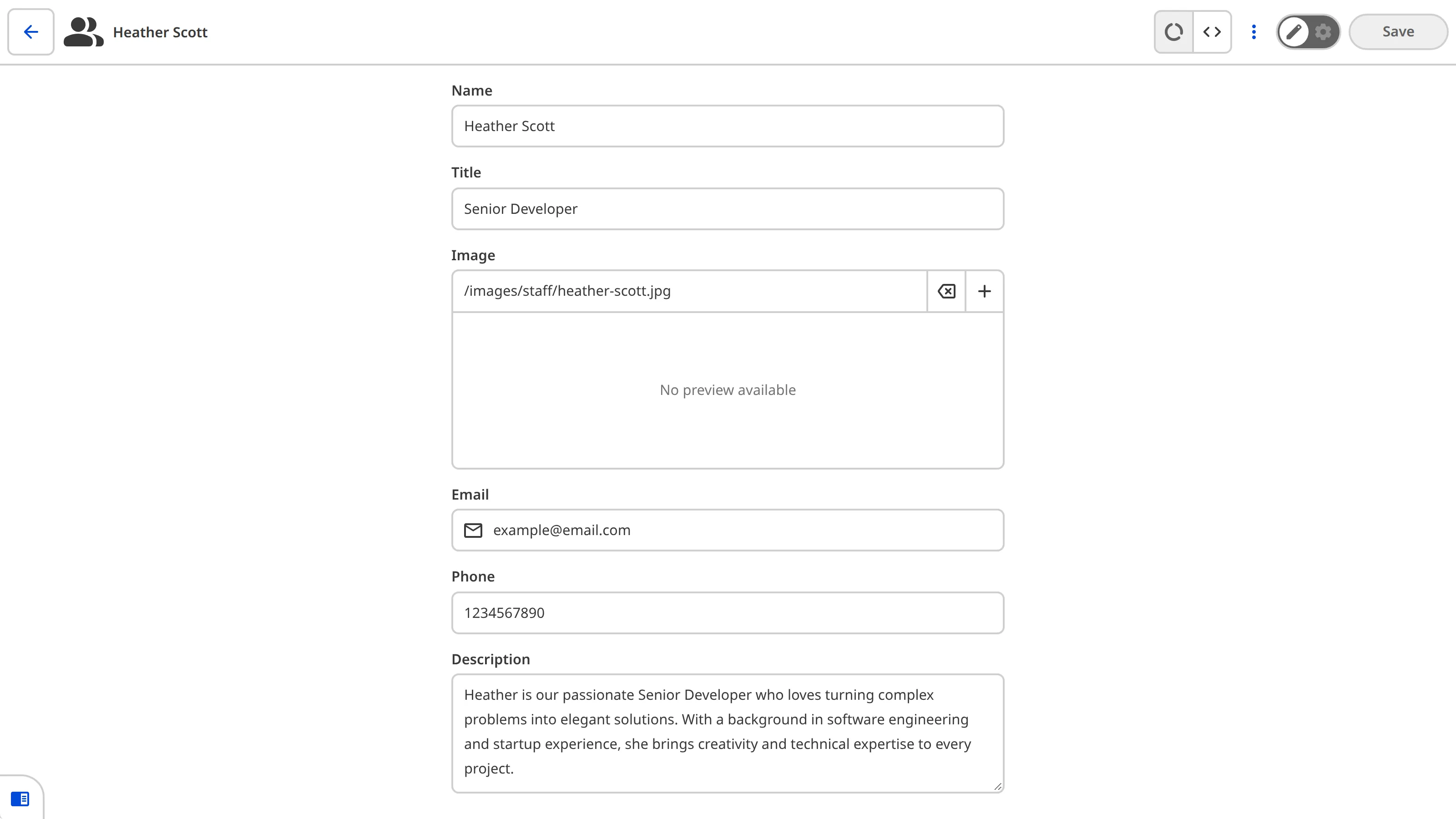
Select the preferred editor and additional editors available to your Organization Members for each file.
This option is set in the front matter of specific files. You can also set this globally, or for all files in a collection when configuring your collections.
This key defines which editing interfaces are available by default for files at a given level of the configuration cascade.
Whether an editing interface is available for a specific file is determined by other factors.
Values can be one of the following: visual, content, or data.
Specifying one or more editing interfaces will disable all unspecified editing interfaces.
You cannot disable the Source Editor with this key.
By default, this key is set to visual, content, and data.
If undefined at higher levels of the configuration cascade, _enabled_editables will
default to any values configured in the CloudCannon configuration file.
For more information, please read our documentation on the Visual Editor, Content Editor, Data Editor, and Source Editor.
Appears in: schemas.*, collections_config.*, file_config[*].
Show examplesHide examples
In this example, we have enabled only the Content Editor in the blog Collection.
collections_config:
  blog:
    _enabled_editors:
      - content
{
"collections_config": {
"blog": {
"_enabled_editors": [
"content"
]
}
}
}This key defines the available editors in CloudCannon: visual, content, and data editors.
Allowed values: visual content data
Appears in: _enabled_editors.
_enabled_editors:
  - visual
  - content
{
"_enabled_editors": [
"visual",
"content"
]
}_enabled_editors = [ "visual", "content" ]Hiding the content area
When files only use the front matter, it is better to display a full-screen front matter editor. You can do this by specifying data as the first enabled editor, and then omitting content from the list of enabled editors.
For example, to hide the content editor for all files in a collection called staff:
collections_config:
  staff:
    _enabled_editors:
      - data
      - visual
{
"collections_config": {
"staff": {
"_enabled_editors": [
"data",
"visual"
]
}
}
}This will set files in staff to open in the Data Editor by default, while still allowing the post to be opened in the Visual Editor. The Content Editor will be disabled.