Image Editable Regions A designated area within a webpage where Organization Members can change an image in CloudCannon's Visual Editor. Image Editable Regions allow you to upload images from your local storage, select existing images from your repository or DAM, and manage image details like title or alt text.Image Editable Region
To avoid misconfiguration issues where CloudCannon cannot find the data property you want to edit, always add Editable Regions to values closest to the root of the file first (i.e., work from parent elements towards child elements).
These instructions assume you have configured your build settings and are comfortable editing HTML layouts, either in CloudCannon's Source Editor or your local development environment.
To configure Image Editable Regions in the Visual Editor:
- Identify the file to which you want to add an Image Editable Region. We recommend any layout files that contain templating that is populated by content files at build time.
- Open the file in CloudCannon's Source Editor or your local development environment.
- Identify the
<img>HTML tag that contains your templating and add the HTML attributedata-editable="image". If you can't add attributes to the<img>element directly, wrap it in the<editable-image>web component. - Add the
data-prop-src=""HTML attribute to the same DOM element, or to the<editable-image>web component. The value ofdata-prop-srcshould be the path to the data property you want to edit. - Optional. If you store image title or alt text data in your content files, add the
data-prop-title=""anddata-prop-alt=""HTML attributes to the same DOM element, or to the<editable-image>web component. The value of these attributes should be the path to the data property you want to edit. - Save your changes and rebuild your Site.
When you open the file in the Visual Editor, CloudCannon will show a yellow Editable Region box around the image. When you click the image, CloudCannon will open the Edit Image Data Panel, where you can change the image, alt text, and title.
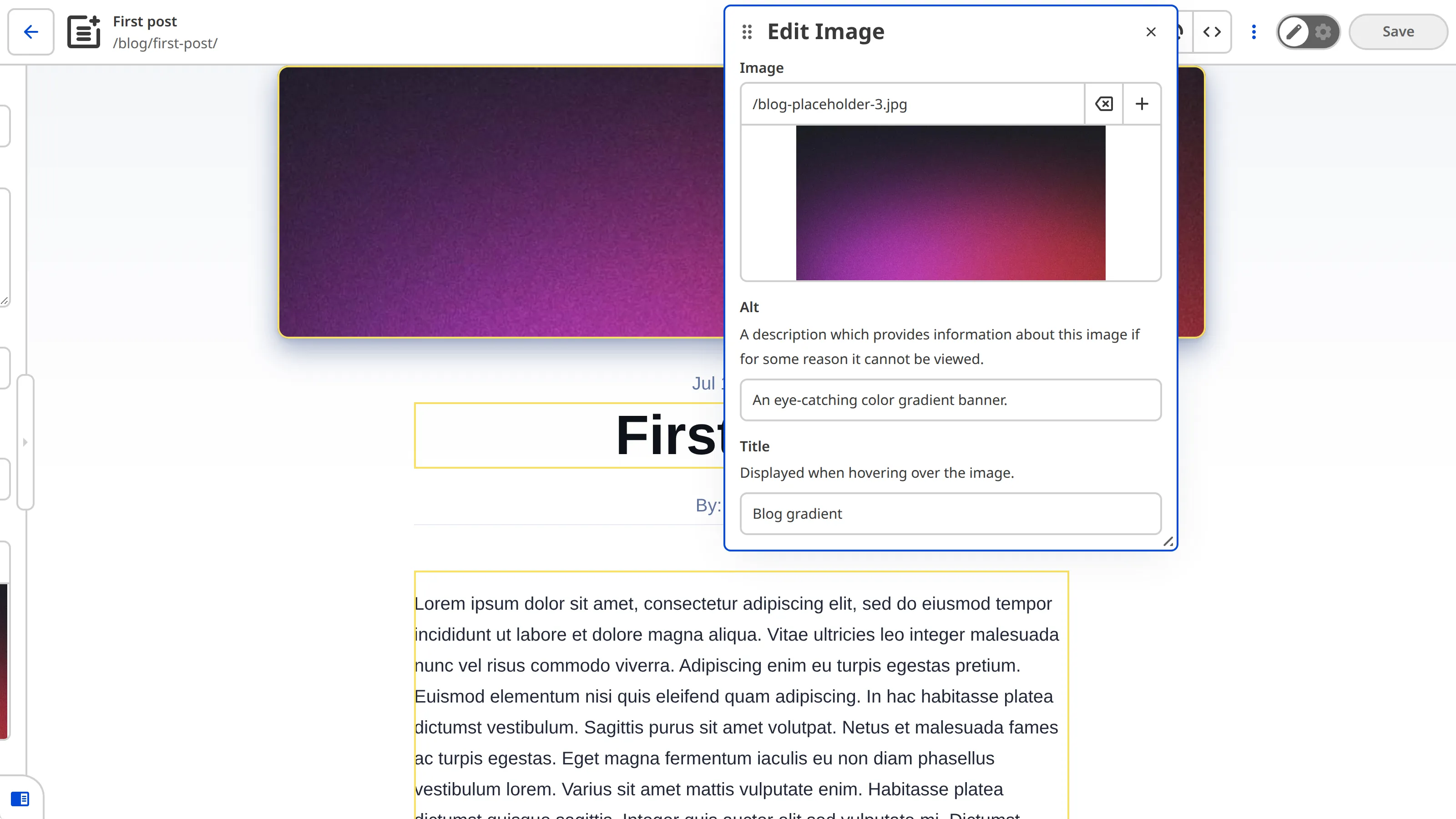
If your <img> element is inside a <picture> element, CloudCannon also updates the <source> elements in the <picture> element when you change the image.
Want to make a standalone HTML-like file visually editable?
We recommend configuring Source Editable Regions for standalone HTML-like files with hard-coded content (e.g., A designated area within a webpage where Organization Members can modify text content directly through CloudCannon's visual editing interface. These regions allow inline text editing without requiring knowledge of HTML or Markdown..astro or .liquid pages) rather than several Image and Text Editable RegionsText Editable Region
Uploaded image locations#
If you upload a new image from your computer through the Edit Image Data Panel, CloudCannon will upload it to one of three locations. If your front matter key is configured as an Image Input, CloudCannon will upload your new image to the location defined by options.paths.uploads. If this option is not defined, CloudCannon will use the location defined by paths.uploads in the root of your CloudCannon Configuration File. Finally, if you do not have any uploads path defined, CloudCannon will upload the new image to the uploads folder in your Site's source folder (static/uploads for some Hugo Sites), or create one if the folder does not exist.
If your Site has a connected DAM, you can also choose to upload the image to your DAM instead.
Examples#
Here is an example of an Image Editable Region. The <img> element has the data-editable="image" HTML attribute, and its source, alt text, and title are bound to the heroImage, heroImageAlt, and heroImageTitle front matter keys.
<div class="hero-image">
    {heroImage &&
      <img
        data-editable="image"
        data-prop-src="heroImage"
        data-prop-alt="heroImageAlt"
        data-prop-title="heroImageTitle"
        width={1020}
        height={510}
        src={heroImage}
        title={heroImageTitle}
        alt={heroImageAlt}
      />
    }
</div>The data-editable attribute defines what kind of data this element contains. In this case, the value is image.
The data-prop-src attribute passes the value of heroImage to the Image Editable Region with the src key.
The data-prop-alt attribute passes the value of heroImageAlt to the Image Editable Region with the alt key.
The data-prop-title attribute passes the value of heroImageTitle to the Image Editable Region with the title key.
Expected data property format#
Image Editable Regions edit up to three values: the image source (src), the alt text (alt), and the title (title). You can bind these values in two ways:
- Use the
data-prop-src,data-prop-alt, anddata-prop-titleHTML attributes to bind each value to its own structured data key, as in the example above. - Use the
data-propHTML attribute to bind a structured data object that containssrc,alt, andtitlekeys.
In this example, the hero_image front matter object stores all three values, so the <img> element only needs data-prop="hero_image".
---
title: 'First post'
hero_image:
  src: '../../assets/blog-banner.jpg'
  alt: 'An eye-catching color gradient banner.'
  title: 'Blog gradient'
---<img
data-editable="image"
data-prop="hero_image"
src={hero_image.src}
alt={hero_image.alt}
title={hero_image.title}
/>The data-prop attribute passes the whole hero_image object to the Image Editable Region, which reads its src, alt, and title keys.
Image Editable Regions only accept the src, alt, and title keys. If the object contains any other key, or you add any other data-prop-* HTML attribute (e.g., data-prop-color), CloudCannon will show an Error Card in the Visual Editor.
Misconfigured Image Editable Regions#
If your Image Editable Region is misconfigured, CloudCannon will replace it in the Visual Editor with a red Error Card headed Failed to render image editable region, followed by a message describing the problem.
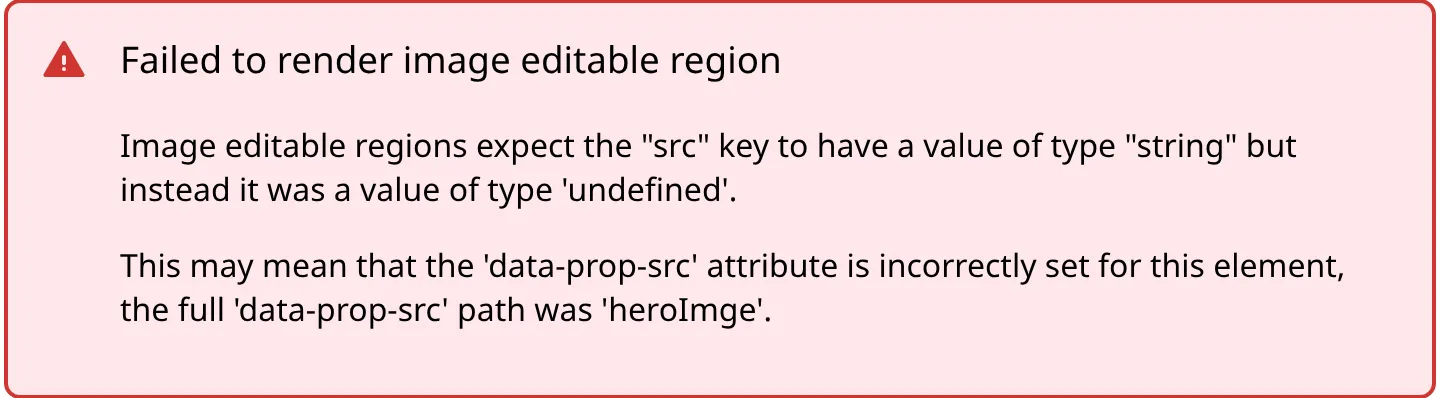
Image Editable Regions are misconfigured if:
- You did not define any
data-prop-*HTML attribute, or thedata-propHTML attribute. - The Editable Region has an invalid data type (e.g., your image source is a number or object, instead of a string).
- There is no
<img>child element in the Image Editable Region web component. - Your Image Editable Region receives a key other than
src,alt, ortitle(e.g., from adata-prop-colorHTML attribute).