Deploy Previews are available on our Team or Enterprise plan.
Want to chat about whether this feature is right for you? Our support team is always happy to hear from you.
CloudCannon can use Deploy Previews Deploy Previews are a set of automations that CloudCannon can run whenever a Pull Request is opened, closed, or updated in your Git Repository. When enabled, CloudCannon can post a comment on each Pull Request with details of any connected Sites, and automatically create and delete a Site for each Pull Request. This lets your team review and edit changes in CloudCannon before a Pull Request is merged. A website in CloudCannon that includes all the files, content, configuration, and settings needed to edit, build, and host a complete website. A Git feature that proposes changes to a repository and allows for review before merging. In CloudCannon, Pull Requests are one method of publishing changes from a Site to its Publish Branch. Unlike direct merging, Pull Requests require approval before changes are combined. A free .cloudvent.net URL that CloudCannon assigns to every Site for reviewing your live website content after a successful Site build. Each Testing Domain uses a randomly generated adjective and noun separated by a hyphen. By default, CloudCannon automatically de-indexes Testing Domains so that they do not appear in search engines.Deploy Preview
Site
Pull Request
Testing Domain
Automatically created Sites can be useful for teams where some members create branches and open Pull Requests outside of CloudCannon (e.g., from a local Git Repository, an IDE, their Git Provider's interface, or through automated tooling), and other members need to review or edit content changes from inside CloudCannon. Deploy Previews bridge this gap by automatically creating a Site for each Pull Request that doesn't already have a Site on its head branch.
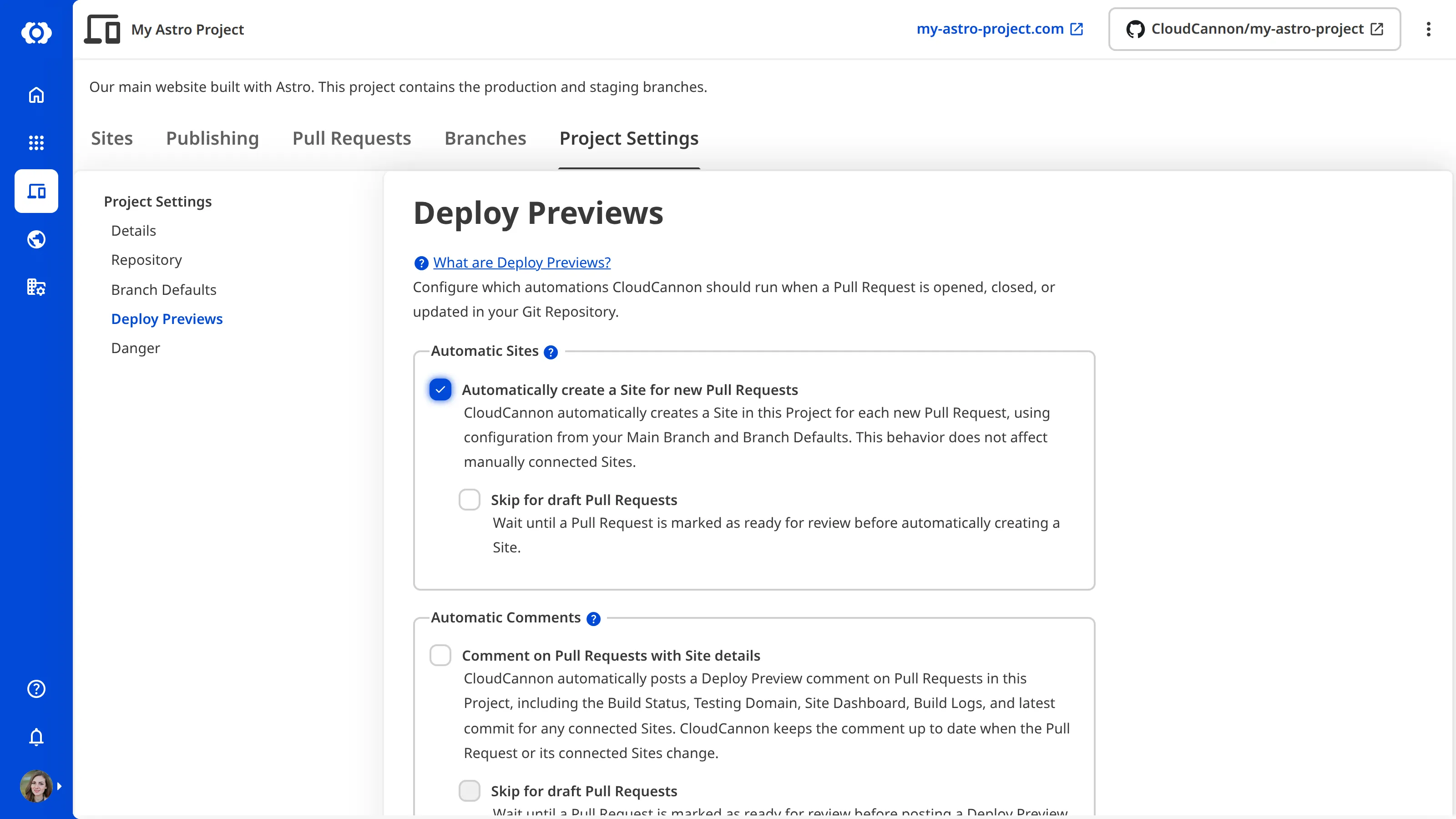
You can turn on automatic Site creation and deletion for any Project A way to group multiple Sites from the same Git Repository, allowing you to define a main branch, as well as branching and publishing rules. You can access the Projects Browser using the Projects link in the App Sidebar.Project
Configuration for automatically created Sites#
When CloudCannon automatically creates a Site, it reuses the configuration from your Main Branch and Branch Defaults, and information from the Pull Request in your Git Repository A storage location for the code and files that make up your website. CloudCannon supports the repository providers GitHub, GitLab, and Bitbucket, and highly recommends using a repository to store your website's files for better version control and collaboration.Git Repository
If you have set a Main Branch for your Project, CloudCannon copies the configuration for the Publish Mode, Configuration File path, Static Site Generator An abbreviation of Static Site Generator, an SSG is a tool that builds websites by processing templates, content, and data to create static HTML files. CloudCannon supports popular SSGs like Jekyll, Hugo, Eleventy, Next.js, and many others.SSG
Branch Defaults in your Project Settings can override your Main Branch. If you have Branch Defaults for authentication, stable password, and Publish Mode, the automatically created Site uses these instead.
CloudCannon uses the title and number of your Pull Request to generate the name of your Site (e.g., PR #42: Add footer links), truncated to 100 characters. It also uses the head branch and base branch of the Pull Request as the Site Branch and Publish Branch.
Automatically created Sites are also tagged with create_source == pr_auto_create, allowing CloudCannon to differentiate them from Sites you connected manually. If any Site in your Project — automatic or manually connected — already points at the Pull Request's head branch, CloudCannon reuses it rather than creating a duplicate.
Syncing between a Site and a Pull Request#
When CloudCannon creates an automatic Site, it stores the Pull Request number and the external Pull Request URL on the Site. This "hard-link" allows CloudCannon to reconcile the Site with a Pull Request event, rather than relying on the head branch name (which can change during the lifetime of a Pull Request).
As long as the hard-link is present, CloudCannon syncs the following attributes from your Pull Request to your Site:
- Head branch — If the Pull Request's head branch is renamed or rebased, CloudCannon updates the Site Branch to match. Manually connected Sites that were pointed at the old branch name are not affected.
- Base branch — If the Pull Request's base branch changes, CloudCannon updates the Publish Branch to match. Base branch changes are also logged server-side so you can audit them later.
- Title — If the Pull Request's title changes and the Site Name still follows the auto-generated
PR #N: …format (whereNis the Pull Request number), CloudCannon updates the Site Name to match. - External URL — The stored Pull Request URL is kept up to date with whatever the Git Provider reports.
CloudCannon syncs these details after every non-closing Pull Request event.
CloudCannon only reconciles Sites whose create_source is pr_auto_create. Sites you added yourself are never modified by Pull Request events, even if they happen to match a Pull Request number or branch name.
Renaming an automatically created Site
If you rename an automatically created Site in CloudCannon away from the PR #N: … format, your custom Site Name takes precedence over the auto-generated name, and CloudCannon does not update the name from the Pull Request title.
You can re-enable automatic naming conventions by renaming the Site back to the PR #N: … format.
Multiple Pull Requests on the same branch
CloudCannon tracks automatically created Sites by their head branch, so a second Pull Request opened against the same head branch reuses any existing Site on that branch rather than creating a new one. The first Pull Request still owns the hard-link, so attribute syncing (title, head and base branch, external URL) only follows that Pull Request — any other Pull Request sharing the branch is mentioned in its Automatic Comment without becoming the source of truth for the Site.
When any Pull Request on the shared branch is closed or merged, every Site on that branch with Delete this site after publishing enabled is destroyed. This applies to manually connected Sites on the same branch as well, so if you keep manual Sites alongside automatic ones on a shared branch and want them to survive a Pull Request close, leave Delete this site after publishing off for those Sites.
Skipping draft Pull Requests#
You can skip automatic Site creation for draft Pull Requests. This does not delete an automatically created Site if you mark a Pull Request as a draft after a Site is created. Once a Pull Request is marked as ready for review, CloudCannon creates a Site.
This option is independent of the Skip for draft Pull Requests option for comments—you can, for example, post comments on drafts but defer Site creation until a Pull Request is ready.
Pull Requests from outside contributors#
CloudCannon does not automatically create Sites for Pull Requests opened from a fork of your Git Repository. Automatically built Sites run the Pull Request's prebuild script, which, on an unverified contribution, would let an outside contributor run code on CloudCannon's build infrastructure.
CloudCannon identifies a Pull Request as being from an outside contributor when its head branch is in a different repository than its base branch — that is, when the contributor pushed from a fork rather than directly to your repository. This works the same way on GitHub, GitLab, and Bitbucket.
Contributors who have push access to your repository (organization members, repository collaborators) open Pull Requests from branches in the repository itself rather than from a fork, so CloudCannon treats their Pull Requests as internal and creates Automatic Sites for them as normal.
When CloudCannon skips auto-creation for an outside contributor's Pull Request, the automatic comment (if enabled) is still posted on the Pull Request, with text explaining that no Site was created and pointing the team back to the Project in CloudCannon. The team can then review the Pull Request and decide whether to connect a Site to the branch in CloudCannon themselves.
The Pull Requests tab in CloudCannon includes a Pull Requests from outside contributors section that lists these Pull Requests together, so Organization Members can triage them in one place rather than mixed in with internal Pull Requests.
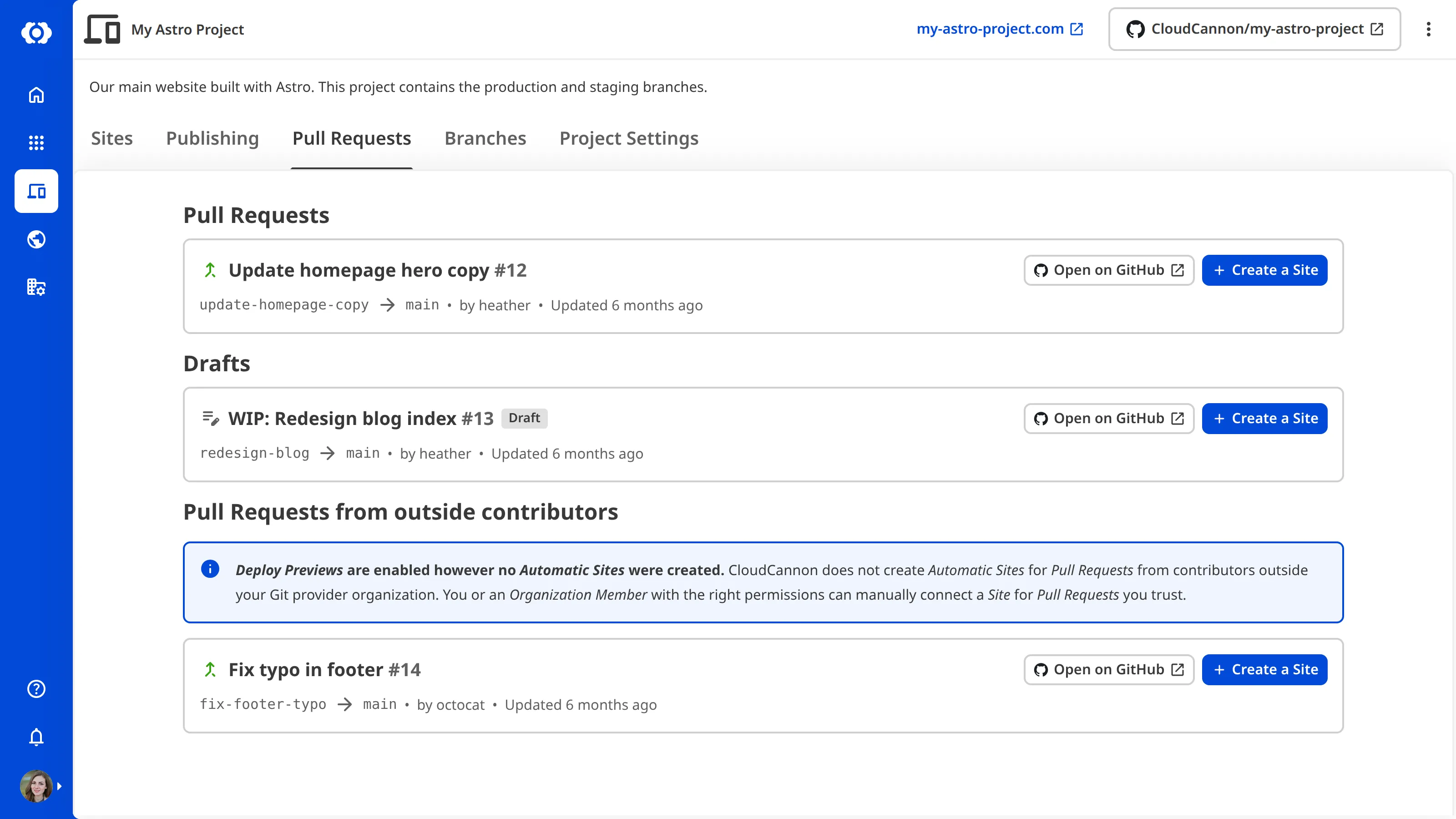
This behavior is the default for all Projects and is not configurable. Sites you have already automatically created for outside-contributor Pull Requests before this default applied are not affected — they remain in your Project unless you delete them manually or close the Pull Request while the Site has Delete this site after publishing enabled.
Deleting Sites when a Pull Request closes#
Each Site in your Project has a Delete this site after publishing setting on the Publishing page under Site Settings. When a Pull Request is closed or merged, CloudCannon destroys every Site connected to that head branch that has Delete this site after publishing enabled. This applies to both automatically created Sites and any manually connected Sites on the same branch.
New automatically created Sites take their default Delete this site after publishing value from the Delete branched site after publishing option in your Branch Defaults — the same setting that seeds the default for manually branched Sites. You can override the setting on any individual Site after creation. To keep an automatically created Site in your Project past its Pull Request merge, turn off Delete this site after publishing for that Site.
The head branch in your Git Repository is treated differently depending on how the deletion is triggered. Clicking the Publish pull request button in CloudCannon deletes both the Site and the head branch. Merging or closing the Pull Request directly in your Git Provider deletes the Site but leaves the head branch to be managed by your Git Provider.