The Publishing Method controls how CloudCannon moves changes from a Site A website in CloudCannon that includes all the files, content, configuration, and settings needed to edit, build, and host a complete website. The branch containing the copy of your website to which you want to publish your changes (sometimes called the "upstream" branch). Defining a Publish Branch allows Organization Members to work on separate branches in parallel before publishing their changes to a shared branch.Site
Publish Branch
These instructions assume you have already connected a Publish Branch to your Site.
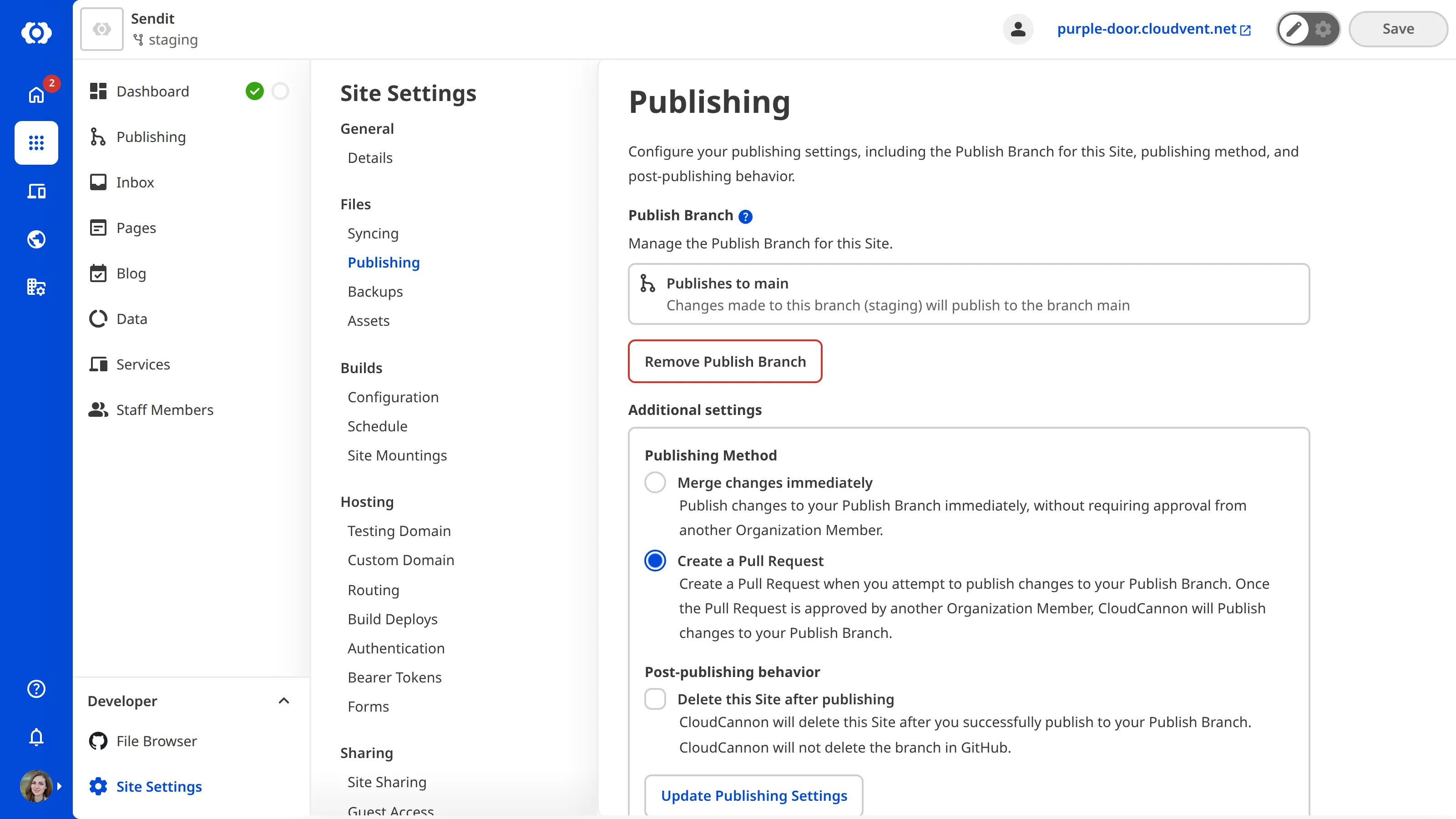
To change the Publishing Method for a Site:
- From your Site, click Site Settings in the Site Navigation.
- Click Publishing in the Section Navigation.
- Under Publishing Method, select Merge changes immediately or Create a Pull Request.
- Click Update Publishing Settings.
CloudCannon will save your Publishing Method preference for the Site.
To set a default Publishing Method for new branched Sites in a Project, please read our documentation on configuring Branch Defaults for your Project.