Site Sharing A CloudCannon feature that allows you to invite an existing Organization Member from within your Organization to view, edit, and publish content for a specific Site. With Site Sharing, you can control what an Organization Member can interact with by limiting access to individual Sites rather than all Sites in your Organization. This is distinct from Guest Access, which is used to invite external clients who don't have CloudCannon accounts. A website in CloudCannon that includes all the files, content, configuration, and settings needed to edit, build, and host a complete website. A workspace in CloudCannon that groups together Sites, Organization Members, and shared resources. It is also the unit CloudCannon bills for. You can define permissions for your Organization, controlling the access each Organization Member has to resources on CloudCannon. You can create and be a part of multiple Organizations.Site Sharing
Site
Organization
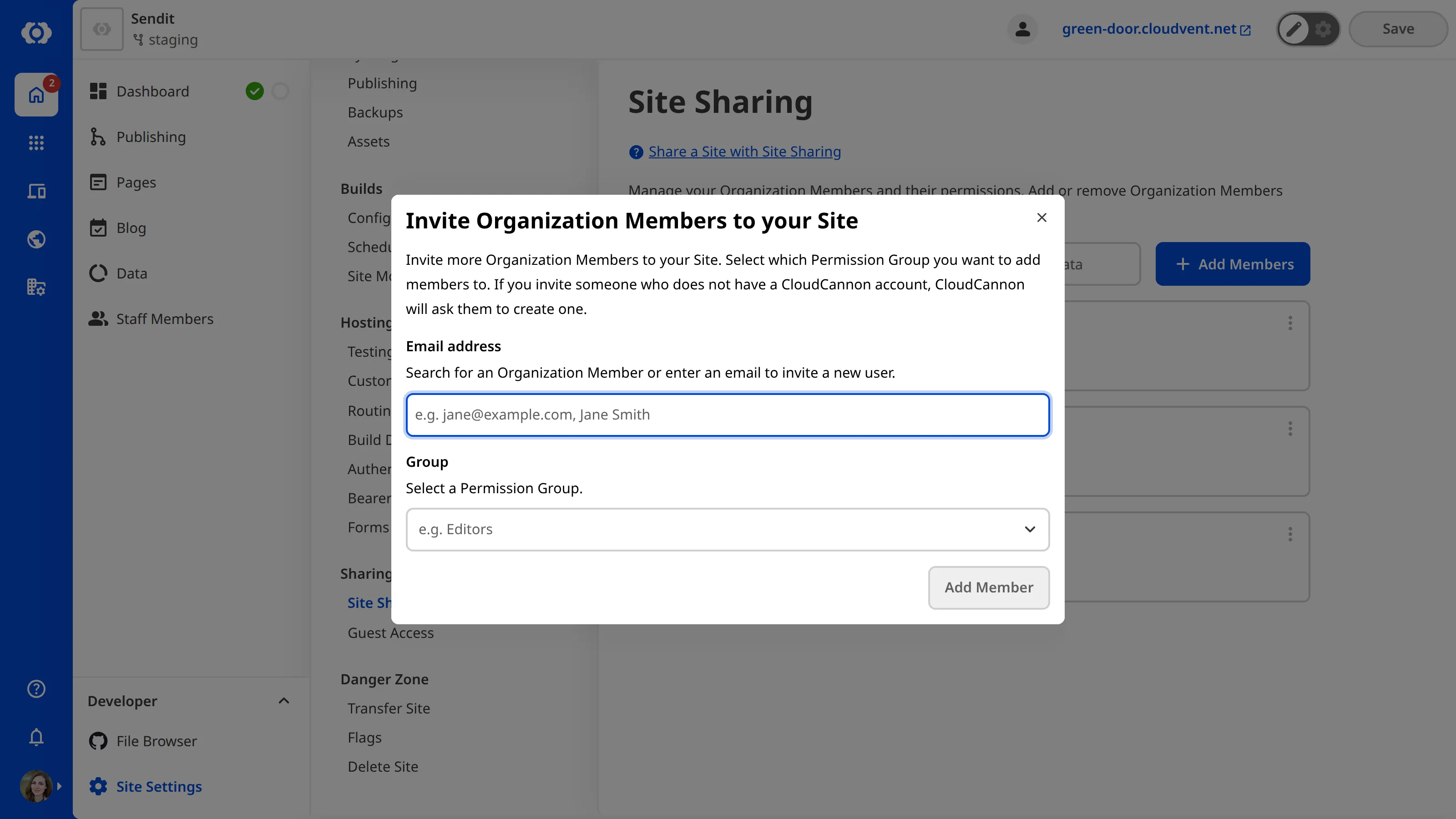
To add an Organization Member to your Site:
- Navigate to the Site Sharing page under Site Settings in the App Sidebar.
- Click the + Add members button. CloudCannon will open the Invite Organization Members to your Site modal.
- Enter the name of the Organization Members you want to add to this Site. You can also enter the email addresses of new users you want to invite to your Organization.
- Select the Permission Groupto which you want to add these Organization Members.Glossary term
Permission Group
A group that defines what permissions Organization Members have in CloudCannon. Permission Groups allow you to make Resources available to your Organization Members and define what actions are allowed (Read, Write, or Create) for each resource. CloudCannon provides several Default Permission Groups (including Owners, Developers, Technical Editors, Editors, and Billing) and you can create Custom Permission Groups for more granular control.
- Click the Add members button.
CloudCannon will add the selected Organization Members to your Site with the chosen Permission Group.