CloudCannon syncs The process of keeping data, files, or content synchronized between different systems or locations, such as between CloudCannon and your Git Repository, ensuring that changes made in either location are reflected in both places. A website in CloudCannon that includes all the files, content, configuration, and settings needed to edit, build, and host a complete website. A web-based service that hosts Git Repositories. CloudCannon supports GitHub, GitLab, and Bitbucket as Git Providers for syncing your website's code and content files. The settings page for a CloudCannon Organization, where organization administrators can manage organization-wide settings, including billing, team permissions, integrations, branding, and security policies. You can access this page using the Organization Settings link in the App Sidebar.Syncing
Site
Git Provider
Org Settings
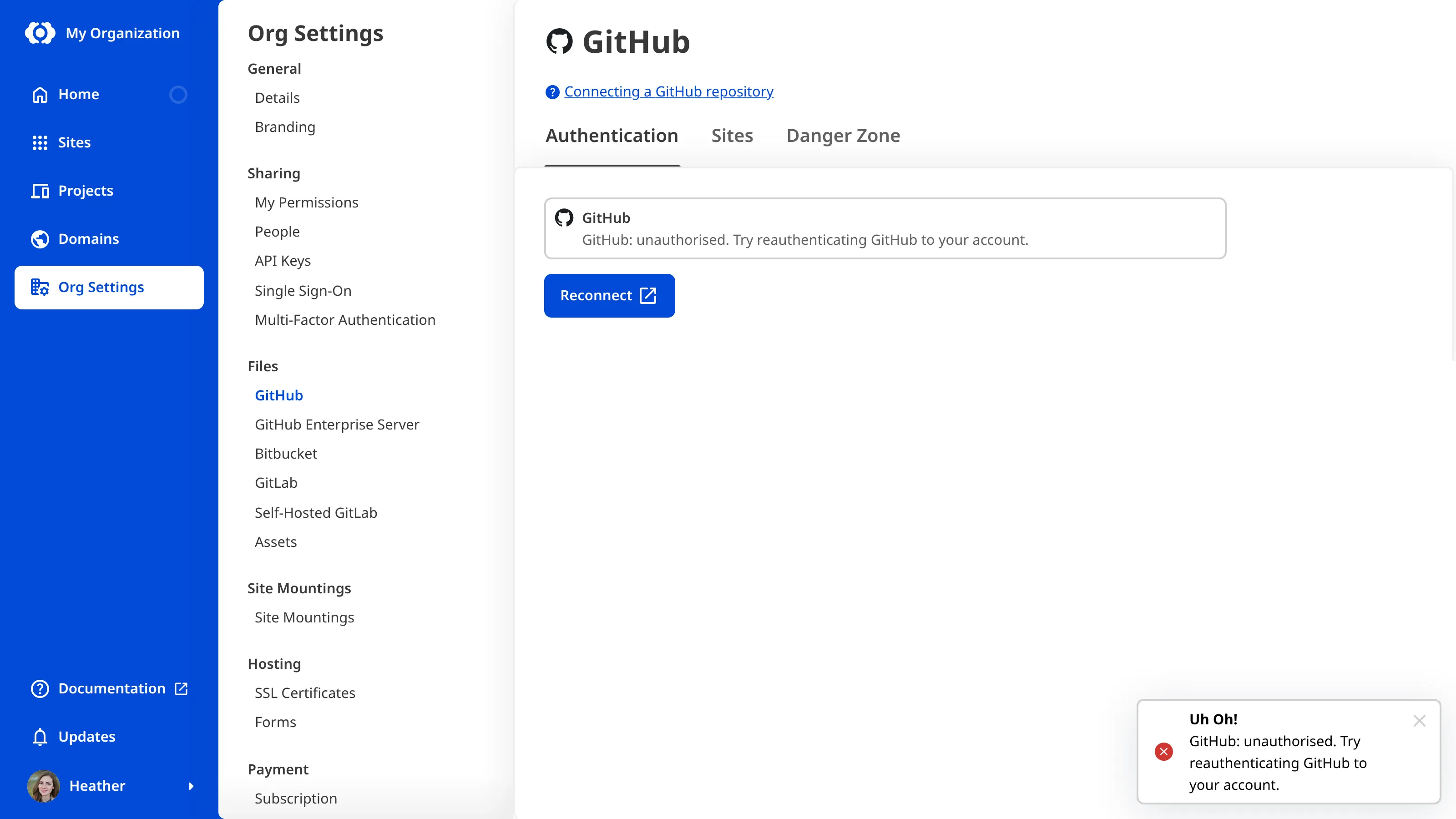
Access to a Git Provider applies to your whole Organization A workspace in CloudCannon that groups together Sites, Organization Members, and shared resources. It is also the unit CloudCannon bills for. You can define permissions for your Organization, controlling the access each Organization Member has to resources on CloudCannon. You can create and be a part of multiple Organizations.Organization
To reconnect your Git Provider:
- Click the Org Settings button in the App Sidebar. CloudCannon will open the Details page.Glossary term
App Sidebar
The left-most UI panel in the CloudCannon app. This panel contains links to your Organization Home, Sites, Projects, Domains, and Org Settings pages, as well as app Updates and your Avatar.
- Navigate to the page for your Git Provider under the Files heading.
- Click the Reconnect button on the Authentication tab.
- Sign in to your Git Provider as the account already connected to your Organization.
- Follow your Git Provider's instructions to authenticate access.
CloudCannon will return you to the Authentication tab and show your connected account. Any Sites that failed to sync while CloudCannon could not access your Git Provider will sync again when you retry them. For more information, please read our documentation on resolving Syncing errors.
Change the connected account or token#
For GitHub, GitLab, and Bitbucket, CloudCannon will show an error message instead of reconnecting if you sign in as a different account. To connect a different account, unauthenticate your Git Provider first, then authenticate it with the new account. For more information, please read our documentation on unauthenticating your Git Provider.
For GitHub Enterprise Server and self-hosted GitLab, CloudCannon reconnects with whichever account you sign in as, and that account replaces the one already connected.
If you authenticated GitLab or self-hosted GitLab with a group access token, you cannot renew your token with the Reconnect button. For GitLab, CloudCannon treats the GitLab user account you sign in with as a different account and will not reconnect it. For self-hosted GitLab, reconnecting replaces your token with the user account you sign in with. To replace an expired or revoked token, unauthenticate your Git Provider, then authenticate again with a new token.