Deploy Previews are available on our Team or Enterprise plan.
Want to chat about whether this feature is right for you? Our support team is always happy to hear from you.
Deploy Previews Deploy Previews are a set of automations that CloudCannon can run whenever a Pull Request is opened, closed, or updated in your Git Repository. When enabled, CloudCannon can post a comment on each Pull Request with details of any connected Sites, and automatically create and delete a Site for each Pull Request. This lets your team review and edit changes in CloudCannon before a Pull Request is merged. A Git feature that proposes changes to a repository and allows for review before merging. In CloudCannon, Pull Requests are one method of publishing changes from a Site to its Publish Branch. Unlike direct merging, Pull Requests require approval before changes are combined. A storage location for the code and files that make up your website. CloudCannon supports the repository providers GitHub, GitLab, and Bitbucket, and highly recommends using a repository to store your website's files for better version control and collaboration.Deploy Preview
Pull Request
Git Repository
Before we begin, this article assumes you have already created a Project and that your Organization is on a plan that includes Deploy Previews.
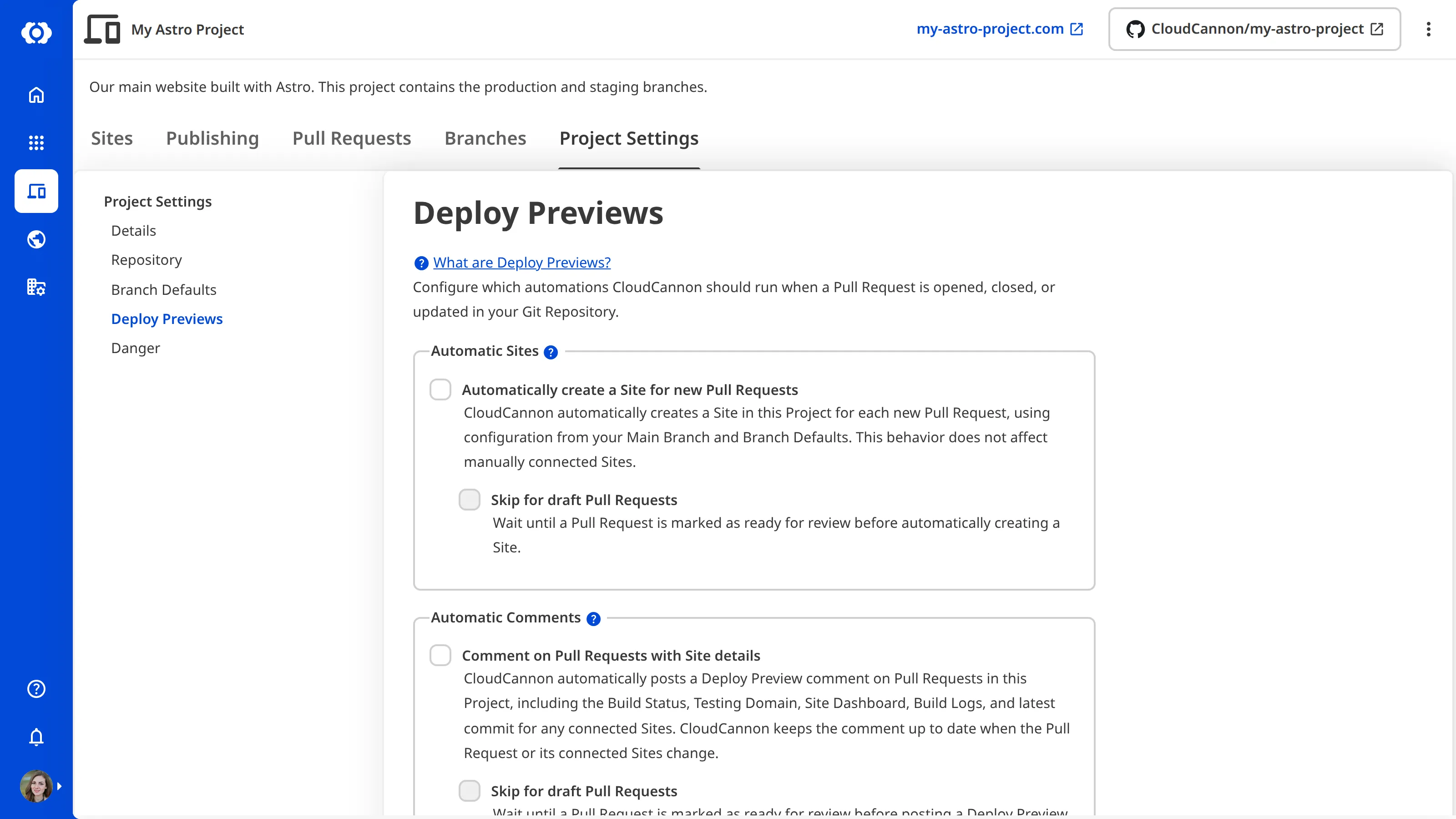
To configure the Deploy Preview settings for a Project:
- Click the Projects link in the App Sidebar. CloudCannon will open the Projects Browser.
- Select the Project you want to configure. CloudCannon will open the Project Sites Browser.
- Click the Project Settings tab.
- Select Deploy Previews from the Section Navigation.
- Use the checkboxes under the Automatic Sites and Automatic Comments headings to control which automations are enabled. Nested checkboxes (such as Skip for draft Pull Requests) only become available once their parent checkbox is enabled.
- (Optional.) Add Markdown to the Comment footer text field.
- Click the Update Deploy Preview Settings button at the bottom of the page.
CloudCannon will update your Deploy Preview settings.
The Automatically create a Site for new Pull Requests automation does not apply to Pull Requests opened by contributors outside your Git Provider organization. CloudCannon highlights these Pull Requests in a dedicated section in the Pull Requests tab, where an Organization Member can manually connect a Site if they trust the changes. For more information, please read our documentation on Pull Requests from outside contributors.
Deleting a Site is a destructive action. When CloudCannon deletes a Site — whether after a publish or after a Pull Request closes — it removes the Site's build history, stable domain, and any custom authentication.
The default value of Delete this site after publishing on new automatically created Sites comes from the Delete branched site after publishing option in your Branch Defaults. To keep a specific Site in your Project after its Pull Request merges, turn off Delete this site after publishing on that Site.
Turning these automations on or off does not retroactively process historical Pull Requests, with one exception: disabling Automatic Comments or changing the Comment footer runs a single reconciliation across every open Pull Request. For more information, please read our documentation on enabling and disabling Deploy Preview automations.
If you do not see the Deploy Previews section under Project Settings, your Organization may not have Deploy Previews enabled on its plan, or you may not have the project:settings:deploy-previews:read permission. Contact our support team or an Owner in your Organization to check.