Branch Defaults control how CloudCannon configures new branched Sites A website in CloudCannon that includes all the files, content, configuration, and settings needed to edit, build, and host a complete website. A way to group multiple Sites from the same Git Repository, allowing you to define a main branch, as well as branching and publishing rules. You can access the Projects Browser using the Projects link in the App Sidebar.Site
Project
These instructions assume you have already created a Project.
To configure the Branch Defaults for your Project:
- Click Projects in the App Sidebar. CloudCannon will open the Projects Browser.
- Select the Project you want to configure. CloudCannon will open the Project Sites Browser.
- Click the Project Settings tab.
- Select Branch Defaults from the Section Navigation.
- Under Publish settings, use the radio buttons to select the Default Publish mode for all branched Sites in the Project.
- (Optional.) Enable the Delete branched site after publishing checkbox to have CloudCannon remove branched Sites from the Project after they publish.
- Under Authentication settings, use the Default authentication method dropdown to choose an authentication method for all branched Sites in the Project.
- (Optional.) If you selected Password, enter a password in the Default site password field.
- (Optional.) If your Organization uses Custom Permission Groups, enable the Do not grant new permissions on Site branch checkbox to stop CloudCannon adding additional permissions to Custom Permission Groups for branched Sites.
- Click the Update Branch Defaults button at the bottom of the page.
CloudCannon will update your Branch Defaults.
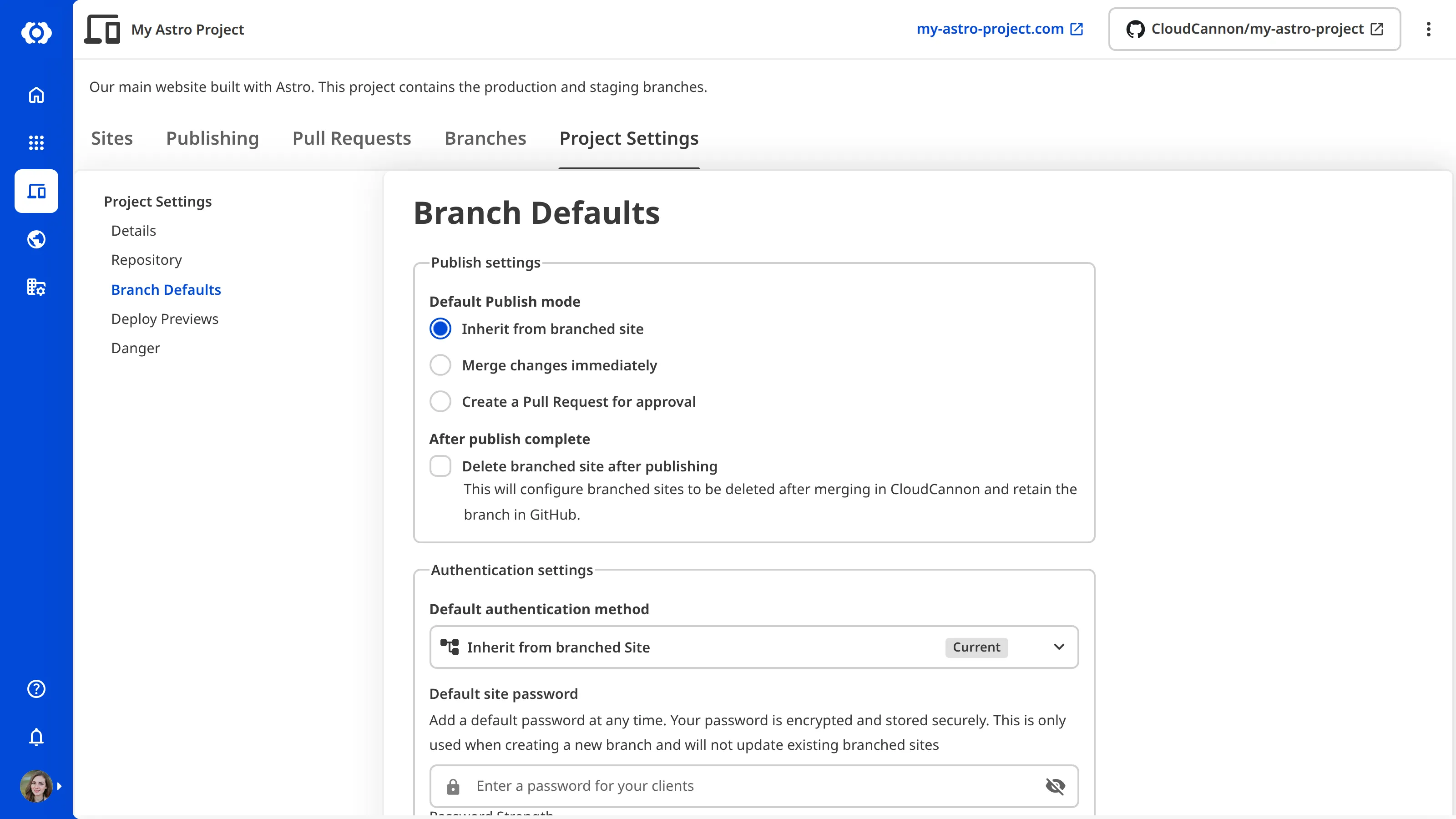
CloudCannon applies your updated Branch Defaults to Sites created after the change. Existing Sites keep their current settings.