You can configure CloudCannon to delete a branched Site A website in CloudCannon that includes all the files, content, configuration, and settings needed to edit, build, and host a complete website. The branch containing the copy of your website to which you want to publish your changes (sometimes called the "upstream" branch). Defining a Publish Branch allows Organization Members to work on separate branches in parallel before publishing their changes to a shared branch.Site
Publish Branch
For new branched Sites in a Project — whether you create them manually or CloudCannon creates them automatically from a Pull Request — Delete this site after publishing is turned on or off based on the Delete branched site after publishing option in your Branch Defaults.
These instructions assume you have already connected a Publish Branch to your Site.
To turn on delete after publishing for a Site:
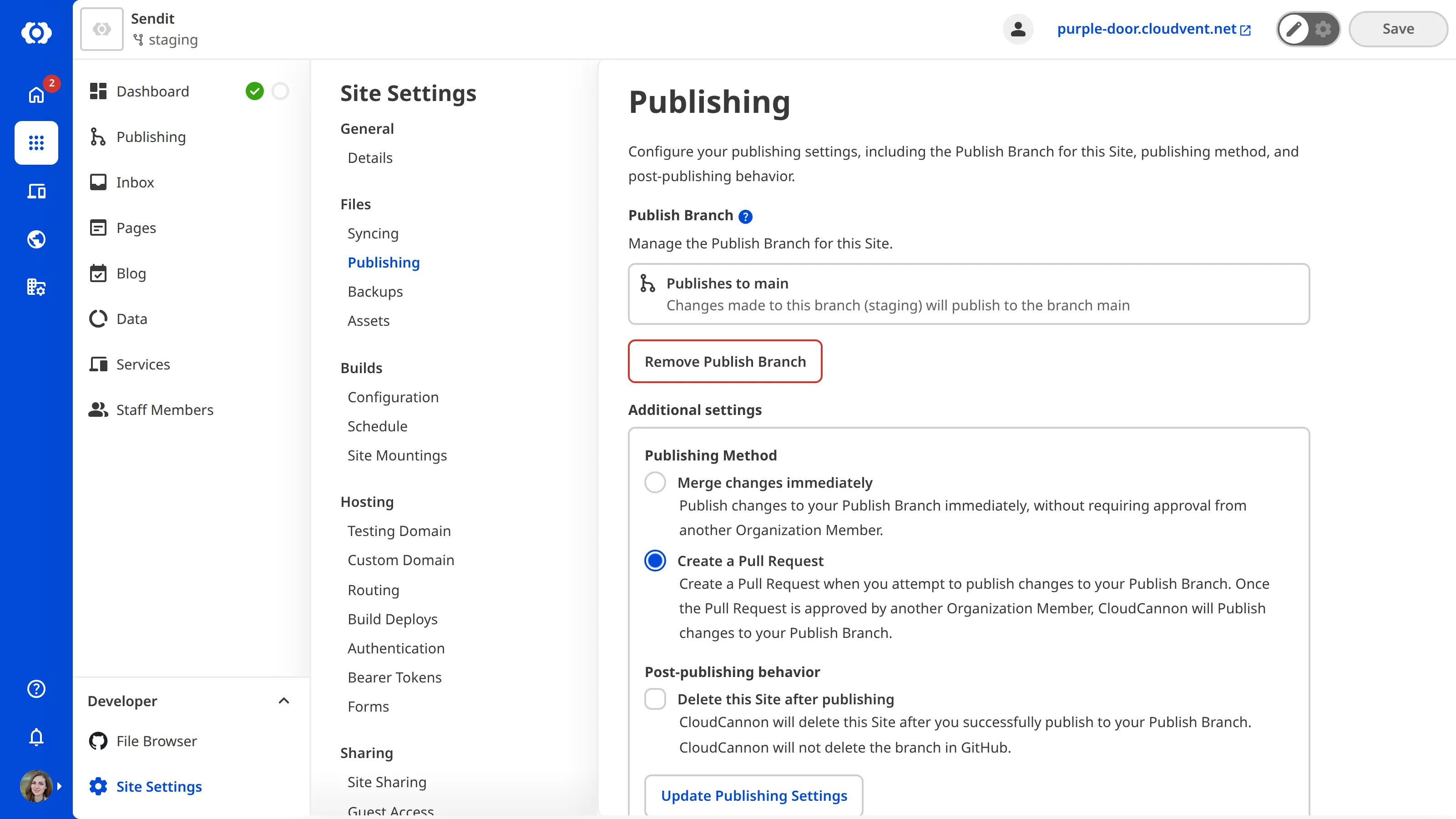
- From your Site, click Site Settings in the Site Navigation.
- Click Publishing in the Section Navigation.
- Under Post-publishing behavior, check the box labeled Delete this site after publishing.
- Click Update Publishing Settings.
CloudCannon will save your post-publishing behavior preference for the Site. The next successful publish from this Site will delete it from CloudCannon, whether you publish by clicking the Publish button in CloudCannon or by merging a related Pull Request in your Git Provider.
This setting takes effect on the next successful publish — it does not retroactively delete Sites that have already published.
You can use the same method to turn delete after publishing off. Branched Sites will then remain in CloudCannon after publishing. Sites that have already been deleted by a previous successful publish are not restored.