Publishing Workflows are available on our Team or Enterprise plan. Sites on our Standard plan can still publish to a Publish Branch; for setup, please follow the Getting Started with CloudCannon guide.
Want to chat about whether this feature is right for you? Our support team is always happy to hear from you.
Publishing is the process of moving content changes from one Site A website in CloudCannon that includes all the files, content, configuration, and settings needed to edit, build, and host a complete website. The branch containing the copy of your website to which you want to publish your changes (sometimes called the "upstream" branch). Defining a Publish Branch allows Organization Members to work on separate branches in parallel before publishing their changes to a shared branch.Site
Publish Branch
Moving changes between Sites like this is called a Publishing Workflow A workflow that controls how changes move between multiple Sites in a Project. Branching an existing Site allows Organization Members to draft changes on an independent, identical copy, then publish those changes back when they are ready. Common workflows move changes from draft Sites to a Staging Site to a Production Site, protecting each upstream Site from changes until they are ready.Publishing Workflow
What is a Publish Branch?#
A Publish Branch is the destination Site for your changes. Each Site in your Project has one Publish Branch assigned to it. When you publish, CloudCannon sends your changes from the Site you are working on to that destination Site. Often the Publish Branch is the Site you branched from, allowing you to start with an exact copy of a Site, make intentional changes on that separate copy, and then move them back. For more information, please read our documentation on what branching is.
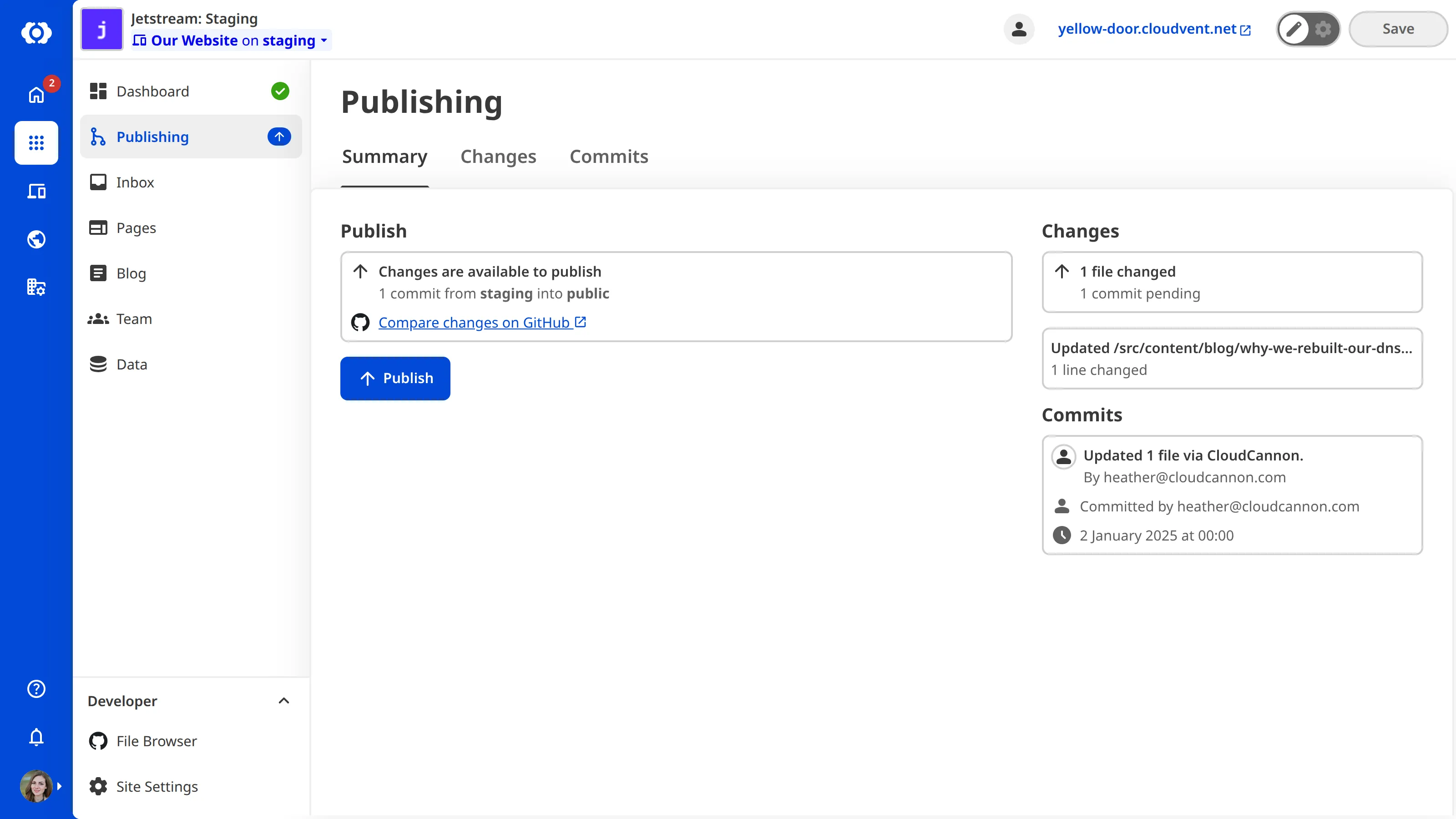
You can see the name of your Site's Publish Branch on the Publishing page, alongside any changes ready to publish to it. For more information, please read our documentation on the Publishing page.
What happens when you publish#
When you publish a Site, CloudCannon copies your changes to the Site's Publish Branch. There are two methods for publishing changes: Merge Immediately and Pull Request. Merge Immediately allows CloudCannon to move changes from one Site to another without any review process. Pull Request requires the person publishing the changes to submit a request for those changes to move from one Site to another, which requires approval by another Organization Member through your Git Provider. Your developer selects which Publishing Method your Project should use. For more information, please read our documentation on what Publishing Methods are.
If multiple Organization Members are making changes to the same parts of your website on different branched Sites, publishing your changes may lead to a Publishing Conflict. For more information, please read our documentation on what Publishing Conflicts are and how to resolve them.
Also, if new changes were published to your Publish Branch since you created your Site, CloudCannon will ask you to update your branched Site to match. For more information, please read our documentation on updating from a Publish Branch.
Who can publish?#
Once a developer has set up the Publishing Workflow for your Project, anyone in Default Permission Groups (except Billing) can publish changes from one Site to another via the Publishing page. However, if your Organization uses Custom Permission Groups, you will need permission to publish. For more information, please read our documentation on publishing changes to a Publish Branch.
An example of a Publishing Workflow#
graph BT
  A["Site 3:<br/>Write a new blog"] -->|Publishes to| S["Site 2:<br/>Staging"]
  B["Site 4:<br/>Remove a product page"] -->|Publishes to| S
  C["Site 5:<br/>Update Site navigation"] -->|Publishes to| S
  S -->|Publishes to| P["Site 1:<br/>Production"]
The diagram above shows a common Publishing Workflow with five Sites. "Production" is the live version of your website. "Staging" is a branched copy of "Production", and the three Sites below — "Write a new blog", "Remove a product page", and "Update Site navigation" — are each branched from "Staging".
In this workflow:
- The three draft Sites share a Publish Branch: "Staging". Organization Members working on each draft can publish their changes to "Staging" when they are happy with them, without affecting each other's work.
- "Staging" has its own Publish Branch: "Production". Once the combined changes on "Staging" are ready to go live, you can publish them to "Production".
This layered approach is a common publishing pattern. The draft Sites protect your Organization Members from each other's in-progress changes, while "Staging" protects your live website from changes you haven't reviewed together yet.
Not every team needs three layers in their Publishing Workflow. Smaller teams may publish directly from draft Sites to "Production", without a "Staging" Site in between.