In CloudCannon, a Publishing Conflict occurs when there are two versions of the same file on two different but connected branches, one on your CloudCannon Site and one on your Publish Branch.
A Publish Branch is the branch immediately "upstream" of the branch you are working on, and is the copy of your website to which you want to publish your changes. Publishing Conflicts can occur if you connect a Publish Branch to your Site.
When you attempt to update your Site from its Publish Branch, CloudCannon can detect if incoming changes conflict with the changes saved to your current Site. To prevent one version of the file from overwriting the other, CloudCannon will pause your update attempt and alert you to the Publishing Conflict.
- Publishing Conflict — When incoming changes to a file from your Publish Branch conflict with changes to the same file on your Site.
- Incoming changes — These are changes to your Site files originating from outside the branch you are working on, such as from a different branch, CloudCannon Site, or your Git Repository. All incoming changes are made by a member of your team.
Publishing Conflicts aren't dangerous to your content or website — they're CloudCannon's way of letting you know that there are two versions of your file, and that you need to choose how to proceed.
CloudCannon will notify you about a Publishing Conflict using the Conflicts warning notification next to the Publishing link in your Site Navigation.

On the Publishing page, the Publishing Conflict appears as a warning card listing the affected files:
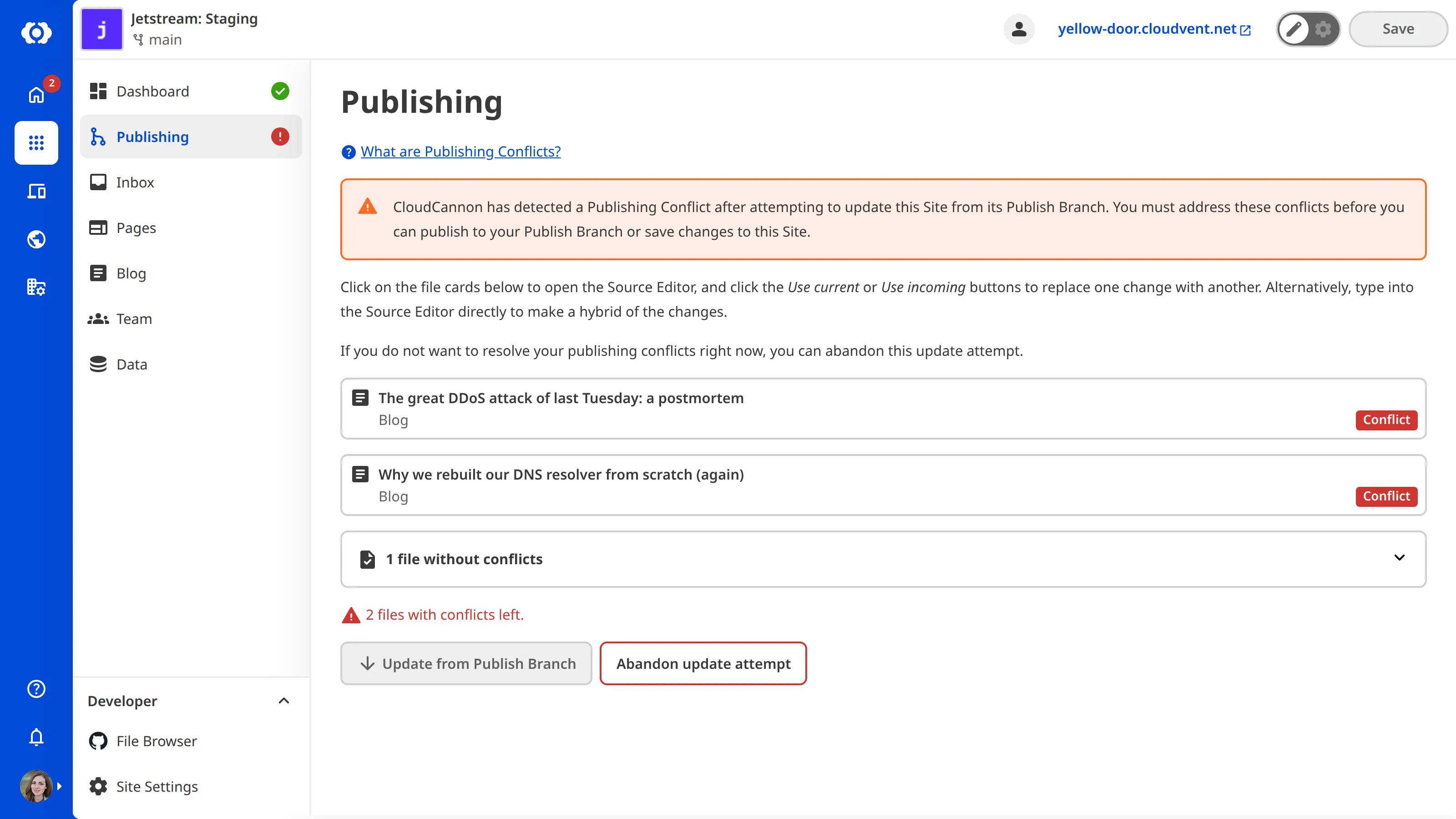
You must resolve the Publishing Conflict before CloudCannon will allow you to save any changes to files on your Site. For more information, please read our documentation on resolving publishing conflicts.
Example#
Here is an example of how a Publishing Conflict can occur.
graph BT
  A["Site 2:<br/>Delete a product page"] -->|Publishes to| S["Site 1:<br/>Staging"]
  B["Site 3:<br/>Rename products section"] -->|Publishes to| S
Imagine you want to remove a product page from your website. You create a new branched Site to work on your changes without affecting the live Site. On your branched Site, you delete the product page and edit the products.html page to remove the link to the page you just deleted from the list of available products. You save these changes to your Site.
Coincidentally, an Organization Member is updating the products.html file at the same time. They are changing the main website navigation and want to rename the /products/ page to /services/. This effectively deletes the products.html file and replaces it with the services.html file.
Before you can publish your changes to the Publish Branch (i.e., the "Staging website"), your Organization Member publishes their changes to the same Publish Branch. CloudCannon detects that someone has updated the Publish Branch and notifies you that updates are available for your Site. When you try to update from your Publish Branch, CloudCannon detects the conflicting versions of the products.html file.
You updated the file's contents by removing a link, while your Organization Member deleted the file entirely and replaced it with services.html.
CloudCannon will notify you about the Publishing Conflict on the Publishing link and on the Publishing page.
Before you can save any changes to files on your Site or complete the update from your Publish Branch, you need to resolve the Publishing Conflict for products.html by choosing which version of the file to keep: the changes on your current Site, the incoming changes from the Publish Branch, or a hybrid of the two. In this example, you might create a hybrid of the two commits (remove the link from the new services.html file and delete the products.html file) and let CloudCannon complete the update from your Publish Branch.