The Permission Groups a Organization Member belongs to determine what they can do in your Organization. Permission Groups are additive, so removing an Organization Member from a Group revokes that Group's Permissions while leaving any they still have from other Groups.
To remove an Organization Member from your Organization entirely, please read our documentation on removing an Organization Member from your Organization.
Each Organization Member in your Organization must be a member of at least one Permission Group. If you remove an Organization Member from the last Permission Group they were a member of, this action will also remove them from your Organization. You cannot remove the only Owner from the Owners Permission Group.
There are two ways to remove an Organization Member from a Permission Group. The best method to use will depend on whether you want to:
- Remove a specific Organization Member from multiple Permission Groups.
- Remove multiple Organization Members from a specific Permission Group.
Only members of the Owners Permission Group can update the members of the Owners Group.
Remove a specific Organization Member from Permission Groups#
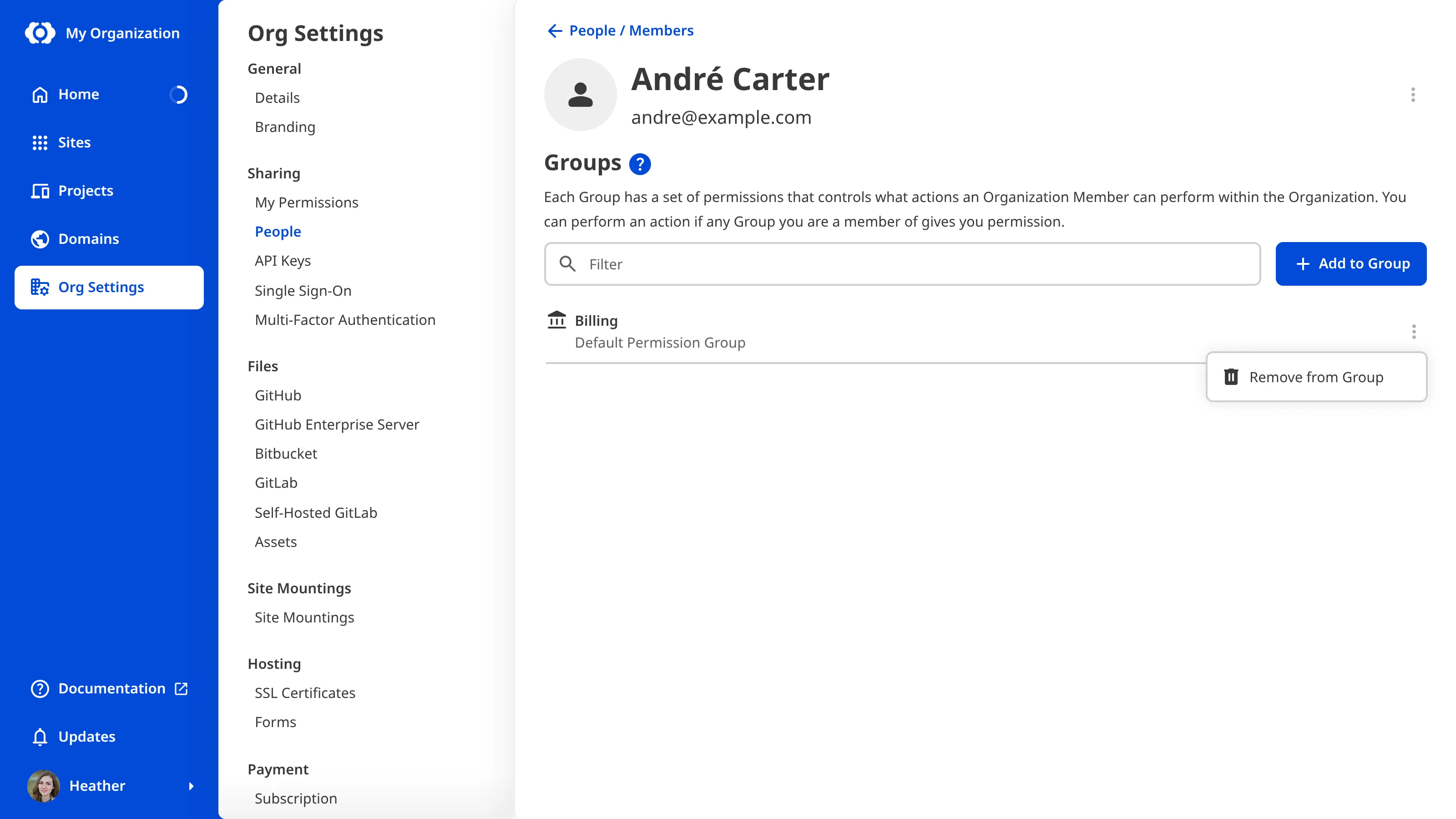
To remove a specific Organization Member from one or more Permission Groups:
- Navigate to the People page under Org Settings.
- Under the Members tab, click on the member you want to remove from a Permission Group. This will open their Organization Member page.
- Click the Context Menu on the Permission Group from which you want to remove this Organization Member.
- Select the Remove from Group option from the Context Menu dropdown.
- Confirm that you want to remove this Organization Member from this Group by clicking the Remove from Group button in the confirmation modal.
CloudCannon will remove the Organization Member from this Permission Group.
Remove Organization Members from a specific Permission Group#
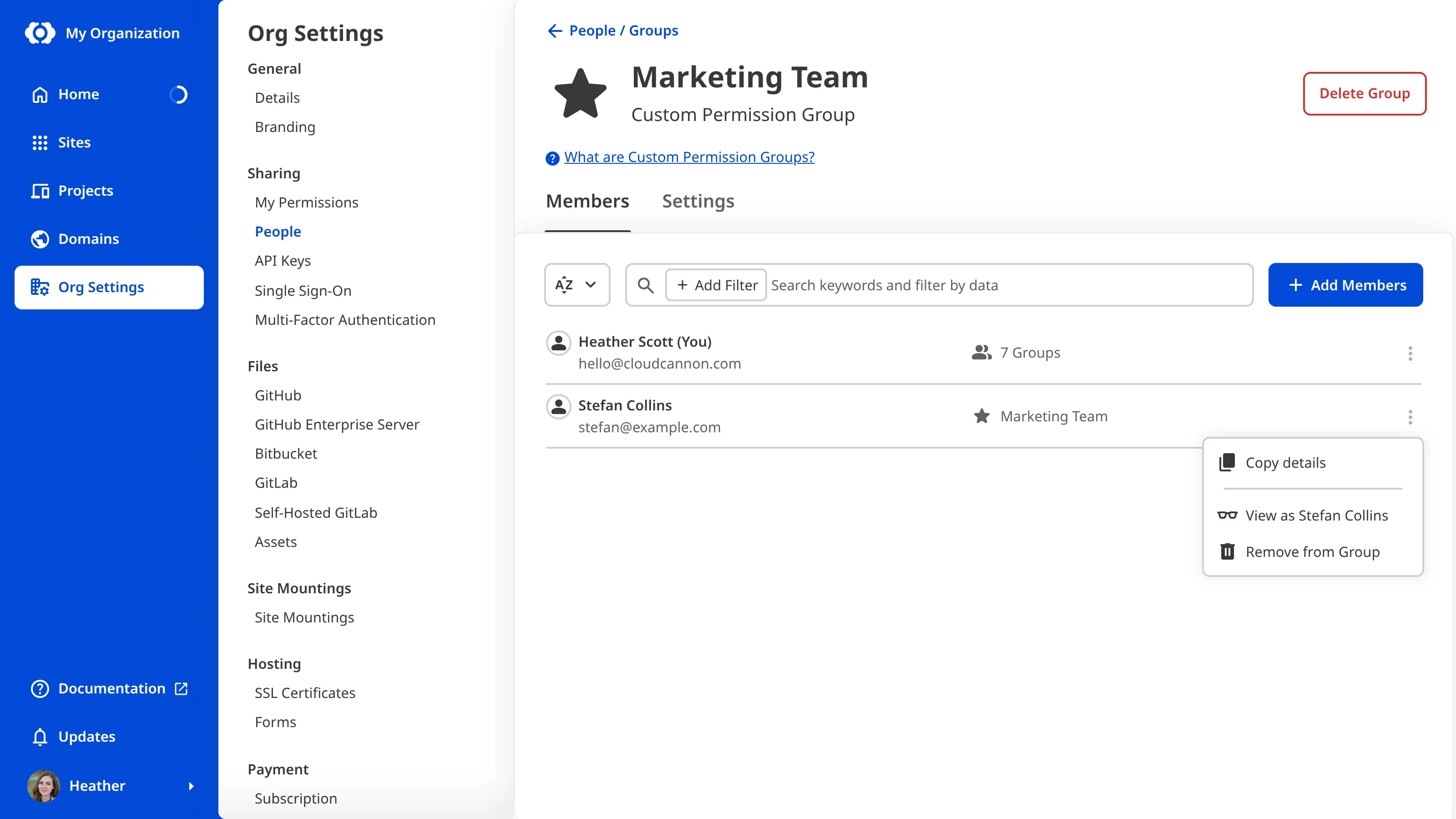
To remove an Organization Member from a specific Permission Group:
- Navigate to the People page under Org Settings.
- Click on the Groups tab.
- Under the Groups tab, click on the Permission Group from which you want to remove members. This will open the Permission Group page.
- Click the Context Menu on the Organization Member you want to remove from this Group.
- Select the Remove from Group option from the Context Menu dropdown.
- Confirm that you want to remove this Organization Member from this Group by clicking the Remove from Group button in the confirmation modal.
CloudCannon will remove the Organization Member from this Permission Group.