Credit cards sometimes decline unexpectedly. When a payment fails, CloudCannon gives you time to fix it before changing your Subscription The ongoing payment to CloudCannon for your Organization's Subscription Plan. A Subscription can be active, paused, or canceled. Canceling a Subscription will prevent you from paying for further use of features and resources without deleting the Organization, its Sites, or files.Subscription
After a failed payment, CloudCannon retries the charge several times over the following weeks. During that time, your Subscription stays active and your Sites A website in CloudCannon that includes all the files, content, configuration, and settings needed to edit, build, and host a complete website.Site
Payment warning states#
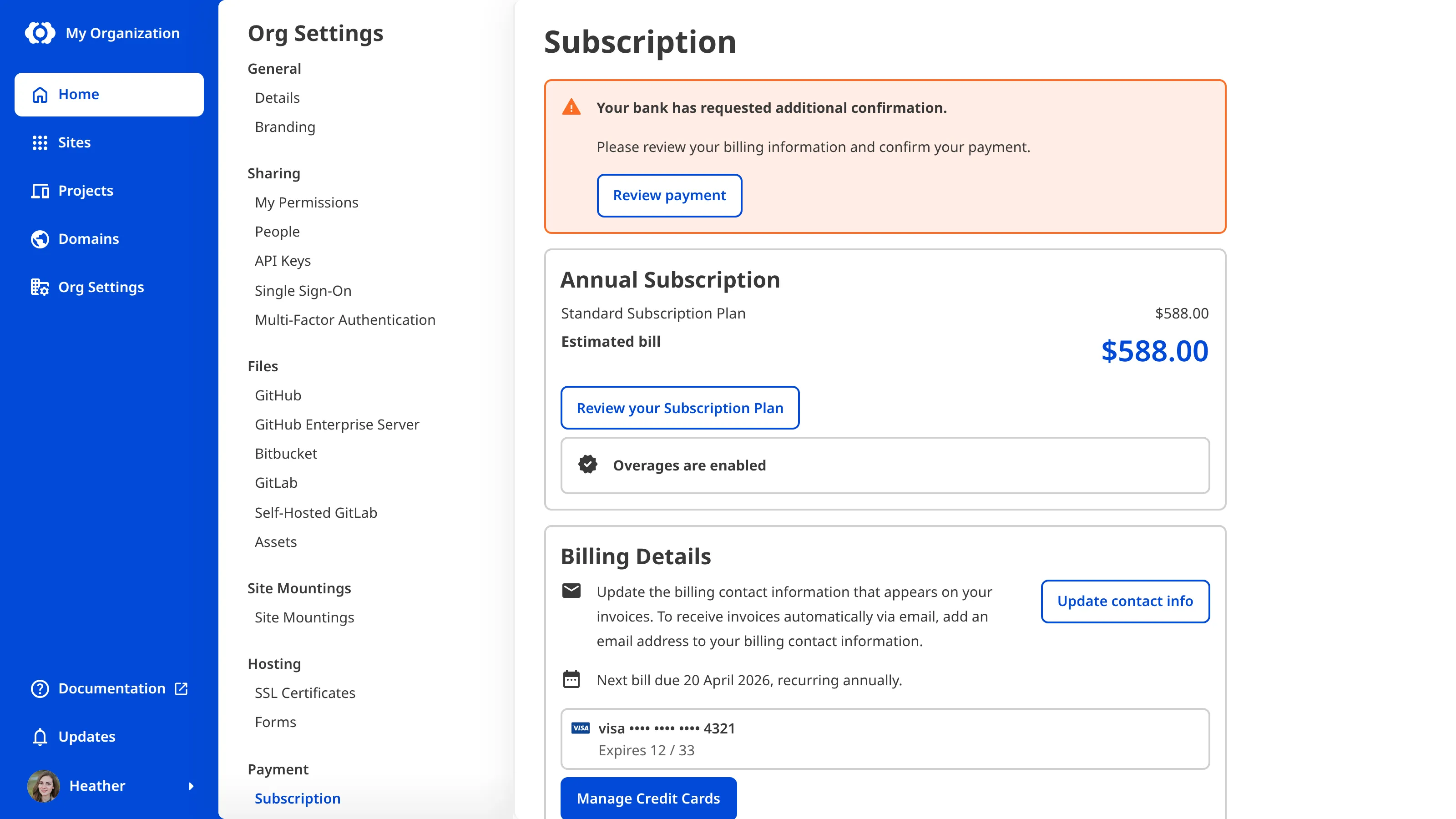
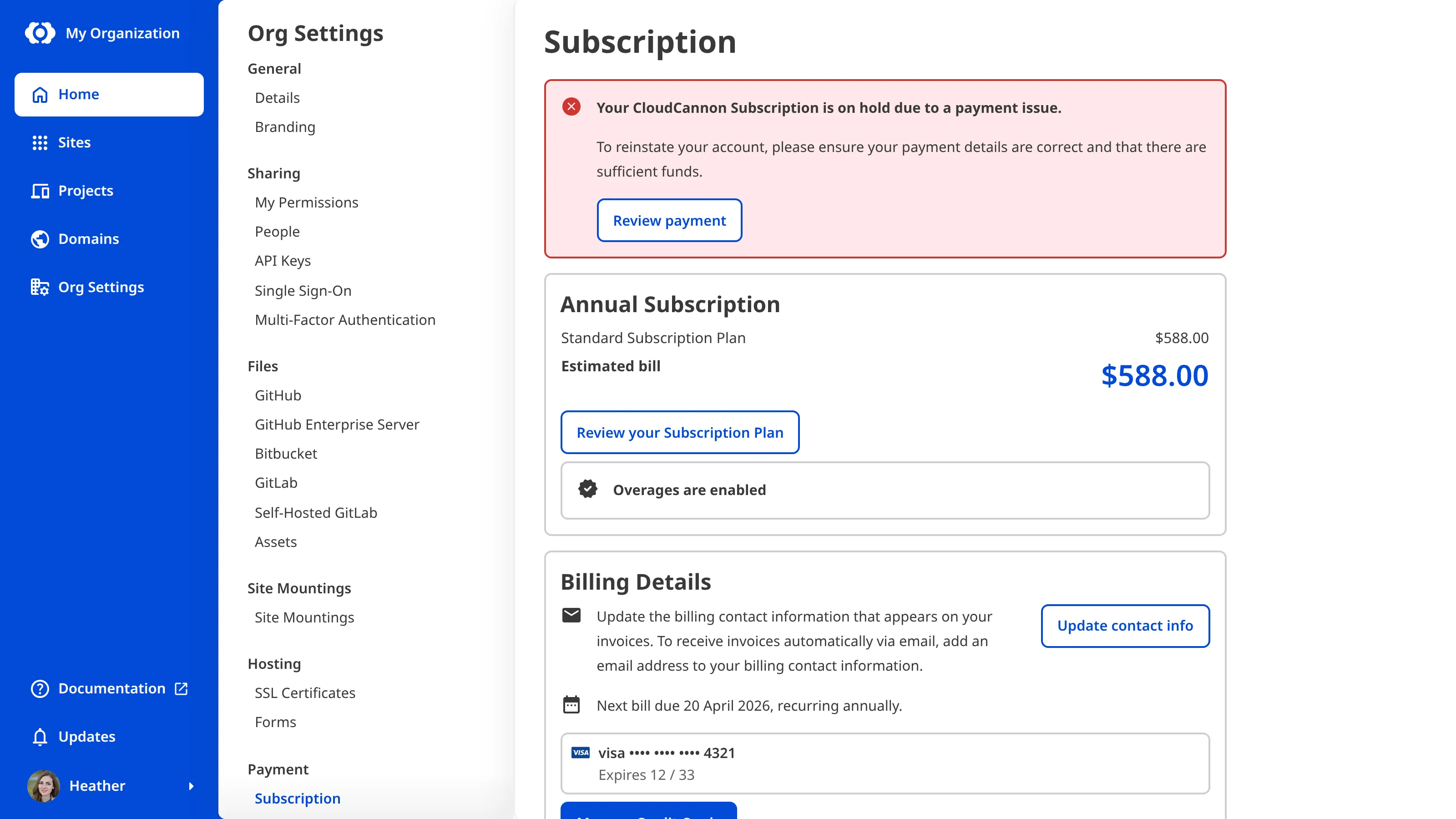
When there is a payment issue, CloudCannon shows a warning banner on your Subscription page with a Review payment button. You might see:
- Additional confirmation needed — The banner reads Your bank has requested additional confirmation. Your payment needs an extra verification step, such as 3D Secure.
- Payment failed — The banner reads Your payment has failed. Your card was declined.
- Subscription on hold — The banner reads Your CloudCannon Subscription is on hold due to a payment issue. CloudCannon could not collect payment after several attempts.
In each of these cases, you can click the Review payment button to resolve the issue.
A Subscription that is on hold after a failed payment is different from a paused Subscription. If your Free Trial ends without a payment method on file, CloudCannon pauses your Subscription and you see a banner noting that your trial period has ended.
What happens when your Subscription is on hold#
When your Subscription is on hold because of failed payments:
- You cannot open or edit your Sites, and most pages will show a Billing issue message that points you to the payment problem.
- CloudCannon will stop hosting content on your Custom Domains and Testing Domains and show an error message instead.
Visitors to your hosted websites see an unavailable page until you resolve the payment issue.
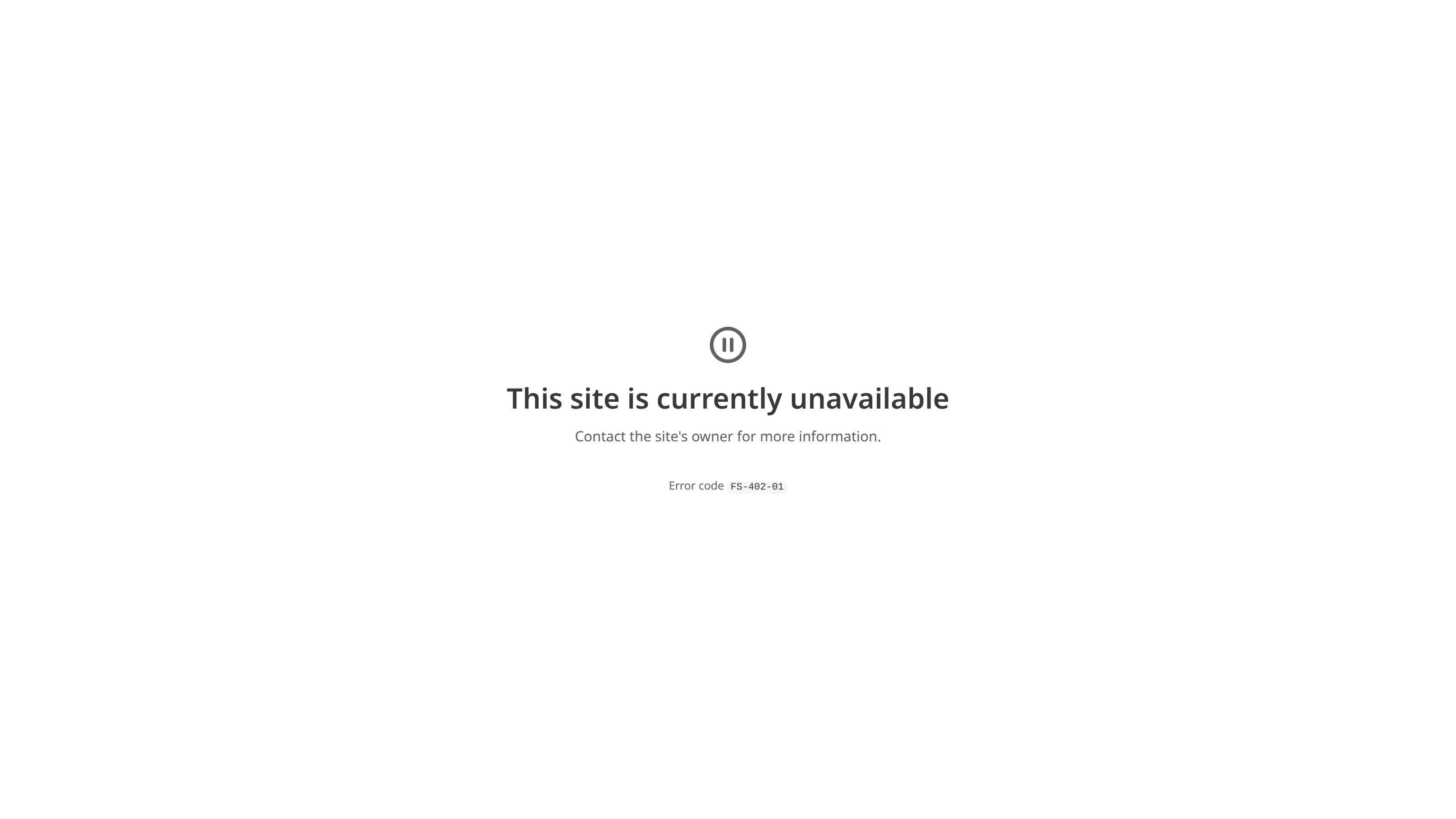
The page shows the error code FS-402-01, which identifies why it appeared.
What you can still do while on hold#
Even while your Subscription is on hold, you can still retrieve your content or move it elsewhere. From a Site's settings, you can still:
- Download a backup of your Site files.
- Transfer a Site to another Organization.Glossary term
Organization
A workspace in CloudCannon that groups together Sites, Organization Members, and shared resources. It is also the unit CloudCannon bills for. You can define permissions for your Organization, controlling the access each Organization Member has to resources on CloudCannon. You can create and be a part of multiple Organizations.
- Delete a Site.
- Manage your custom domains.
- Manage Site Sharing and Guest Access.
- Manage Site Mountings.
Each of these actions still requires the relevant Site settings permission.
Backups are download-only. CloudCannon does not restore a Site from a backup for you — download the backup to keep a copy of your files, or get your content from your connected Git repository. A backup must already exist for you to download it.
Resume a Subscription on hold#
Resuming a Subscription requires billing permissions. If you can't complete these steps, ask a member of the Owners and Billing Default Permission Groups to resume it.
To resume your Subscription after a payment failure:
- Navigate to the Subscription page under Org Settings.Glossary term
Org Settings
The settings page for a CloudCannon Organization, where organization administrators can manage organization-wide settings, including billing, team permissions, integrations, branding, and security policies. You can access this page using the Organization Settings link in the App Sidebar.
- Click the Review payment button in the warning banner.
- Add a new card or update your existing payment method.
- Click the Confirm payment button.
CloudCannon reactivates your Organization and restores access to your Sites and hosted websites.
If your Subscription stays on hold#
If you do not resolve the payment issue, CloudCannon eventually cancels your Subscription automatically. When your Subscription is canceled:
- Your saved credit cards stay on file, so you can resubscribe quickly.
- You must resubscribe to a Subscription Planto use CloudCannon again.Glossary term
Subscription Plan
A set of features available to your Organization, the monthly usage limits for resources, and the price you pay for access to those features and resources, monthly or annually. Each Organization in CloudCannon can have one Subscription Plan, and can update or cancel at any time.
- Your Sites and files are not deleted.
To start paying again, return to the Subscription page and select a Subscription Plan. Please read our documentation on updating your Subscription Plan for the steps, and on canceling your Subscription for how a canceled Subscription differs from one that is on hold, including that canceling manually removes your saved credit cards.
For more information, please read our documentation on managing your payment methods. If your payment issue persists after you update your card, contact our support team with your Organization name.