Turning Overages The extra usage charged when your Organization exceeds its plan's included limits and Overages are enabled. Overage usage appears on your next invoice. The amount of data transferred from your hosted Site to visitors' browsers, determined by visitor count and webpage size. Each Subscription Plan includes a set amount, and you can enable Overages to keep your Sites live if you go over this amount. You can review your usage under the Usage tab of your Site Dashboard or Organization Home page. The total time CloudCannon spends building your Sites, measured cumulatively across all builds in a month. Most Subscription Plans include unlimited build time. On plans with a build time limit, you can enable Overages or purchase additional build time if you need more. You can review your usage under the Usage tab of your Site Dashboard or Organization Home page. A workspace in CloudCannon that groups together Sites, Organization Members, and shared resources. It is also the unit CloudCannon bills for. You can define permissions for your Organization, controlling the access each Organization Member has to resources on CloudCannon. You can create and be a part of multiple Organizations. A set of features available to your Organization, the monthly usage limits for resources, and the price you pay for access to those features and resources, monthly or annually. Each Organization in CloudCannon can have one Subscription Plan, and can update or cancel at any time.Overage
Hosting Bandwidth
Build Time
Organization
Subscription Plan
For more information on the available Overages and what happens when you reach a limit, please read our documentation on what Add-Ons and Overages are.
To enable or disable Overages:
- Navigate to the Subscription page under Org Settings.Glossary term
Org Settings
The settings page for a CloudCannon Organization, where organization administrators can manage organization-wide settings, including billing, team permissions, integrations, branding, and security policies. You can access this page using the Organization Settings link in the App Sidebar.
- Click the Review your Subscription Plan button in the billing summary. CloudCannon will open the Your Subscription Plan page.
- Turn the Overages setting on or off.
- Click the Enable Overages or Disable Overages button to save your change.
Your Overage settings will update immediately.
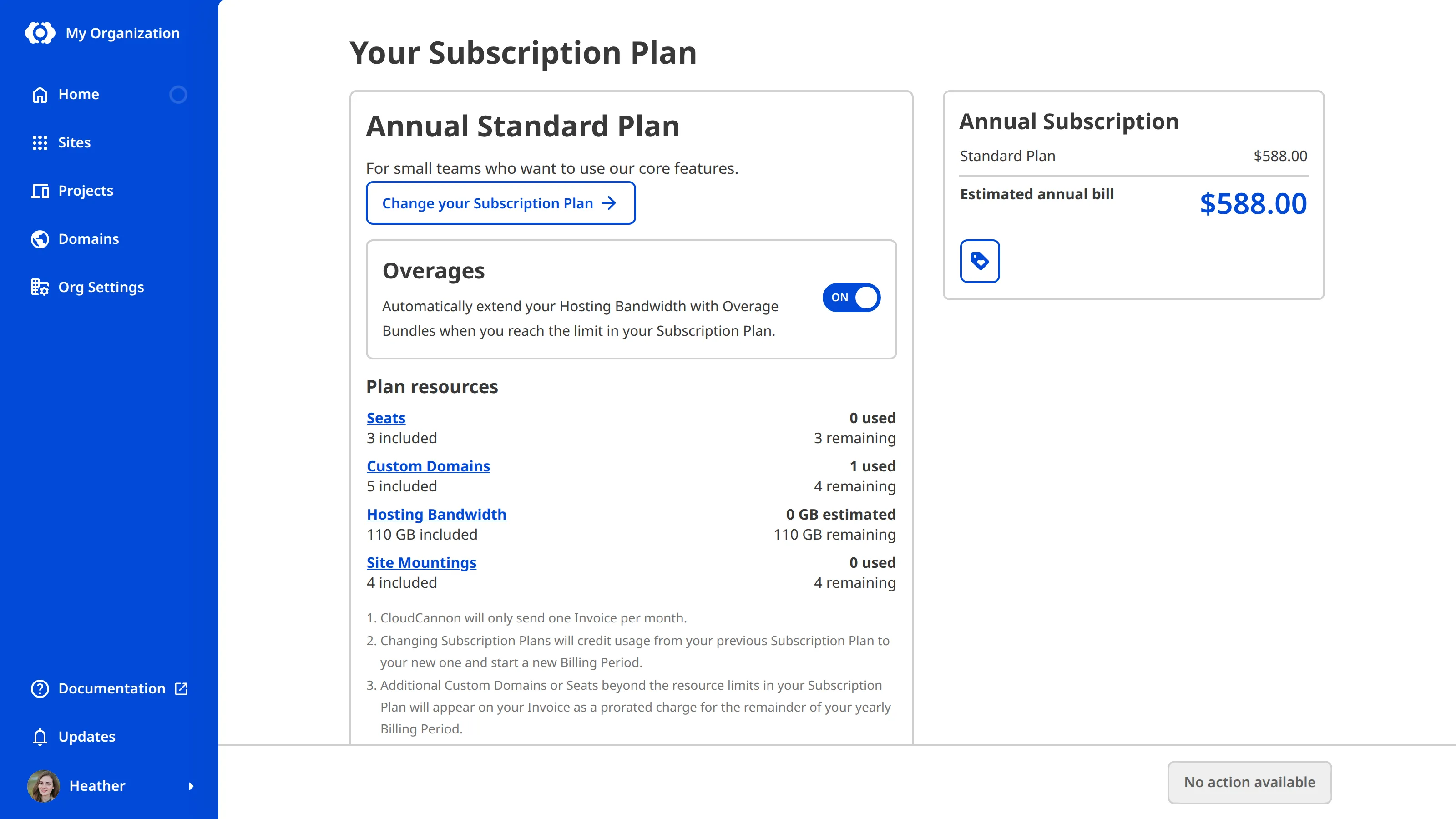
You can check what your Subscription Plan includes and how much you have used for each resource in the Plan resources section of this page.
When Overages are disabled, your Sites go offline if you reach your bandwidth limit, and CloudCannon stops running builds once you reach your build time limit. You can still save your changes, but they will not build. Review your usage before you disable Overages.