You can add billing contact information to your invoices and set an email address for CloudCannon to send your invoices to. By default, your invoices have no billing contact information.
CloudCannon does not post physical invoices, even if you add an address to your billing contact information.
To add billing contact information:
- Navigate to the Subscription page under Org Settings.Glossary term
Org Settings
The settings page for a CloudCannon Organization, where organization administrators can manage organization-wide settings, including billing, team permissions, integrations, branding, and security policies. You can access this page using the Organization Settings link in the App Sidebar.
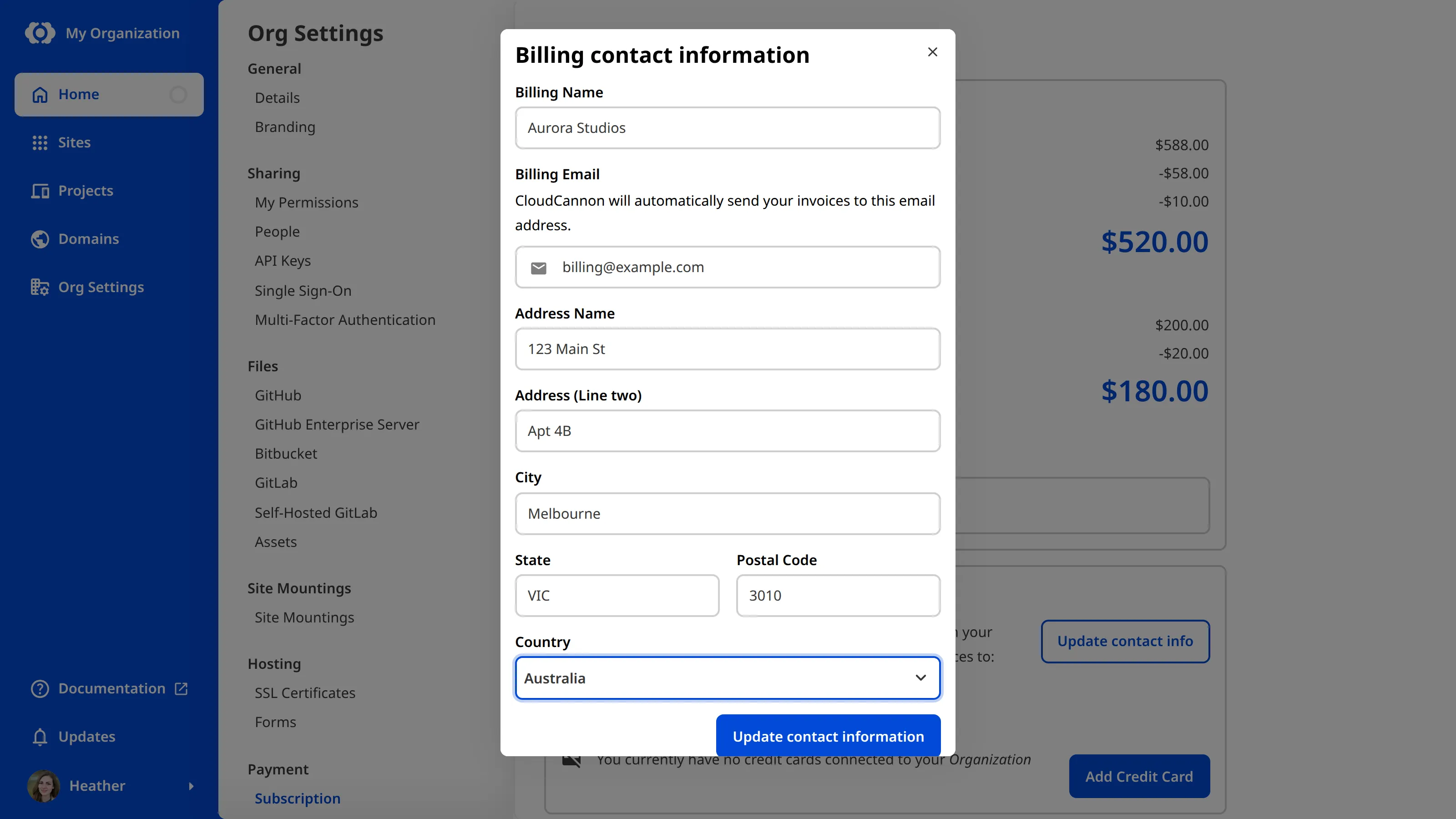
- Under Billing Details, click the Update contact info button. CloudCannon will open the Billing contact information modal.
- Enter the contact details you want on your invoices.
- Click the Update contact information button.
CloudCannon will update your billing contact information. If you added an email address, CloudCannon will begin emailing your invoices to you automatically.
The Billing Details section of the Subscription page shows the email address your invoices are sent to and when your next invoice is due.
Enterprise Organizations use custom billing, and the CloudCannon team sends invoices to you directly. If your Organization is on the Enterprise Plan and you need to update your billing contact information, contact us via support, Slack, or email with your Organization name.