An Access Review A CSV file listing everyone with access to your Organization, including how each Organization Member signs in and when they were last active. Members of the Owners Permission Group, or the Partner Permission Group in a Client Organization, can export one from the Members tab on the People page under Org Settings. An abbreviation of Comma-Separated Values, CSV is a file format used to store tabular data in plain text. CloudCannon supports the CSV format for configuration and data files. A workspace in CloudCannon that groups together Sites, Organization Members, and shared resources. It is also the unit CloudCannon bills for. You can define permissions for your Organization, controlling the access each Organization Member has to resources on CloudCannon. You can create and be a part of multiple Organizations.Access Review
CSV
Organization
If you need an Access Review and you don't see the Export access review button, ask a member of the Owners Permission Group in your Organization, or the Partner Permission Group in a Client Organization, to export one for you.
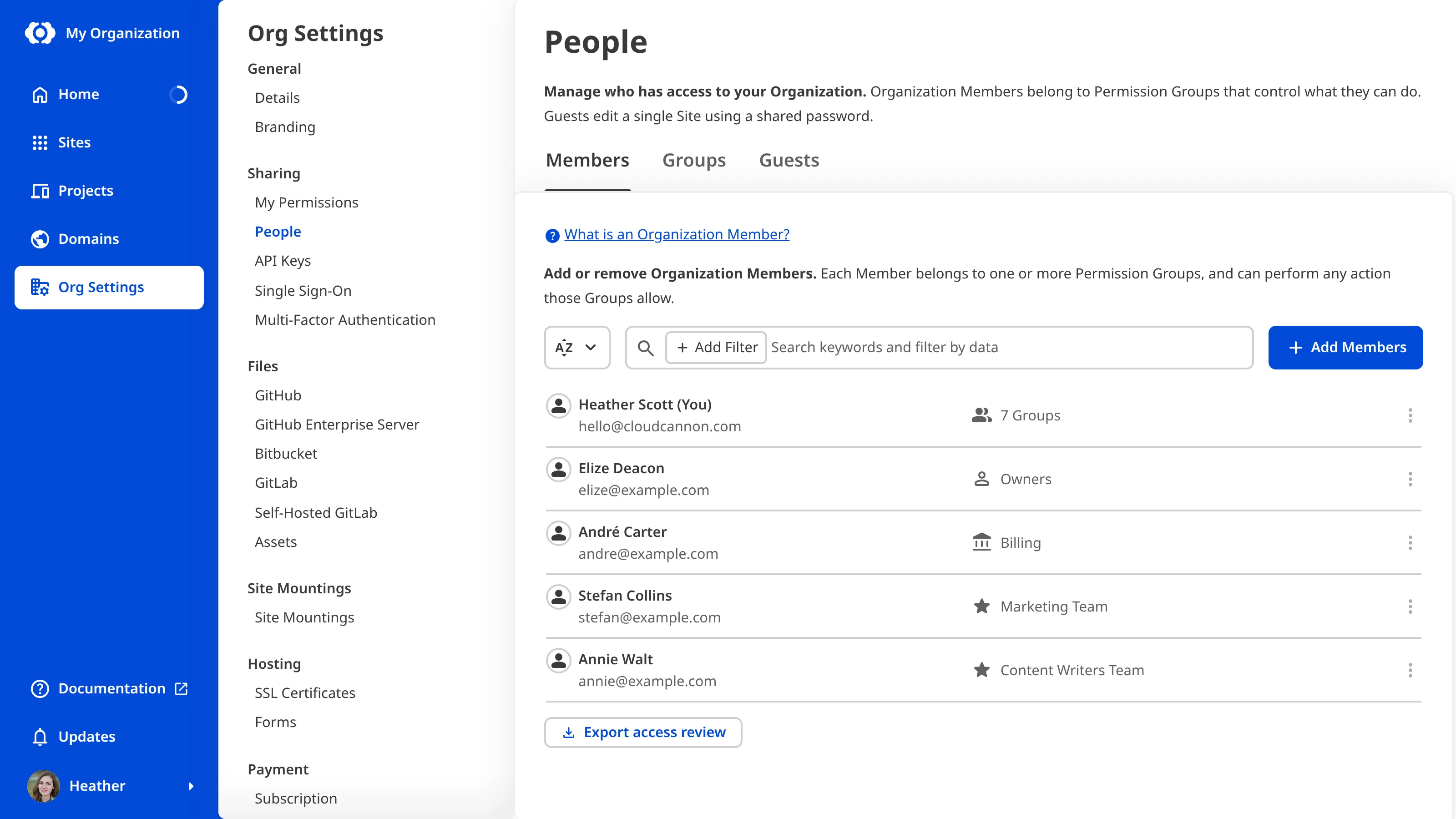
To export an Access Review:
- Navigate to the People page under Org Settings.
- Open the Members tab, if it is not already selected. CloudCannon will list your Organization Members, followed by any Pending Members.Glossary term
Organization Member
A person who belongs to the same Organization as you. Organization Members are other CloudCannon users who have been invited to your Organization to collaborate on Sites, edit content, or manage settings. Each Organization Member has their own CloudCannon account with individual permissions assigned through Permission Groups, and uses one Seat in your Subscription Plan. Organization Members were previously called Team Members.
- Scroll to the bottom of the Members tab.
- Click the Export access review button.
CloudCannon will download a CSV file named after your Organization, ending in -access-review.csv.