CloudCannon will detect when you or an Organization Member has updated your Publish Branch. You should update your current Site whenever updates are available, particularly if you have long-lived branches or are working on the same files across different branches. For more information, please read our documentation on why to update from a Publish Branch.
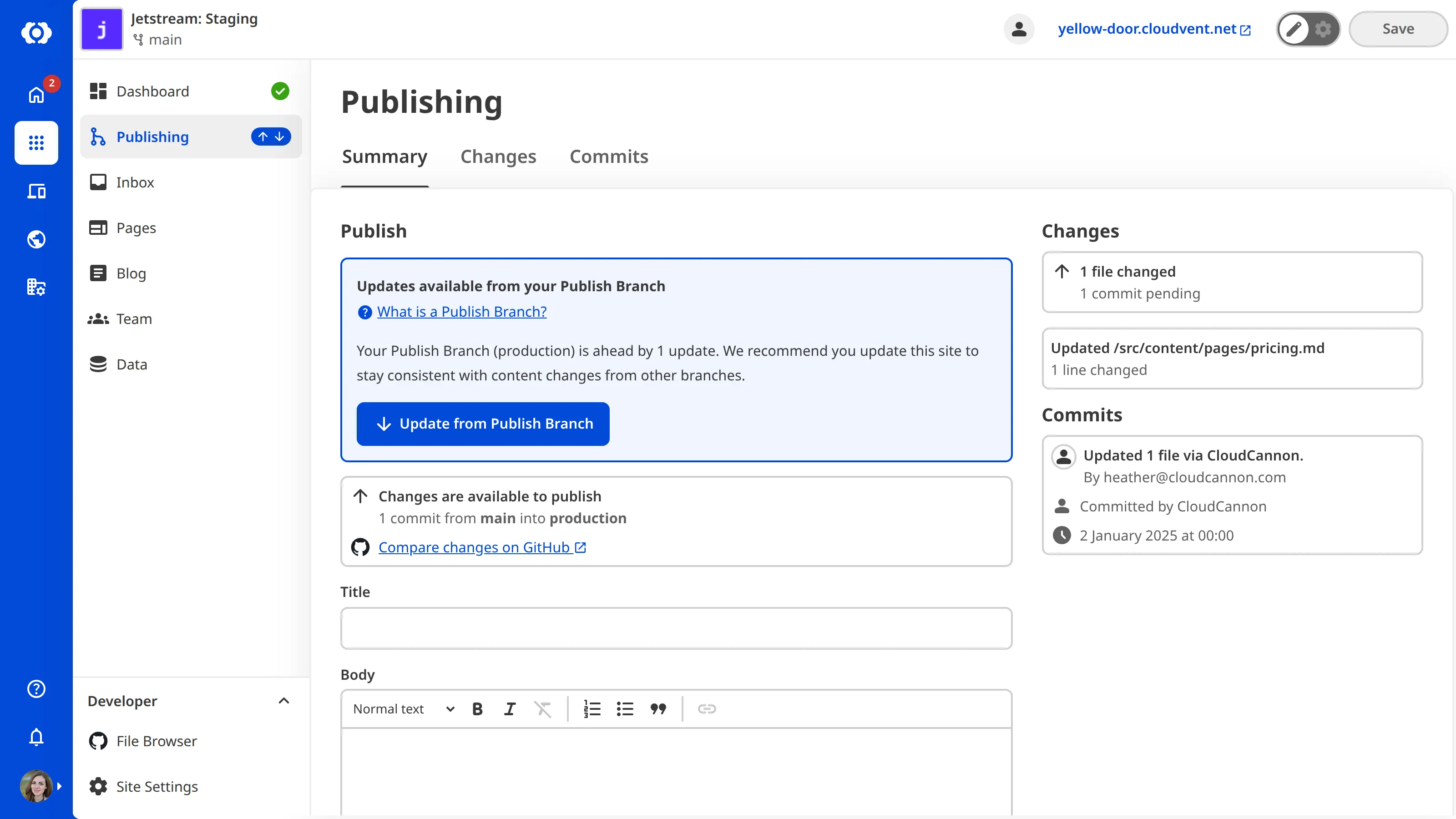
When updates from your Publish Branch are available, a notification icon will appear next to the Publishing link in your Site Navigation.

Updating your Site from its Publish Branch is important to keep your content consistent with changes from other branches, especially if your team separates projects onto different branches that contribute to the same Publish Branch.
To update your Site from its Publish Branch:
- Click the Publishing link in the Site Navigation. CloudCannon will open the Publishing page.
- On the Updates available from your Publish Branch notification, click the Update from Publish Branch button and click again to confirm.
CloudCannon will attempt to update your Site from its Publish Branch.
In some cases, CloudCannon cannot immediately update your Site from its Publish Branch, such as when it detects a Publishing Conflict. For more information, please read our documentation on Publishing Conflicts and how to resolve publishing conflicts.