If a web design or development agency built your website, your Organization A workspace in CloudCannon that groups together Sites, Organization Members, and shared resources. It is also the unit CloudCannon bills for. You can define permissions for your Organization, controlling the access each Organization Member has to resources on CloudCannon. You can create and be a part of multiple Organizations. A separate Organization that a Partner Organization manages but that the client uses and pays for. Client Organizations are part of the CloudCannon Partner Program and give each client their own team, billing, and login. Unlike Guest Access, which shares a single Site with someone who doesn't have a CloudCannon account, a Client Organization is a full, independent Organization. CloudCannon's program for agencies and freelancers who build and maintain Sites for clients. The Partner Program gives you a single place to manage many clients, the option to run each client in a separate Client Organization, and Partner Points that unlock rewards as your client work grows. A set of features available to your Organization, the monthly usage limits for resources, and the price you pay for access to those features and resources, monthly or annually. Each Organization in CloudCannon can have one Subscription Plan, and can update or cancel at any time. A person who belongs to the same Organization as you. Organization Members are other CloudCannon users who have been invited to your Organization to collaborate on Sites, edit content, or manage settings. Each Organization Member has their own CloudCannon account with individual permissions assigned through Permission Groups, and uses one Seat in your Subscription Plan. Organization Members were previously called Team Members. A website in CloudCannon that includes all the files, content, configuration, and settings needed to edit, build, and host a complete website.Organization
Client Organization
Partner Program
Subscription Plan
Organization Member
Site
You can see that access on the Groups tab of the People page under Org Settings, where the Partner Permission Group sits at the top of the list, named Partner. CloudCannon only shows you the Permission Groups A group that defines what permissions Organization Members have in CloudCannon. Permission Groups allow you to make Resources available to your Organization Members and define what actions are allowed (Read, Write, or Create) for each resource. CloudCannon provides several Default Permission Groups (including Owners, Developers, Technical Editors, Editors, and Billing) and you can create Custom Permission Groups for more granular control. One of CloudCannon's Default Permission Groups. Owners have complete control over everything in your Organization, including managing billing settings, deleting Organizations, and creating Custom Permission Groups.Permission Group
Owners
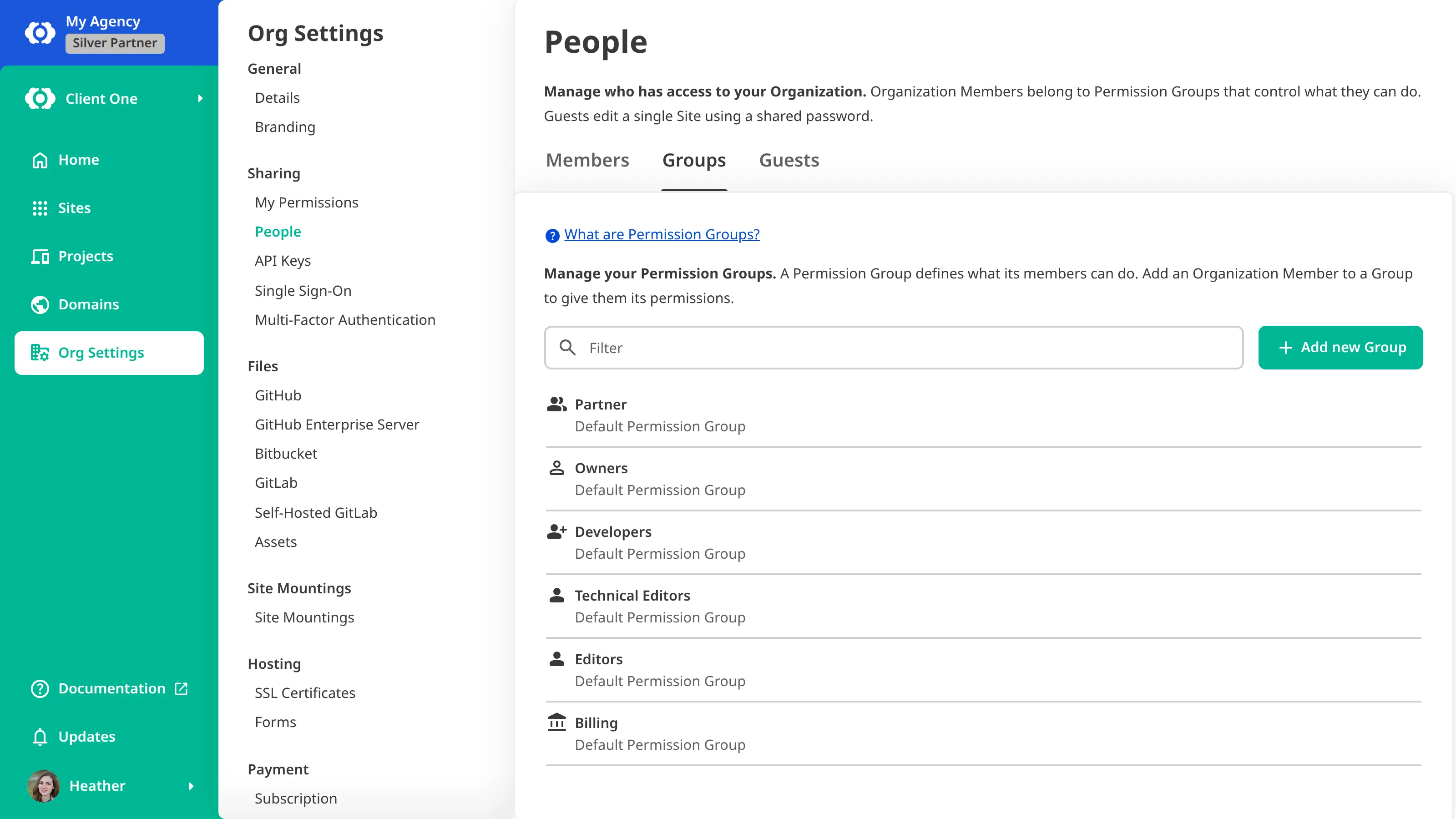
No one inside your Organization can edit or remove the Partner Permission Group, including its Owners. CloudCannon manages that group for you and mirrors the agency's own Owners into it, so the only way to end the agency's access is to detach your Organization from theirs.
Ask your partner first#
Start with the agency that set up your Organization. They hold the relationship and can arrange both parts of a handover:
- Handing over control — The agency adds you to the Owners Permission Group, so you can manage the Organization, its team, and its billing yourself. This does not change the agency's own access, so you can take control while they keep maintaining your website.
- Detaching — CloudCannon breaks the link between your Organization and the agency's, and removes the Partner Permission Group. The agency no longer has management access.
You can do the first without the second. Ending the relationship completely usually means both, in that order.
Detaching is not a self-serve action, so the agency arranges it with our support team.
Being in the Owners Permission Group also lets you move your website out instead of keeping this Organization. You can transfer the Sites to another Organization you belong to, and send and accept the transfer yourself. For more information, please read our documentation on transferring a Site between Organizations.
When to contact support#
Contact our support team if the agency that set up your Organization is unreachable, has closed, or will not arrange the handover. Have ready:
- your Organization name
- the agency or partner that set up your Organization
- evidence of your relationship to the Organization, such as an invoice or contract
If our support team cannot confirm your identity and your connection to the Organization, they may be unable to hand it over.
After your Organization is independent#
Once your Organization is detached, the Partner Permission Group is gone, and anyone from the agency who reached your Organization only through that group loses access. Anyone the agency added to your other Permission Groups keeps the access they had.
While the agency managed your Organization, their people didn't count toward the Organization Members included in your Subscription Plan. Once you detach, anyone from the agency still in one of your Permission Groups starts counting, and CloudCannon updates your Subscription The ongoing payment to CloudCannon for your Organization's Subscription Plan. A Subscription can be active, paused, or canceled. Canceling a Subscription will prevent you from paying for further use of features and resources without deleting the Organization, its Sites, or files.Subscription
Detaching does not change which payment method your Organization uses. If the agency was paying for your Subscription, add your own payment method to keep it active. For more information, please read our documentation on managing your payment methods.