When an Organization Member publishes new changes to your Publish Branch The branch containing the copy of your website to which you want to publish your changes (sometimes called the "upstream" branch). Defining a Publish Branch allows Organization Members to work on separate branches in parallel before publishing their changes to a shared branch. A website in CloudCannon that includes all the files, content, configuration, and settings needed to edit, build, and host a complete website.Publish Branch
Site
The Publishing page shows an Updates available from your Publish Branch notice, and a small down-arrow icon appears next to the Publishing link in the Site Navigation.
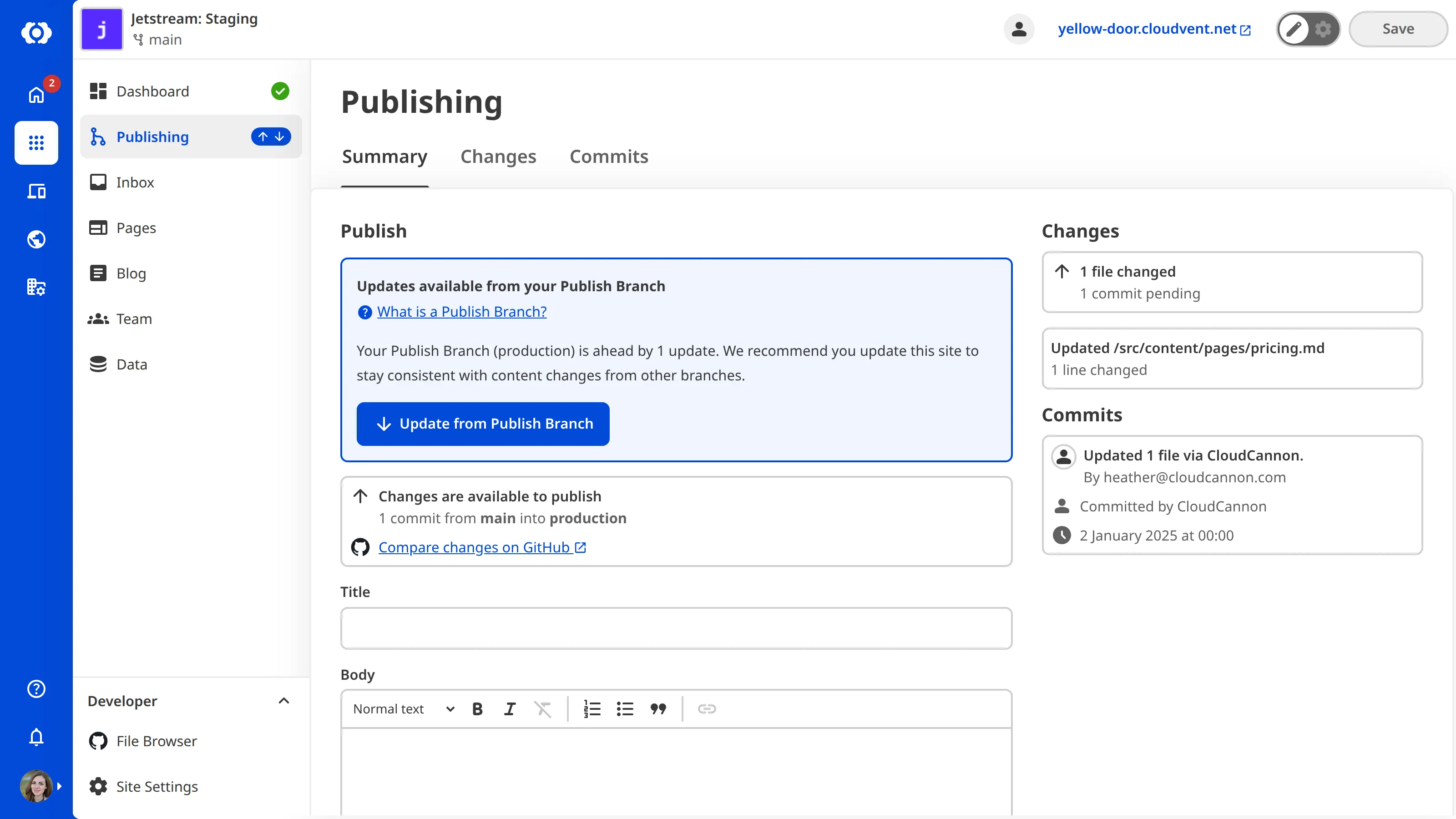
CloudCannon doesn't automatically update your Site when the upstream Publish Branch receives new changes; you choose when to update. Updating pulls those new changes from the Publish Branch into your Site.
Updating regularly keeps your Site up-to-date with the work published by other Organization Members, or by you from another Site. Your branched Site started as a copy of its Publish Branch, and updating keeps it close to that source except for the parts you have intentionally changed. Without updating, your Site will fall behind.
For instructions on updating your Site, please read our documentation on updating from a Publish Branch.
CloudCannon requires you to update from your Publish Branch before you are allowed to publish the changes on your Site, but you can update your Site whenever there are upstream changes available — even if you aren't ready to publish yet. Update your Site regularly to stay in sync with upstream changes.
For more information about publishing, please read our documentation on what publishing is.
Publishing Conflicts#
If the same file has been changed on both your Site and your Publish Branch since you last updated, CloudCannon will detect a Publishing Conflict and pause the update. You will need to choose which version of the file to keep before the update can complete. For more information, please read our documentation on what Publishing Conflicts are and how to resolve them.