You can cancel your paid Subscription The ongoing payment to CloudCannon for your Organization's Subscription Plan. A Subscription can be active, paused, or canceled. Canceling a Subscription will prevent you from paying for further use of features and resources without deleting the Organization, its Sites, or files. A workspace in CloudCannon that groups together Sites, Organization Members, and shared resources. It is also the unit CloudCannon bills for. You can define permissions for your Organization, controlling the access each Organization Member has to resources on CloudCannon. You can create and be a part of multiple Organizations. A website in CloudCannon that includes all the files, content, configuration, and settings needed to edit, build, and host a complete website. A set of features available to your Organization, the monthly usage limits for resources, and the price you pay for access to those features and resources, monthly or annually. Each Organization in CloudCannon can have one Subscription Plan, and can update or cancel at any time.Subscription
Organization
Site
Subscription Plan
When you cancel, you can no longer edit your Sites, your hosted domains (including Testing Domains A free .cloudvent.net URL that CloudCannon assigns to every Site for reviewing your live website content after a successful Site build. Each Testing Domain uses a randomly generated adjective and noun separated by a hyphen. By default, CloudCannon automatically de-indexes Testing Domains so that they do not appear in search engines.Testing Domain
To cancel your Subscription:
- Navigate to the Subscription page under Org Settingsin the App SidebarGlossary term
Org Settings
The settings page for a CloudCannon Organization, where organization administrators can manage organization-wide settings, including billing, team permissions, integrations, branding, and security policies. You can access this page using the Organization Settings link in the App Sidebar.
.Glossary termApp Sidebar
The left-most UI panel in the CloudCannon app. This panel contains links to your Organization Home, Sites, Projects, Domains, and Org Settings pages, as well as app Updates and your Avatar.
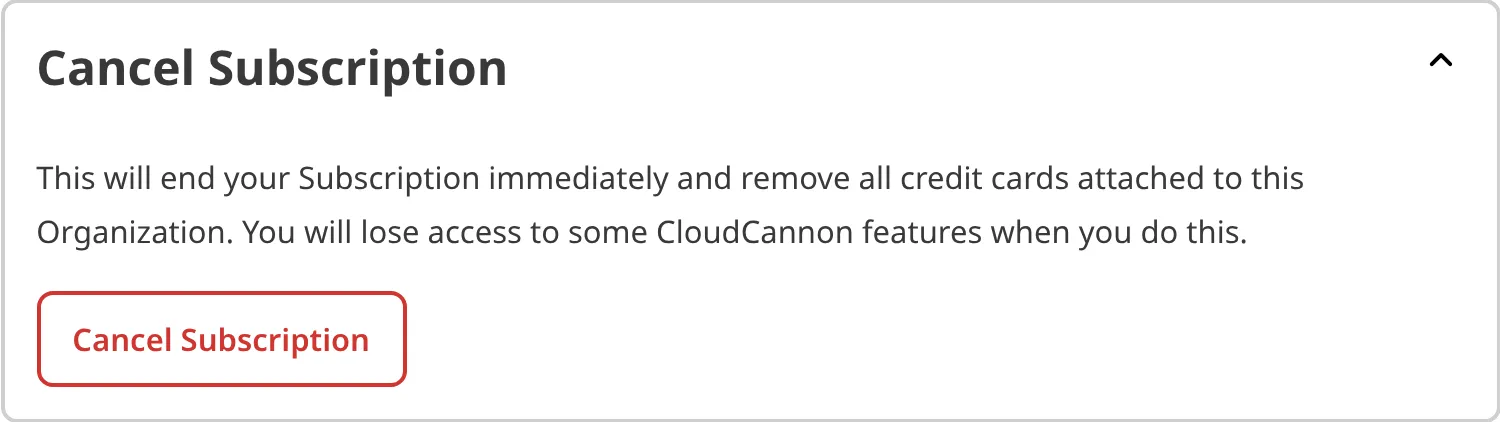
- Expand the Cancel Subscription section.
- Click the Cancel Subscription button.
- In the Cancel Subscription modal, review what you lose, then click the Cancel Subscription button to confirm.
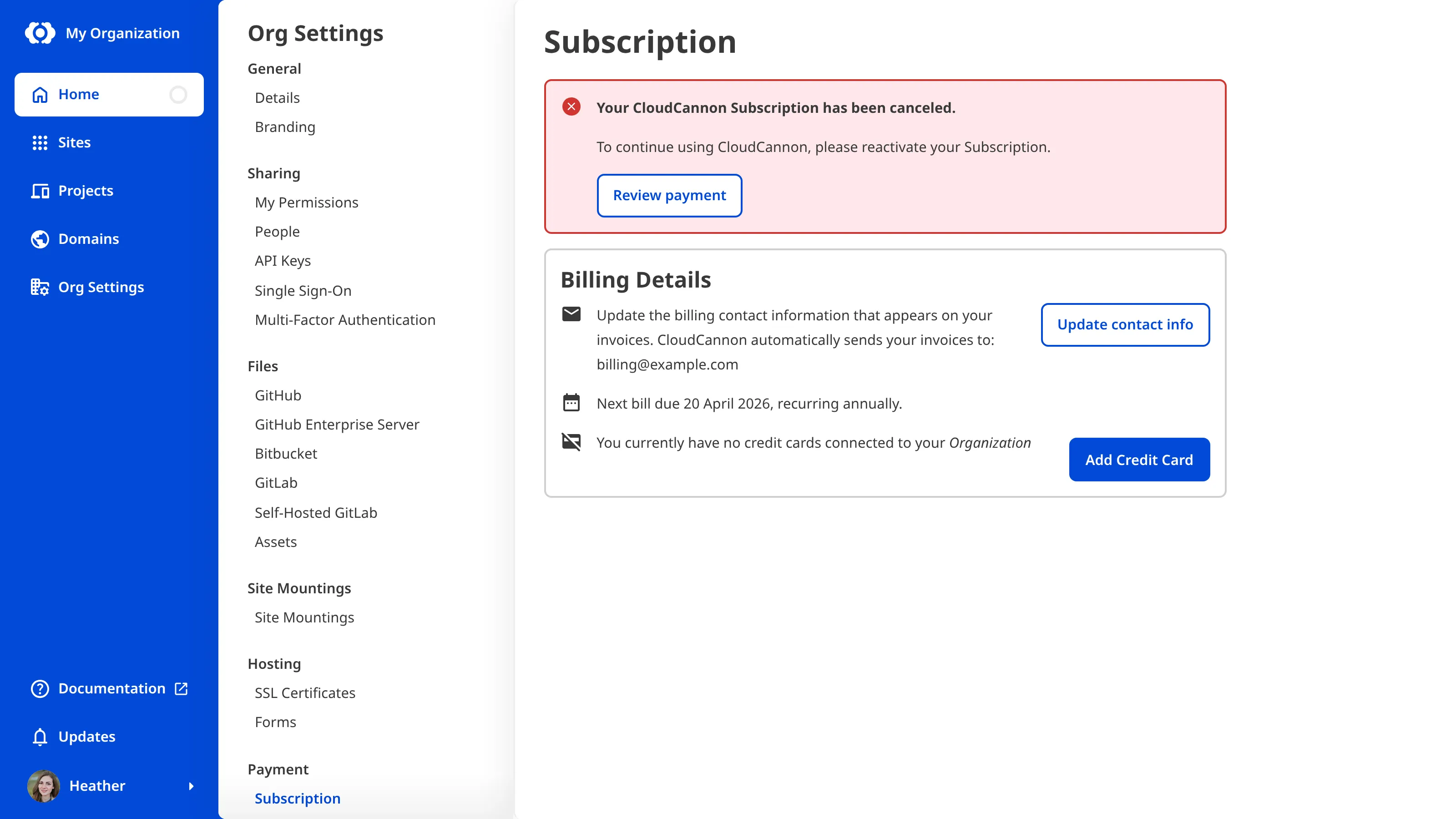
Once you confirm, CloudCannon will cancel your Subscription and stop further charges.
Enterprise Organizations have custom billing arrangements. If you are on an Enterprise Plan, contact us via support, Slack, or email to cancel.
Resubscribe#
You can start a new Subscription at any time. To get access to CloudCannon features again, return to the Subscription page and select a Subscription Plan. For more information, please read our documentation on updating your Subscription Plan.
Canceling is not the same as deleting#
Canceling your Subscription removes CloudCannon features but keeps your Organization, Sites, and files. Deleting your Organization removes all your data from CloudCannon's servers and is not reversible.
If your goal is to stop paying but keep your content, cancel your Subscription using the steps above. If you want to remove the Organization entirely, please read our documentation on deleting an Organization.
Canceling is also different from having your Subscription put on hold. CloudCannon puts your Subscription on hold automatically when it cannot collect payment after several attempts, rather than when you choose to cancel. If your Subscription stays on hold for a prolonged period, CloudCannon cancels it automatically. Unlike canceling manually, an automatic cancellation after a failed payment keeps your saved credit cards on file. For more information, please read our documentation on what happens when a payment fails.
If you are having any issue with billing, please contact our friendly support team.