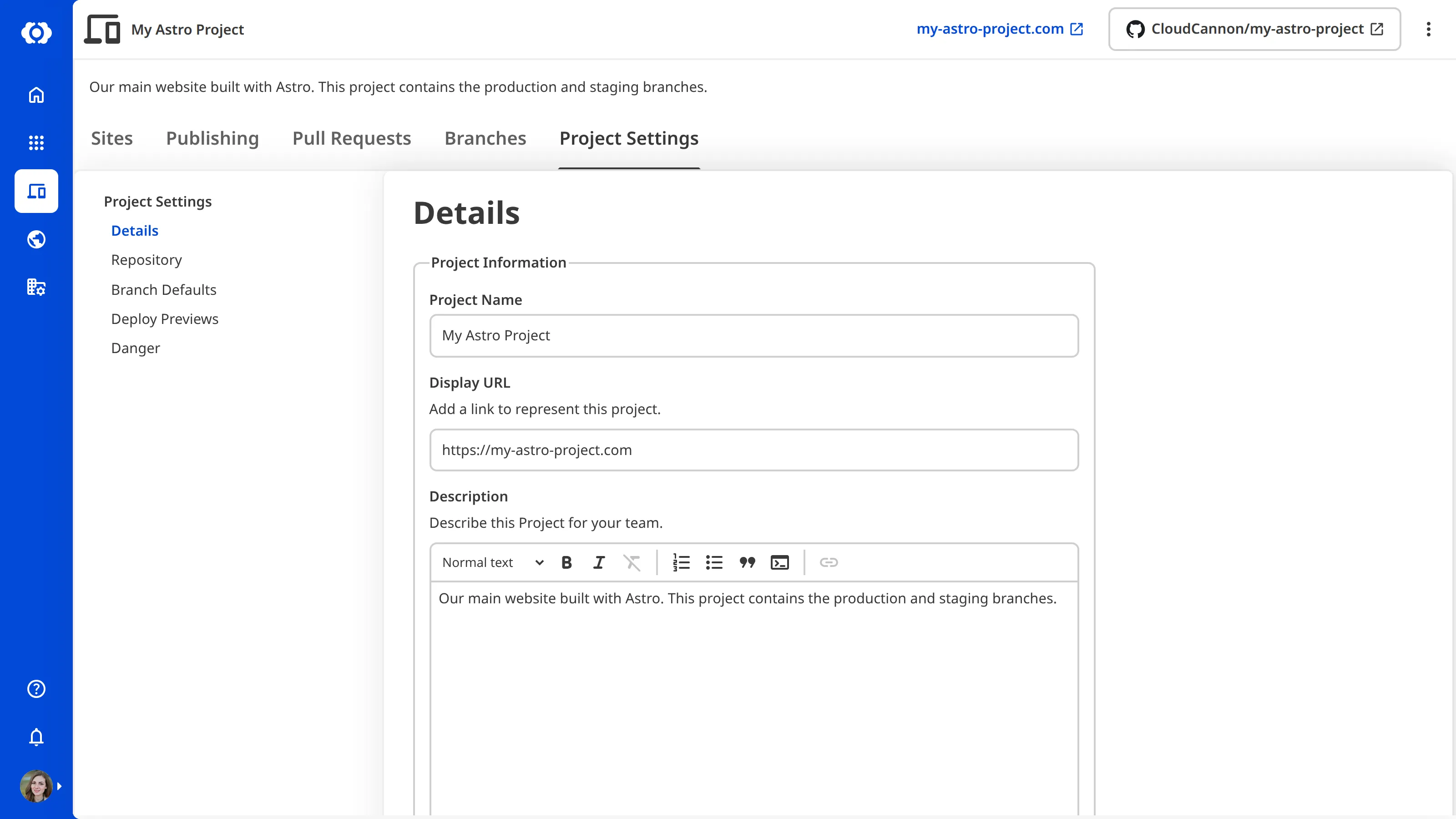
Your Project's A way to group multiple Sites from the same Git Repository, allowing you to define a main branch, as well as branching and publishing rules. You can access the Projects Browser using the Projects link in the App Sidebar. name and description identify your Project across the CloudCannon app. The name appears as a heading on your Project Card in the Projects Browser and at the top of your Project page. The description appears on your Project Card and your Project page, giving your Organization Members a short summary of what the Project is for.Glossary termProject
To edit your Project's name and description:
- Click Projects in the App Sidebar. CloudCannon will open the Projects Browser.
- Select the Project you want to edit by clicking on the Project Card. CloudCannon will open the Project Sites Browser.
- Click the Project Settings tab.
- Select Details from the Section Navigation.
- Edit the Project Name field.
- Edit the Description field.
- Click the Update Project button.
CloudCannon will save your changes and display them everywhere your Project's name and description appear in the app.