A Subscription Plan A set of features available to your Organization, the monthly usage limits for resources, and the price you pay for access to those features and resources, monthly or annually. Each Organization in CloudCannon can have one Subscription Plan, and can update or cancel at any time. A workspace in CloudCannon that groups together Sites, Organization Members, and shared resources. It is also the unit CloudCannon bills for. You can define permissions for your Organization, controlling the access each Organization Member has to resources on CloudCannon. You can create and be a part of multiple Organizations.Subscription Plan
Organization
When you change Subscription Plans partway through a Billing Period The recurring cycle CloudCannon bills your Organization on for its Subscription Plan, either monthly or yearly. You can switch between billing periods at any time, and CloudCannon prorates the difference on your next invoice.Billing Period
To switch between monthly and yearly billing without changing your Subscription Plan, please read our documentation on updating your Billing Period.
To upgrade or downgrade your Subscription Plan:
- Navigate to the Subscription page under Org Settingsin the App SidebarGlossary term
Org Settings
The settings page for a CloudCannon Organization, where organization administrators can manage organization-wide settings, including billing, team permissions, integrations, branding, and security policies. You can access this page using the Organization Settings link in the App Sidebar.
.Glossary termApp Sidebar
The left-most UI panel in the CloudCannon app. This panel contains links to your Organization Home, Sites, Projects, Domains, and Org Settings pages, as well as app Updates and your Avatar.
- Click the Review your Subscription Plan button in the billing summary. CloudCannon will open the Your Subscription Plan page.
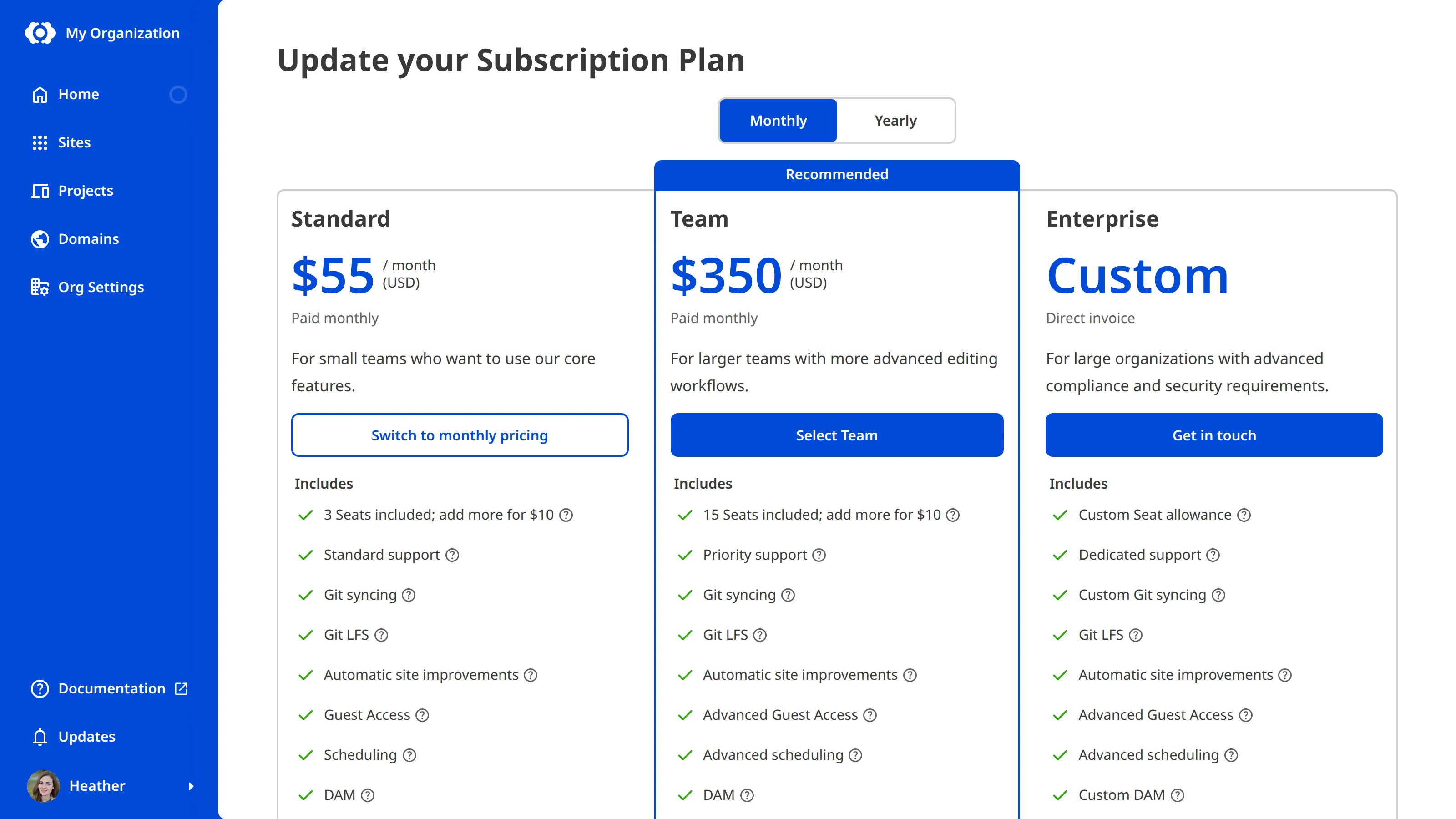
- Click the Change your Subscription Plan button. CloudCannon will open the Update your Subscription Plan page.
- Use the Billing Period toggle at the top of the page to choose Monthly or Yearly billing.
- Click the Select [Plan Name] button under the Subscription Plan you want. CloudCannon will open the Your Subscription Plan page.
- Review the Plan resources and Estimated bill.
- Click the Complete checkout button.
CloudCannon will apply the updated Subscription Plan to your Organization immediately.
Downgrading your Subscription Plan will reduce the number of features and the resource limits available to your Organization. If your current resource usage puts you above the new Subscription Plan's allocation of Organization Members A person who belongs to the same Organization as you. Organization Members are other CloudCannon users who have been invited to your Organization to collaborate on Sites, edit content, or manage settings. Each Organization Member has their own CloudCannon account with individual permissions assigned through Permission Groups, and uses one Seat in your Subscription Plan. Organization Members were previously called Team Members. The amount of data transferred from your hosted Site to visitors' browsers, determined by visitor count and webpage size. Each Subscription Plan includes a set amount, and you can enable Overages to keep your Sites live if you go over this amount. You can review your usage under the Usage tab of your Site Dashboard or Organization Home page. A unique address used to identify a website, such as cloudcannon.com. You can purchase a domain from a Domain Registrar and add it as a Custom Domain to your CloudCannon Organization before connecting it to any number of Sites hosted on CloudCannon. The total time CloudCannon spends building your Sites, measured cumulatively across all builds in a month. Most Subscription Plans include unlimited build time. On plans with a build time limit, you can enable Overages or purchase additional build time if you need more. You can review your usage under the Usage tab of your Site Dashboard or Organization Home page.Organization Member
Hosting Bandwidth
Custom Domain
Build Time
Legacy Subscription Plans#
CloudCannon supports several legacy Subscription Plans that are no longer available to new customers, enabling backwards compatibility for older Organizations. If your Organization uses one of these legacy Subscription Plans, you will not be able to return to it if you update your Subscription Plan. Please make sure your new Subscription Plan meets your needs before you update.

If your Organization is on an Enterprise Plan, your billing is arranged directly with your CloudCannon account manager. Self-serve Subscription Plan changes and payment method management aren't available. For questions about Enterprise billing, please contact us via support, Slack, or email with your Organization name and the change you would like to make.