A Custom Domain A domain you own and connect to your CloudCannon Organization, so visitors reach your Site at your own address instead of its Testing Domain. You buy the domain from a domain registrar, connect it to your Organization, then add it to your Sites. A workspace in CloudCannon that groups together Sites, Organization Members, and shared resources. It is also the unit CloudCannon bills for. You can define permissions for your Organization, controlling the access each Organization Member has to resources on CloudCannon. You can create and be a part of multiple Organizations. A website in CloudCannon that includes all the files, content, configuration, and settings needed to edit, build, and host a complete website. A free .cloudvent.net URL that CloudCannon assigns to every Site for reviewing your live website content after a successful Site build. Each Testing Domain uses a randomly generated adjective and noun separated by a hyphen. By default, CloudCannon automatically de-indexes Testing Domains so that they do not appear in search engines. The human-readable address of a website on the internet, such as example.com. Domain names are used instead of IP addresses to make websites easier to remember and access. A third-party company that manages the registration and renewal of domain names. Domain registrars allow you to purchase and configure domain names, and they handle the administrative aspects of domain ownership. You must purchase a domain name from a domain registrar before you can connect it to your CloudCannon Organization as a Custom Domain.Custom Domain
Organization
Site
Testing Domain
Domain Name
Domain Registrar
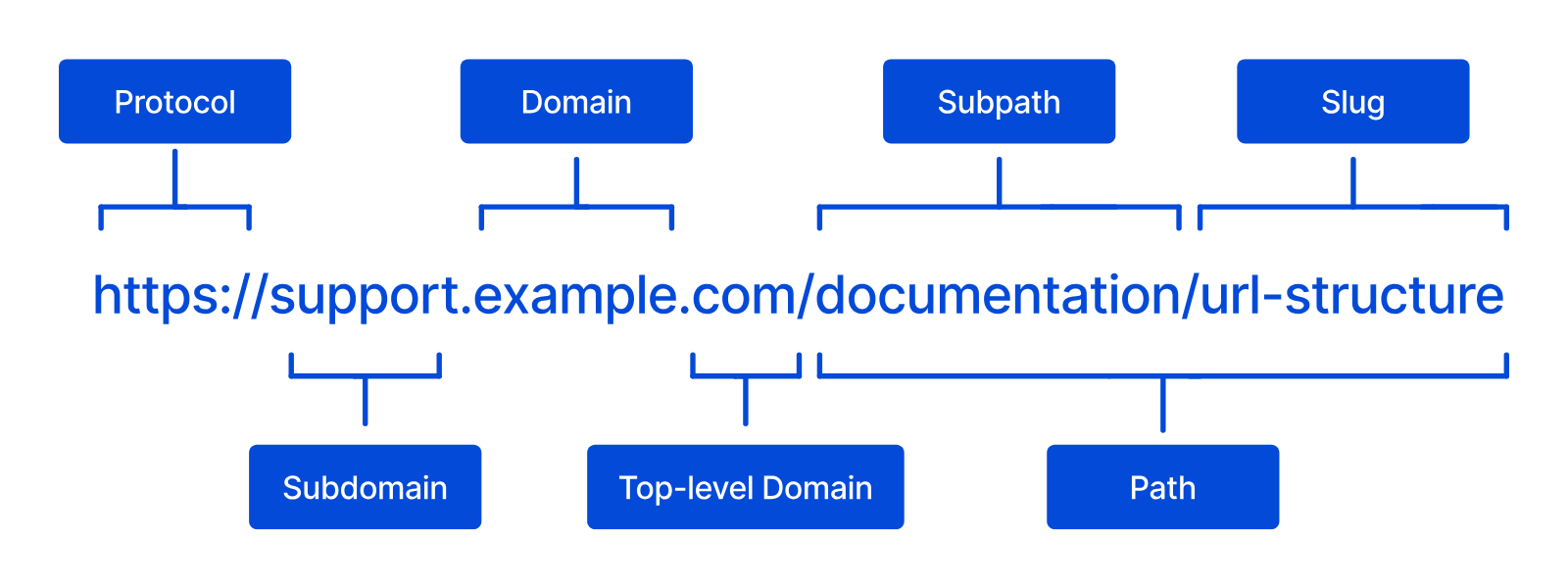
- Domain Name — The unique address used to access a website (e.g., cloudcannon.com). This is made of a name of your choice (normally your brand name) and a top-level domain (TLD) from the available list (e.g., .com, .org, .site, .io).
- Domain Registrar — A third-party company that sells and renews domain names. The registrar records who owns each domain, and which nameservers answer DNS questions about it. You can purchase a domain name from a registrar such as Cloudflare Registrar or Namecheap.
Do you need a Custom Domain?#
A Custom Domain can help with brand recognition and search engine optimization.
You don't need to purchase a Custom Domain to create and edit a Site on CloudCannon, as CloudCannon automatically provides a free Testing Domain to all Sites. However, using your Testing Domain as your primary URL has two drawbacks.
One, you cannot change the automatically generated Testing Domain name without creating a new Site on CloudCannon. The automatically generated domain may not be right for you or your Site. You can generate a new one by creating a new Site with the same files; however, recreating a Site takes time.
Two, CloudCannon asks search engines not to index Testing Domains, so they don't appear in search results.
How Custom Domains work#
To use a Custom Domain on CloudCannon you can connect a Custom Domain to your Organization, then add a Custom Domain to your Site. When CloudCannon builds your Site, it serves the new output on your Custom Domain.
You manage each Custom Domain from its Domain page The page in CloudCannon where you manage a Custom Domain connected to your Organization. Its tabs show whether every Subdomain is working, list your Subdomains and Fallback Redirect, show your DNS Provider and records, and hold the settings of the domain. You can access this page by clicking the Card for a domain in the Domains Browser. The page where you manage the Custom Domains connected to your Organization. The Domains Browser allows you to connect new domains and open the Domain page for each one to manage its Subdomains, DNS records, SSL Certificates, and minimum TLS version. You can access the Domains Browser by clicking the Custom Domains link in the App Sidebar.Domain page
Domains Browser
A Custom Domain belongs to one Organization, along with every Subdomain An additional name on the front of your URL, prefixing your Base Domain name (e.g., "docs" in docs.example.com or "blog" in blog.example.com). In CloudCannon, every address on your Custom Domain, including the Base Domain itself, is a Subdomain with its own hosting, HTTPS, and DNS settings. Each Subdomain serves Sites, each at its own path, or redirects visitors to another domain. A Subdomain with no Site yet shows its visitors a 404 page until you add a Site.Subdomain
Your Site must be in Hosted Mode to serve it on a Custom Domain. For more information, please read our documentation on what Site Building Mode is.
When you connect a Custom Domain, you choose its DNS Provider. On CloudCannon DNS A DNS Provider option where CloudCannon manages the DNS records of your Custom Domain. CloudCannon adds the records each Subdomain needs, and the TXT records for your SSL Certificates, for you. To use it, you replace the nameservers at your domain registrar with CloudCannon's nameservers. Domain Name System configuration managed by a third-party DNS Provider rather than CloudCannon DNS. External DNS allows you to host your Site on CloudCannon but manage your DNS records elsewhere, such as with Cloudflare or on your own servers. You add the DNS records CloudCannon lists for each Subdomain at your DNS Provider.CloudCannon DNS
External DNS
Your Subscription Plan A set of features available to your Organization, the monthly usage limits for resources, and the price you pay for access to those features and resources, monthly or annually. Each Organization in CloudCannon can have one Subscription Plan, and can update or cancel at any time. Extra capacity (Organization Members, bandwidth, custom domains, or build time) that extends a plan's included limits. When Overages are enabled, CloudCannon automatically adds capacity as your Organization exceeds its plan's included limits. A Subdomain on your Custom Domain that sends every visitor to another domain instead of serving a Site, preserving the visitor's path and query string. Each Redirect Subdomain has its own certificate and status code. Redirect Subdomains don't count toward the number of Custom Domains in your Subscription Plan.Subscription Plan
Add-On
Redirect Subdomain
In a Client Organization A separate Organization that a Partner Organization manages but that the client uses and pays for. Client Organizations are part of the CloudCannon Partner Program and give each client their own team, billing, and login. Unlike Guest Access, which shares a single Site with someone who doesn't have a CloudCannon account, a Client Organization is a full, independent Organization. A trial period that gives a new Organization access to Standard Plan features without requiring a payment method.Client Organization
Free Trial
Subdomains#
Every address you host on a Custom Domain is a Subdomain in CloudCannon, including the Base Domain The primary domain name for a website, without any subdomains. For example, in "www.example.com", the Base Domain is "example.com". In CloudCannon, you connect your Base Domain to your Organization as a Custom Domain. The Subdomain to which CloudCannon sends visitors when they try to visit a subdomain on your Custom Domain that isn't set up, including a Subdomain you have deleted. It prevents visitors from seeing an error when they mistype a subdomain (e.g., typo.example.com). Each Custom Domain has one Fallback Redirect.Base Domain
Fallback Redirect
*.example.com) at your DNS Provider. For more information, please read our documentation on what a Subdomain is.
The default robots.txt file#
A robots.txt file tells search engines which pages of your website not to crawl. If your Site doesn't have its own robots.txt file, CloudCannon serves this default file at /robots.txt on your Custom Domain:
User-agent: *
Disallow: /cc-connection-test
Disallow: /update
Disallow: /login
Disallow: /logoutCloudCannon uses these paths on Sites it hosts:
/cc-connection-test— CloudCannon answers this path itself to check that your domain reaches CloudCannon./update— The default path of the Guest Login Page, which sends visitors to CloudCannon to edit the Site. You can change this path. For more information, please read our documentation on configuring the Guest Login Page./loginand/logout— CloudCannon uses these paths to sign visitors in and out of a Site that requires authentication.
CloudCannon doesn't serve a page of your own at /cc-connection-test, or at the path of your Guest Login Page. While CloudCannon serves the default robots.txt file, search engines also skip any page of your own at /login, /logout, or /update. The default file always lists /update, even if you change the path of the Guest Login Page.
If your Site has its own robots.txt file in its build output, CloudCannon serves your file instead of the default. Add the lines above to your file to keep search engines away from the reserved paths.
Your Testing Domain always serves a different robots.txt file, which asks search engines not to crawl any page.