Command line options instruct CloudCannon how to run your Static Site Generator and your Site.
You can configure the following options:
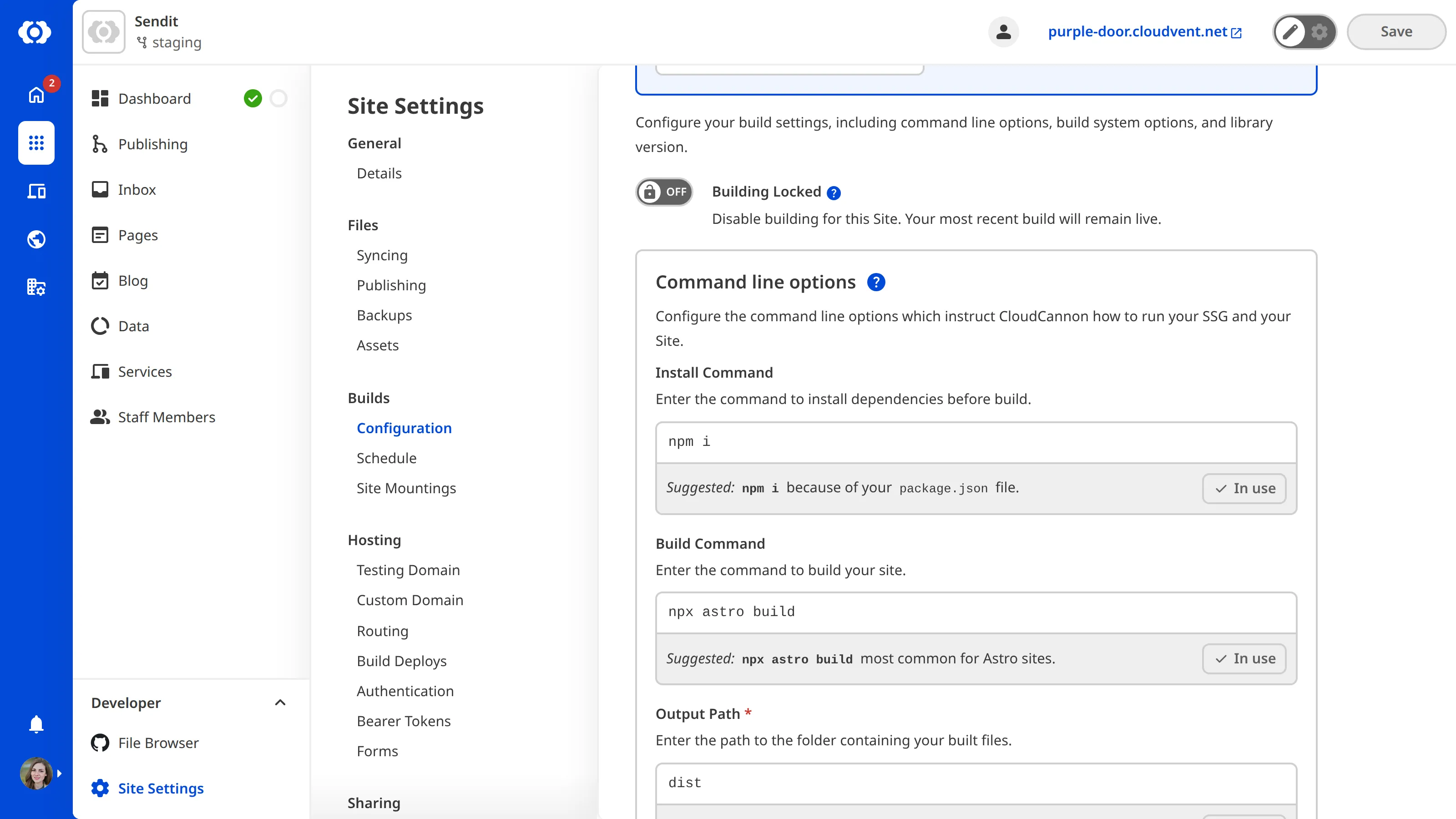
- Install Command — the command to install any dependencies required for your Site.
- Build Command — the command to build your Site.
- Output Path — the location to which your Site will build.
If you have yet to configure your first Site build, CloudCannon will suggest command line options based on your Static Site Generator and the contents of your Site files.
To configure your command line options:
- Navigate to the Build configuration page under Site Settings.
- Under Command line options, enter your Install Command, Build Command, and Output Path.
- Click the Update Configuration and Build button.
CloudCannon will save your updated command line options and trigger a new build.
Command line options are often used in conjunction with environment variables. For more information, please read our documentation on configuring your environment variables.