Managing your SSL certificate on CloudCannon requires you to host your Site A website in CloudCannon that includes all the files, content, configuration, and settings needed to edit, build, and host a complete website.Site
By default, CloudCannon will automatically generate an SSL certificate for all Sites hosted on CloudCannon through ZeroSSL and Cloudflare. This can be a wildcard SSL certificate or a single-domain SSL certificate. These certificates renew every 90 days automatically, so your Site is never insecure.
- Wildcard SSL certificate — A certificate that protects a single domain and all its subdomains (e.g., example.com and its subdomains blog.example.com, support.example.com, app.example.com, etc.).
- Single-domain SSL certificate — A certificate that protects a single domain. This is useful if you only have one CloudCannon Site, which is hosted on a subdomain.
Wildcard SSL certificates are not available for Sites hosted on a subdomain. If you have a CloudCannon Site hosted on your base domain, add a wildcard SSL certificate to that Site.
After adding an auto-generated SSL certificate, CloudCannon serves your Site over HTTPS. You can also redirect any users trying to access your website through the HTTP URL to the correct HTTPS URL.
Before you add an SSL certificate to your Site, you must add a Custom Domain to your Organization A workspace in CloudCannon that groups together Sites, team members, and shared resources. You can define permissions for your Organization, controlling the access each team member has to resources on CloudCannon. You can create and be a part of multiple Organizations.Organization
If you have recently added your Custom Domain A unique address used to identify a website, such as cloudcannon.com. You can purchase a domain from a Domain Registrar and add it as a Custom Domain to your CloudCannon Organization before connecting it to any number of Sites hosted on CloudCannon.Custom Domain
To add an auto-generated SSL certificate to your Site:
- Navigate to the Domains Browser by clicking Domains in the App Sidebar.
- Select the domain to which you want to add a certificate.
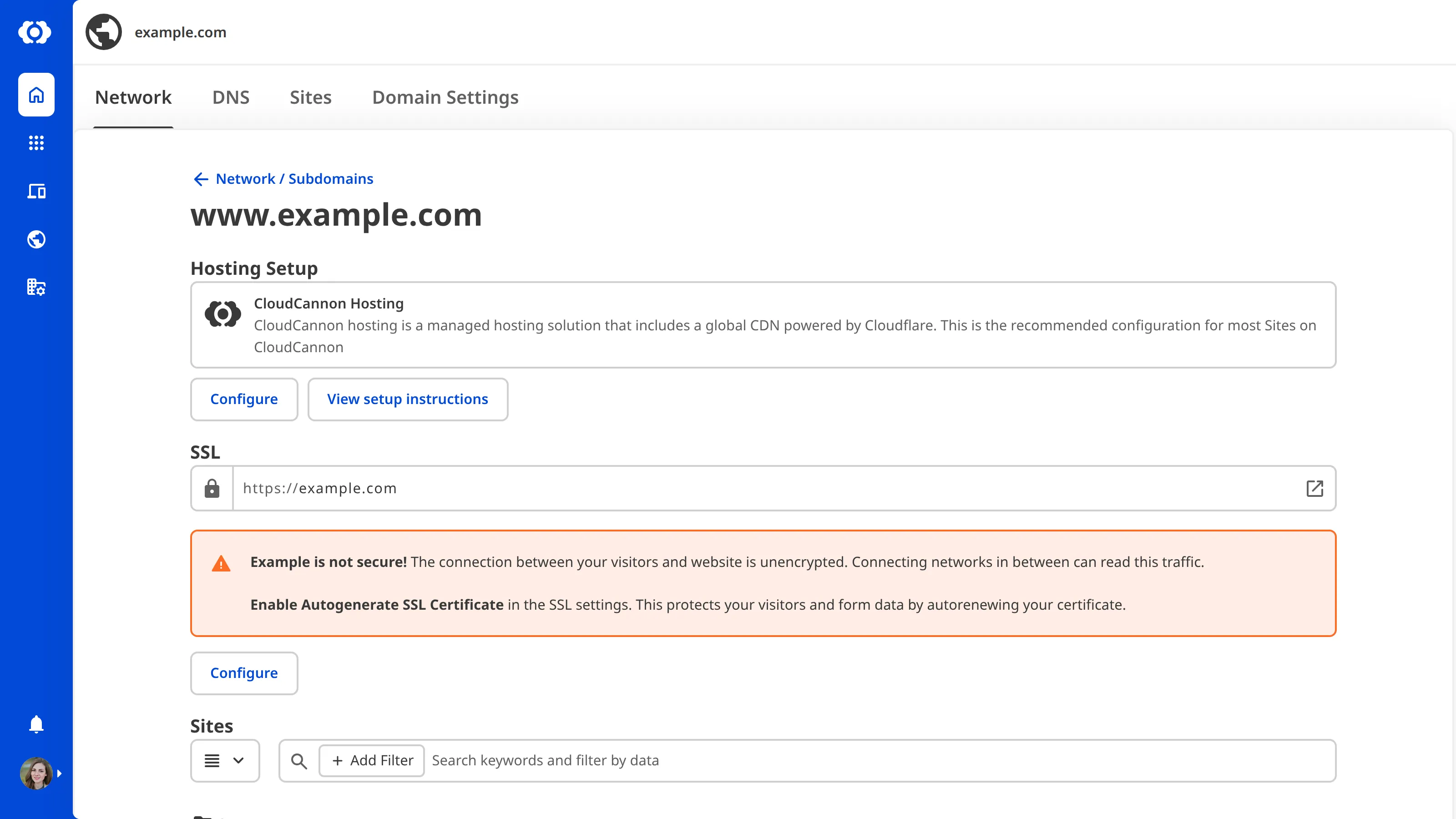
- Under the Subdomains heading, click the card for the subdomain to which you want to add the certificate.
- Click the Configure button under the SSL heading. CloudCannon will open the Configure SSL modal.
- Select a version number from the Minimum TLS Version dropdown.
- Select the DNS Text Record option from the Validation Method dropdown.
- (Optional) If you are adding an SSL certificate to a Site hosted on your base domain, ensure the Generate a wildcard certificate to enable SSL on *example.com checkbox is ticked. This option is not available for Sites hosted on a subdomain.
- Click the Update SSL button.
CloudCannon will add an auto-generated SSL certificate to your domain.
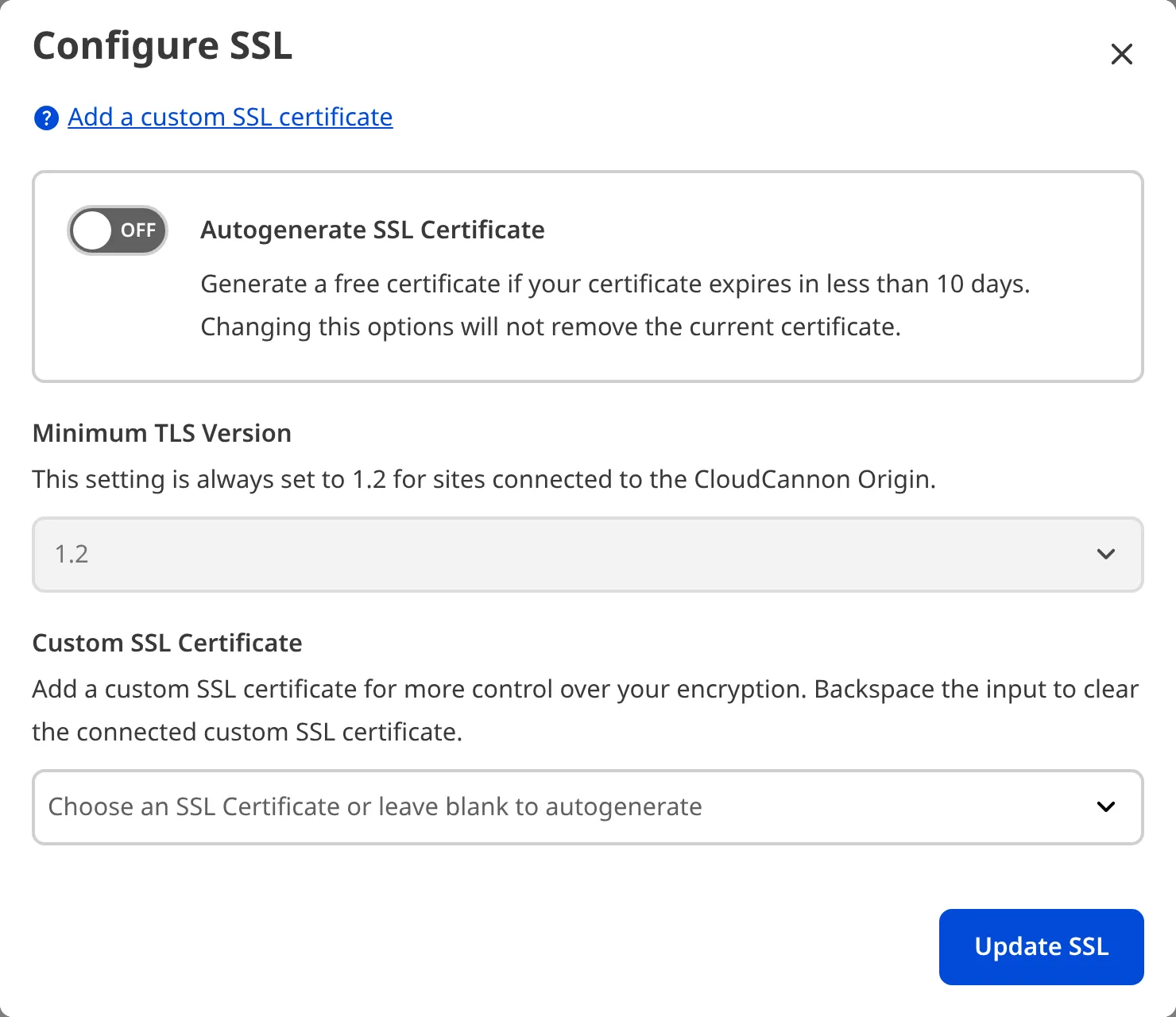
To switch between a wildcard SSL certificate and a single domain SSL, untick the Generate a wildcard certificate to enable SSL on *example.com checkbox and click the Update SSL button.
Add TXT DNS records#
This step is only required if you are using an external DNS provider and a CloudCannon auto-generated SSL certificate.
TXT record validation is a method of authenticating ownership of your domain, so unauthorized individuals cannot add an SSL certificate to your domain.
DNS An abbreviation of Domain Name System, DNS is the system which allows your computer to translate a domain name, which visitors are most likely to remember, into a machine-friendly IP address, which is required to access a website.DNS
To use TXT record validation through an external DNS provider:
- Navigate to the Domains Browser by clicking Domains in the App Sidebar.
- Select the domain for which you want to add TXT records.
- Under the Subdomains heading, click the card for the subdomain to which the SSL certificate applies.
- Copy the two TXT records provided by CloudCannon.
- Log in to your third-party DNS provider.
- Add two TXT records to your DNS provider.
CloudCannon will validate your SSL certificate once the new DNS records propagate from your DNS provider. This could take up to 24 hours.
Redirect HTTP to HTTPS#
Once your SSL certificate is enabled, users can visit your Site on the more secure HTTPS URL. CloudCannon will redirect any users who request the HTTP An abbreviation of HyperText Transfer Protocol, HTTP is the foundation of data communication on the web. HTTP defines how messages are formatted and transmitted between web browsers and servers. CloudCannon supports both HTTP and secure HTTP connections, as well as HTTP redirects to more secure HTTPS.HTTP