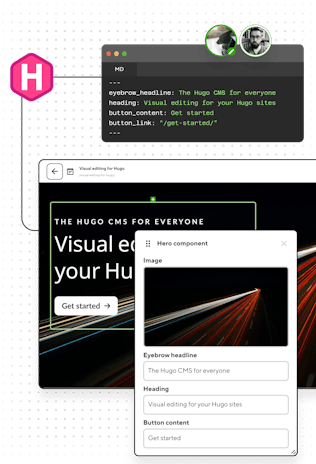
HUGO CMS

The Hugo CMS for all your projects

Keep your Hugo workflow. Give editors a visual way to update content without touching your code.
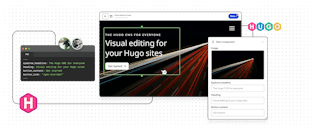
Visual editing for your Hugo sites

Your Git workflow. Their visual interface.

Everything lives in your Hugo repository. Editors commit through CloudCannon while you keep complete control over themes, layouts, and shortcodes.
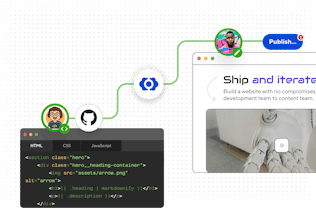
Screenshot of Git workflow in CloudCannon

Branch-based editing and publishing

Content teams can take control on branches, preview on staging sites, and publish when they're ready. Zero conflicts with your local Hugo environment.

CloudCannon's Git-based CMS →

Visual editing without the compromises

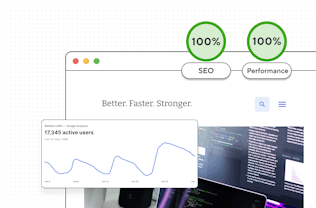
See your changes instantly. CloudCannon's real-time previews match your live site exactly, so what editors see is what ships.
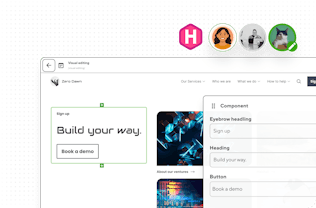
Visual Editing on CloudCannon →

Screenshot of CloudCannon's Visual Editor and active users
Screenshot of analytics for a CloudCannon site

Hugo's speed meets enterprise-grade performance

Deliver instant loads that stay instant, and static architecture that scales automatically to meet your traffic. Your Hugo sites stay clean, with meta tags and structured data built in.

Load instantly. Rank higher. →

Set it and forget it.

Eliminate the maintenance treadmill that consumes dev time. Spin up new sites in minutes from a Hugo theme and your reusable components.
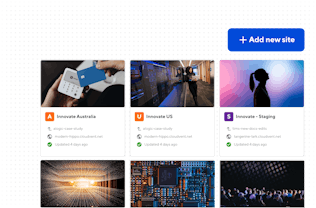
Maintain less. Build more. →

Screenshot of CloudCannon's Visual Editor and active users

Real results from real migrations

Print management software superstars PaperCut consolidated 4,000+ pages with CloudCannon as their Hugo CMS. The result? 100x faster publishing and lighthouse performance scores jumping from a low of just 14 to 90+.

Three steps to visual editing with Hugo

1

Build with Hugo

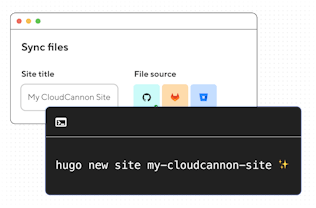
Build your Hugo site locally with your preferred stack and structure.
2

Configure with CloudCannon

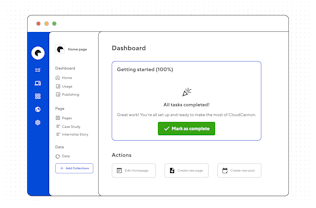
Configure collections, set editing rules, and transform your shortcodes and content blocks into visual components.
3

Hand off confidently

Hand off to non-technical editors who can update content visually — without touching your code.
Frequently asked questions

What happens to my shortcodes?

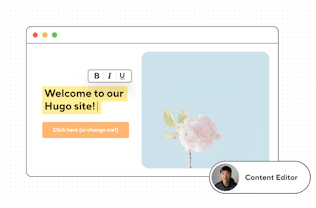
They become Snippets. You describe a shortcode once in your CloudCannon config, listing its parameters and how they map to editor inputs, and from then on editors insert it from a menu inside the Content Editor. Your markdown content file still contains your shortcode, so your templates don’t change and your site builds the same way locally.

Which Hugo version does CloudCannon build with?

The extended version, always, since so many Hugo sites depend on Sass transpiling. The build environment ships a default version and you can pin whichever release you need, which matters if you’re on a site that’s sensitive to template API changes between releases. Embedded Dart Sass is available too.

Do Hugo Modules work?

Yes. CloudCannon fetches your module imports during the build like any other Hugo environment. Private module repositories are one case worth planning for, since your build needs access to them. Site Mounting handles this by treating your module repo as a second CloudCannon site and mounting its files into your main one, which also triggers a rebuild whenever the module changes.

How can the Visual Editor preview Go templates? They only run at build time.

Two things are happening. CloudCannon builds your actual site, so the preview is your real HTML rather than an approximation. On top of that, data bindings connect fields in the sidebar to elements on the page, so text and image edits update as you type instead of waiting for a rebuild. For full component-level page building, Bookshop renders your Hugo components in the browser so editors can add, reorder, and nest them live.

Are page bundles supported?

Yes, and they’re a good fit for editing. Leaf and branch bundles keep an entry’s images next to its index.md, so when an editor uploads a photo it lands in the bundle rather than a shared uploads folder. You can configure where new files go, and the path the file picker is opened at, per collection (or even per input).

What about data files and taxonomies?

Data files in data/ are editable through the Data Editor, with the same typed inputs you’d configure for frontmatter. This is how most teams hand off navigation menus, office locations, pricing tables, team member lists, and other structured content that shouldn’t live in a Markdown body. Taxonomy terms — like tags and categories — can be exposed as select inputs so editors pick from your existing tags instead of inventing new ones.

Will it cope with a large site?

Yes — Hugo’s build speed is most of the answer. PaperCut runs more than 4,000 pages with 110 editors working autonomously, and cut publishing time from weeks to minutes. Large content directories are where a Git-based CMS tends to pull ahead, because editors work on branches and merge rather than queueing behind each other in a database.

Do I have to host with CloudCannon?

No. Hosting is included and optional. Plenty of teams keep their production deploy where it is and connect CloudCannon to the same repository, so editor commits trigger their existing pipeline. Others use CloudCannon hosting for staging and review, then publish elsewhere. Both setups are documented.

Stay connected with Hugo

Alongside our own Community, CloudCannon creates a monthly Hugo newsletter and video series. You'll find development insights, community highlights, and tutorials that help you build better Hugo sites.

No vendor lock-in. Period.

Your Hugo content stays in markdown. Your themes stay in Git. Your repos stay yours.

Tiaan Fairchild

Software Engineer

A friendly CloudCannon dev sitting ready for a demo call