FOR DEVELOPERS
Your CMS, from your terminal
CloudCannon connects to your repo and runs where you do. Preview the editing experience locally, script your operations from the CLI, and automate the rest with the API. Your editors get a visual CMS. You never have to leave your tools.



Empower your team without sacrificing control
Your editors shouldn't need you to update a headline or swap an image. With CloudCannon, they manage content independently using the components you've built — no urgent requests from marketing, no developer time spent on copy tweaks.
Bring your own AI tooling
CloudCannon projects are local-first and Git-based, so the AI tools you already use just work. Open a repo in your IDE of choice, and your agent has full project context over code, content, and config.
And with CloudCannon's agent skills, your agent can migrate an existing SSG site and configure it for CloudCannon on its own, with guardrails that keep the generated config valid.


Visual editing that respects your architecture
Your editors work with the components you've built, see changes instantly in the browser, and publish directly to your repository.
- Editors build pages from your custom, reusable components.
- Changes render live in real time, exactly as they'll appear in production.
- Content teams stay within the guardrails you define.
Git workflows for everyone
You work locally. They work in CloudCannon. Everyone stays in sync.
With two-way Git syncing, all changes — yours and theirs — are committed back to your repository. Your editors can even branch and merge sites directly in the CMS, no command line required. One workflow. One source of truth.


Craft the ideal editing interface
You have complete control over how your team manages content. Customize inputs with a full range of field types, fine-tune roles and permissions, and preview it all locally with the dev server as you build.
When you need something beyond the built-in options, the Visual Editor API lets you create your own editing experiences and interfaces shaped to exactly how your team works.
Visual Editor API docs →
Guide: Build custom Visual Editor integrations →
Build, automate, and extend
CloudCannon's whole platform is programmable. Configure, preview, and operate the CMS from your terminal, your pipeline, or your own code.

Run CloudCannon locally
Preview your site’s entire editing experience on your own machine. Install our CLI and you can run a dev server alongside your local build, change your config, and watch the editor update the moment you save.
cloudcannon devopens the CloudCannon editor against your local files- Iterate on collections, inputs, and components with instant feedback
- Commit when it’s right
Script it from the CLI
Manage sites, builds, and projects without opening the app. Authenticate once, then automate the operations you used to click through.
- Generate and validate config with SSG auto-detection
- Sweep every site for build errors on a schedule
- Non-interactive auth for CI environments


Build on the API and SDK
Programmatic control of your whole account, fully documented. Wire CloudCannon into your CI, your dashboards, or whatever your team runs.
- REST API built on an OpenAPI spec, so docs stay accurate
- TypeScript SDK that folds multi-step calls into one line
- Build merge checks, custom reports, and internal tooling on top
Maintenance down. Momentum up.
Forget WordPress updates, plugin conflicts, and surprise breakages. CloudCannon just works, so your team can focus on creating, not patching.

Own your content
Your content lives in your repository, along with the complete history of every change. No vendor lock-in. No proprietary formats. No need for backups or exports.
If you ever leave CloudCannon, you leave with everything. Your content. Your code. Your commits. It's all yours.


Websites that load before you blink
CloudCannon builds and hosts your site (or BYO hosting). It's static, secure, and seriously fast.
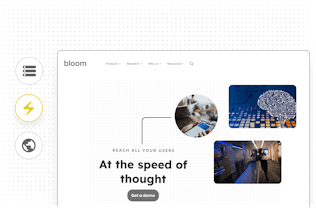
Hosting that just works
Deploy to CloudCannon's global CDN for unparalleled reach and speed, or host wherever you like. Either way, you get the performance benefits of static sites without the hosting headaches.
Zero server management — No servers to patch, no runtime to maintain.
Automatic optimization — Fast builds, smart caching, instant invalidation.
Built for scale
Static sites handle traffic spikes without breaking a sweat. No database bottlenecks. No server crashes. Just reliable, consistent performance under any load.
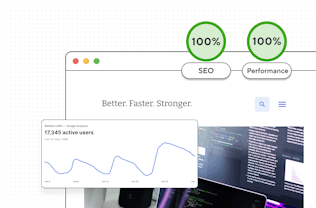

Three steps to visual editing with CloudCannon
Build and configure
Build your static site locally with your preferred SSG, stack, and structure, then configure with CloudCannon's CLI.

Perfect your visual editing
Shape your ideal editing environment locally.
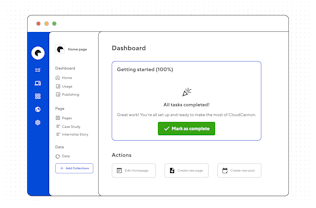
Invite your content team to collaborate
Hand off to non-technical editors and give them the exact editing interface they need.

A CMS to build, not babysit
CloudCannon gives your team autonomy while keeping you in control, and gives you a platform you can script, extend, and run from wherever you work.
Tiaan Fairchild
Software Engineer
