Preview, automate, and extend CloudCannon

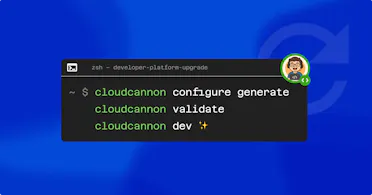
CloudCannon now has a CLI! We’ve tried to combine all the things you might need into a single place. Validating configuration, getting your configuration set up, automating tasks on the CloudCannon app and even a local dev server to preview how CloudCannon will work against your local files.
Along with the CLI we’re shipping the Visual Editor API, a REST API, and a TypeScript SDK. This is the biggest upgrade to CloudCannon’s local developer experience in years.
That’s a lot to unpack! Now you can preview CloudCannon locally, automate with the CLI/SDK/API, all from the place you normally work. And with the Visual Editor API you can really extend CloudCannon’s functionality to fit your needs, and those of your Organization.
Your editors still get the visual CMS they rely on. You get to move faster with tighter integration with your terminal and your IDE.
Here’s the rundown.
Drive CloudCannon from the terminal Direct link to this section
Most repetitive CloudCannon work still required the app: build checks, project reports, tracking which sites have gone quiet. The CLI changes that. Authenticate once in your browser, then manage sites, projects, and builds without leaving the command line.
cloudcannon login
cloudcannon configure generate
It also handles the setup side. Point it at a new project and it detects your SSG automatically — whether you’re using Astro, Hugo, Jekyll, Next.js or something else — then generates a cloudcannon.config.yml to get you started. Run cloudcannon validate before you push and it checks that config against the CloudCannon schema, catching a malformed field or a typo in a collection path before it costs you a build.
From there it’s all scriptable. Sweep every client site for build errors on a schedule. Generate a “which sites haven’t been touched in three months” report. Build the morning task list your team keeps wishing it had. The operations you used to click through one at a time become a script you can write once and forget about.
We’re also looking to bring these validation issues and task lists into the CMS itself. (Keep an eye out for that in an upcoming release!)
Preview your CloudCannon setup locally Direct link to this section
The CLI also ships with a local dev server, meaning your instant config changes can now be updated locally, and you can test newly designed and configured page components without pushing to CloudCannon.
Just run the dev server alongside your site's local build and CloudCannon fires up on localhost, so you can see your changes in your browser against your actual content.
cloudcannon devYou can change a collection path, add an input field, or adjust a component structure: the editing interface reflects it the moment you save. No commit, no push, no waiting on a build to find out whether you got it all right. With two-way hot reloading, you can even edit files in the local CloudCannon editor. When it looks the way you want, then you can commit.
Build against the API and SDK Direct link to this section
Most headless CMSs need an API to access your content. With a Git-based CMS you already own your content with all the versioning you need. Now, under the CLI, there’s a fully documented REST API for programmatic control of your account. (If you work in TypeScript, reach for the SDK instead. It folds the fiddly multi-step calls into one, so doing something like uploading a file is a single line rather than three requests in the right order.)
await cloudcannon.files.upload(file)Wire CloudCannon into your CI, company MCP server, your internal dashboards, or whatever your team runs. Want a check that blocks a merge when a CloudCannon build fails? That’s now a few lines of YAML.
Extend the editor with the Visual Editor API Direct link to this section
The Visual Editor API is the channel that has powered every bit of visual editing in CloudCannon for years. It was always there, but now it’s openly documented and it’s yours to build on.
Target anything on the page with a selector, open our editing panels or build your own, read and write content, and react to changes as they happen. Editable regions already sit on top of this API. When you reach their limits, this is where you go next.
What you do with it is genuinely open. A floating control panel. A live-updating 3D configurator. A map where editors drop pins and edit the tooltips inline. To show the range of what’s possible, we’ve built a couple of cool things: an updated connector for our Rosey translation management tool, which lets editors easily switch between languages and edit translations in context, and an interactive doodling tool, letting users draw with their mouse inside the Visual Editor and publish the drawing to a live site. (Yes, the latter one is a bit light-hearted, but it’s a fun demonstration of the what’s possible with this toolbox!) With the Visual Editor API you have the freedom to make the interfaces you want for your own sites, and your own editors.
And one more thing: agent skills Direct link to this section
If you build with AI, CloudCannon’s agent skills scaffold and configure projects from the CLI, with guardrails that keep the generated config valid. Your agent handles the boilerplate, and CloudCannon’s skills keeps it on track.
No compromises, one layer down Direct link to this section
CloudCannon has always tried to fit around the way you prefer to work rather than force everyone through one path. Maybe you’re happiest in an IDE, or you think best in a terminal, or your git provider is home base for everything you do. This update takes that idea down to the foundations. You can build, preview, and automate the whole platform from wherever you already are, while your editors carry on in the visual CMS. Nobody has to give anything up.
We can’t wait to see what you build with these new tools. Whether it’s a custom editing experience, a CLI automation that changes how your agency operates, or an integration built on the API, share it with the CloudCannon Community. We'll spotlight the best and most inventive cases!


