AI-READY CMS
The CMS your AI tools can actually read
The CMS built for agentic workflows. CloudCannon keeps your entire project — code, content, and config — in a single Git repo as plain files. AI agents can read, write, and deploy without translation layers or proprietary schemas standing in the way.


Git is your AI collaboration protocol
Git gives AI agents something no proprietary system can: a safe, auditable way to contribute using the same workflow as human developers. Agents can propose changes; devs can review, approve, or adjust them. Your file history is always preserved.

Editors get a visual interface. Developers keep the file system.
CloudCannon gives editors a visual, page-based editing experience, without changing how the project is structured underneath.
Developers keep working in code. Everything syncs through Git — and this flat-file architecture also gives AI agents full project context.
LLMs need context, not just content
Point an AI agent at a CloudCannon project and it sees everything. Templates, content files, configuration, styles, build pipelines — all sitting in a Git repository, all readable as plain text. Agents can trace how a content change affects layout, spot where a config tweak might break a build, and suggest fixes with full context.


Use the format AI already knows
LLMs are trained overwhelmingly on Git repositories. Markdown, frontmatter, YAML, folder structures, diffs — this is their native language. A CloudCannon project is already in that format. There's no translation step, no database, and no API calls to choreograph — unlike WordPress or API-based headless CMSs.
Your tools. Your models. Your data.
CloudCannon projects are local-first. Clone the repo and work on your own machine with whatever AI tooling you prefer — Cursor, Claude Code, GitHub Copilot, a locally hosted model, or something you built yourself.
For teams with data sensitivity requirements, your content stays where you put it. For everyone else, it means more flexibility and fewer dependencies.

Agent skills for CloudCannon
CloudCannon's agent-skills repo is an open-source set of AI coding agent skills that automate the process of migrating Astro projects to CloudCannon.
You install the skills into your project, open it in an agent-compatible IDE, and ask the agent to handle the migration — it'll work through auditing your site's content structure, generating CloudCannon config files, restructuring content for CMS compatibility, adding visual editing support, and running build verification.
The skills are composable: you can run a full end-to-end migration or use individual skills (like cloudcannon-configuration or cloudcannon-visual-editing) for specific tasks on an existing CloudCannon site.

Fast by default
CloudCannon builds static sites. Pages load instantly because there's no server-side rendering, no database queries, no runtime overhead. Just pre-built HTML served from a CDN.
Your AI tools benefit from this too. A static site built from flat files is a simpler, more predictable structure — fewer moving parts means fewer things for an agent to misunderstand.

Zero maintenance, forever
Static sites don't need server runtimes, security patches, or database upgrades. There's nothing to go down at 2am. For agencies managing dozens of client sites, this is the difference between a portfolio that scales and one that drowns in upkeep.
Hosting costs stay low, too. You're serving files, not running infrastructure.
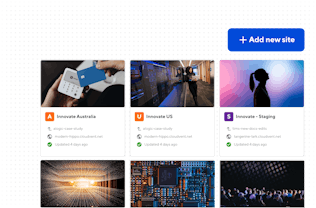
Three steps to AI-ready content management
Build your site with any AI tool
Build locally with your preferred static site generator. Use Cursor, Claude Code, Copilot, or any agent that can read a file system — they'll have full context from day one.

Configure with CloudCannon
Push to Git. CloudCannon syncs your repo, builds your site, and gives editors a visual interface — while your project stays in the format AI tools already understand.
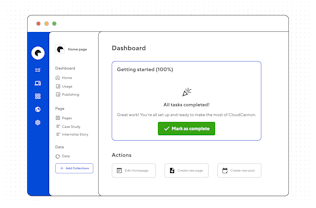
Hand off with confidence
Give editing access to non-technical editors who can update content visually — without touching your code.

Give your AI the full picture.
Your code and content stay in Git.
Your repos stay yours.
Tiaan Fairchild
Software Engineer
