Starter templates
Astro Component Starter
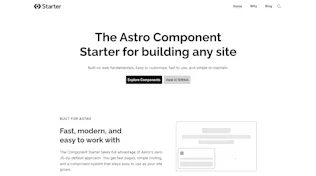
The Astro Component Starter is easy to customize and simple to maintain. Every component is built to work seamlessly in CloudCannon's Visual Editor.
 +
+

A starter template with 40+ Astro components, each built for visual editing in CloudCannon. You clone it, you own it. Every component is your source code to modify, extend, or delete.
All the source code and content is yours, it lives in your repository and you decide when (or if) to pull in future improvements from the core repo.
The design is intentionally unbranded so it can morph into any brand you want. Update CSS variables and the entire site shifts to match your colors, fonts, and identity. Components are built on web fundamentals: vanilla CSS, semantic HTML, and a sprinkling of vanilla JS only when something can't be done with CSS alone. Performance and accessibility are baked in from the start.
Quick Start
npx create-astro-component-starter my-site-name
cd my-site-name
npm run dev
Your site is now running at http://localhost:4321.
This command scaffolds the latest starter into a local project folder, sets the starter repo as upstream, and installs dependencies automatically.
Make your first change: Open src/content/pages/index.md, change the hero heading, and watch it update in your browser.
What You'll See
- Your site at localhost:4321, a fully working demo with pages, blog, and navigation
- Component docs at localhost:4321/component-docs/, documentation, examples, and a visual builder for every component
The Three-File Pattern
Every component in this starter ships with three files. This is what makes the system work: developers build components, editors visually manage content.
src/components/.../button/
├── Button.astro                          # The component
├── button.cloudcannon.inputs.yml         # What editors see and can change
└── button.cloudcannon.structure-value.yml # Defaults and picker metadata
Key Directories
src/
├── components/          # All 40+ components (yours to edit)
│   ├── building-blocks/ # Core UI: buttons, headings, forms, layout wrappers
│   ├── page-sections/   # Full-width sections: heroes, features, CTAs
│   └── navigation/      # Header, footer, mobile nav
├── content/             # Your pages and blog posts (Markdown/MDX)
├── styles/              # Design tokens, themes, base styles
│   ├── variables/       # Colors, fonts, spacing, widths
│   └── themes/          # Light and dark theme definitions
└── component-docs/   # Built-in docs (can be excluded from production builds)
Dev and Build Commands
| Command | Description |
|---|---|
npm run dev | Start the development server |
npm run build | Build for production (component docs excluded) |
npm run build:with-library | Build for production with component docs included |
Prerequisites
- Node.js >= 24.0.0
Updating Dependencies
When adding, removing, or updating packages (on macOS especially), use:
npm run deps:sync
This regenerates package-lock.json with resolutions for all target platforms (Linux, Windows, macOS) so CI doesn't break. Plain npm install on macOS silently strips Linux-only peer dependencies out of the lockfile, which causes npm ci to fail on GitHub Actions.
You can verify the lockfile is CI-ready at any time with:
npm run deps:check
Learn More
Head to the component docs in your dev server for a guided tour, examples for every component, and a visual component builder.
License
MIT
Built with Starter
Astro Component Starter