Credit cards sometimes decline unexpectedly. If a payment fails, CloudCannon gives you time to fix it before changing your Subscription The ongoing payment to CloudCannon for your Organization's Subscription Plan. A Subscription can be active, paused, or canceled. Canceling a Subscription will prevent you from paying for further use of features and resources without deleting the Organization, its Sites, or files. A website in CloudCannon that includes all the files, content, configuration, and settings needed to edit, build, and host a complete website.Subscription
Site
What happens when a payment fails#
After a failed payment, CloudCannon retries the charge several times over the following weeks. During that time, your Subscription stays active and your Sites keep working. If every retry fails, CloudCannon puts your Subscription on hold, and if it stays on hold for a prolonged period, CloudCannon eventually cancels it.
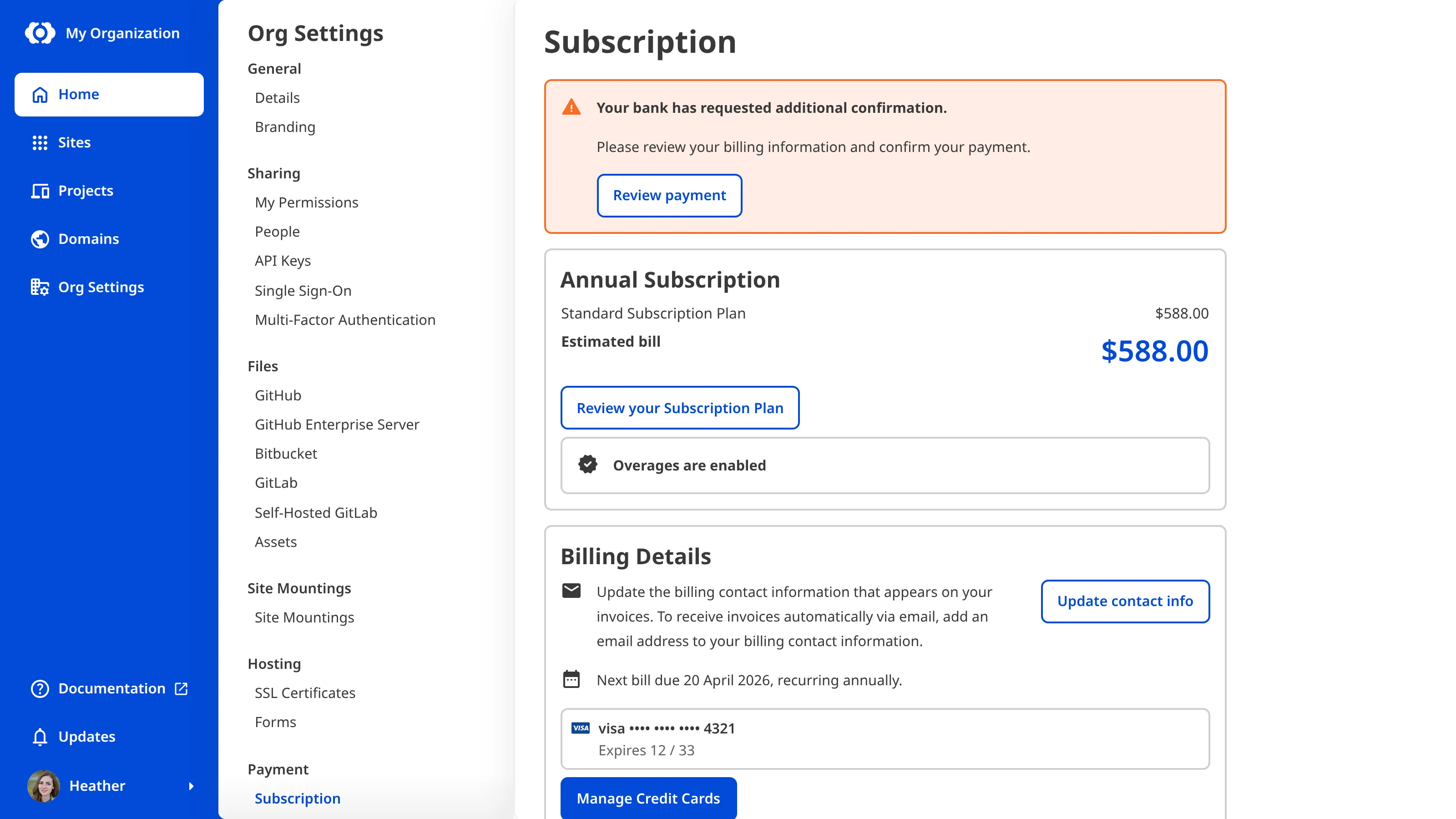
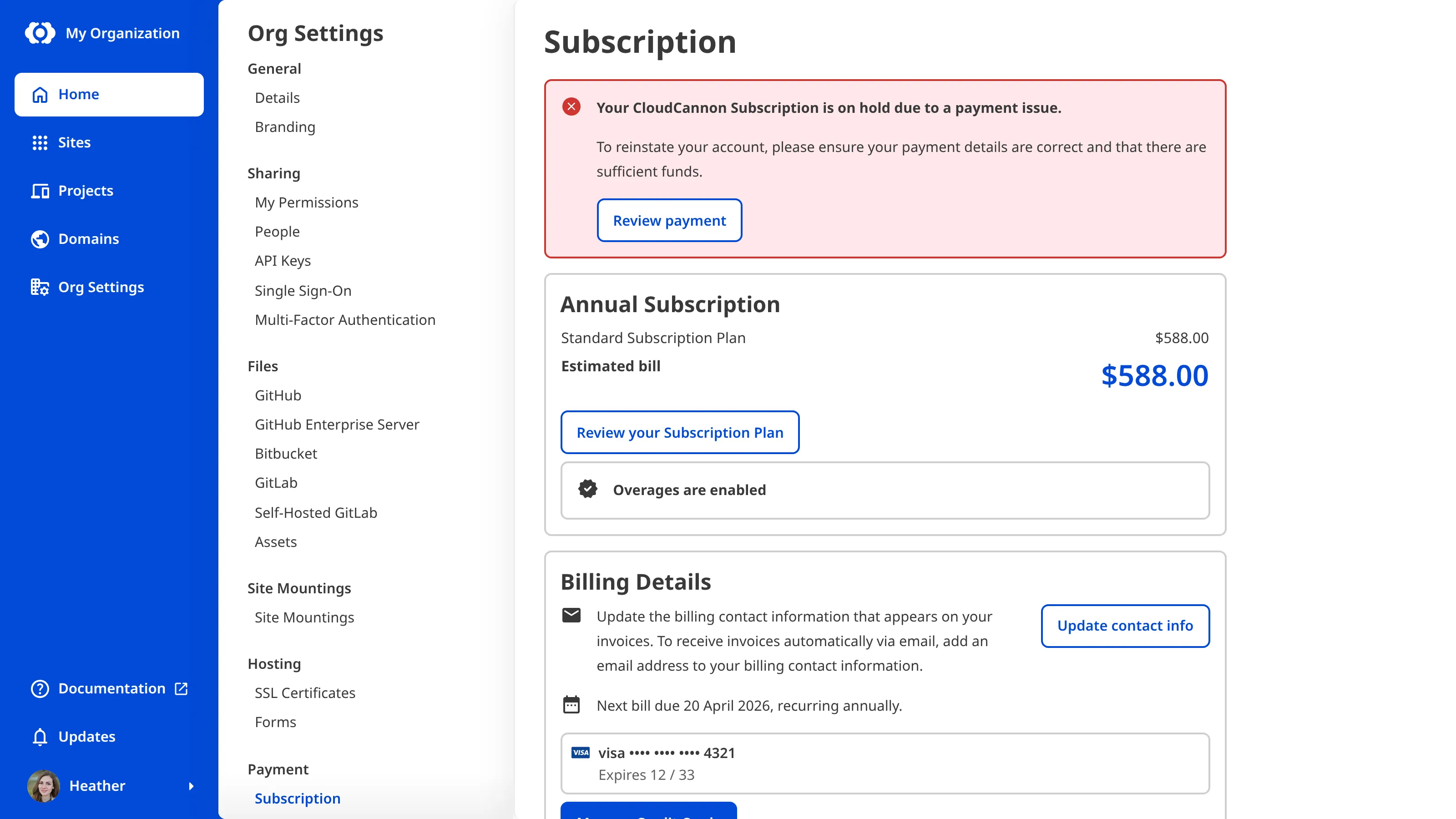
While there is a payment issue, CloudCannon shows a warning banner with a Review payment button on the Subscription page. The banner tells you whether your bank needs to confirm the payment, your card was declined, or your Subscription is already on hold.
A Subscription on hold after a failed payment is not the same as a paused one. If your Free Trial A trial period that gives a new Organization access to Standard Plan features without requiring a payment method.Free Trial
What happens while your Subscription is on hold#
When your Subscription is on hold, you cannot open or edit your Sites, and CloudCannon stops hosting your Custom Domains A unique address used to identify a website, such as cloudcannon.com. You can purchase a domain from a Domain Registrar and add it as a Custom Domain to your CloudCannon Organization before connecting it to any number of Sites hosted on CloudCannon. A free .cloudvent.net URL that CloudCannon assigns to every Site for reviewing your live website content after a successful Site build. Each Testing Domain uses a randomly generated adjective and noun separated by a hyphen. By default, CloudCannon automatically de-indexes Testing Domains so that they do not appear in search engines.Custom Domain
Testing Domain
You can still download a backup of your Site files, transfer a Site to another Organization A workspace in CloudCannon that groups together Sites, Organization Members, and shared resources. It is also the unit CloudCannon bills for. You can define permissions for your Organization, controlling the access each Organization Member has to resources on CloudCannon. You can create and be a part of multiple Organizations.Organization
Get your Subscription back#
Recovering a Subscription requires billing permissions. If you can't complete these steps, ask a member of the Owners or Billing Default Permission Groups to do it for you.
To bring your Subscription back, open the Subscription page under Org Settings The settings page for a CloudCannon Organization, where organization administrators can manage organization-wide settings, including billing, team permissions, integrations, branding, and security policies. You can access this page using the Organization Settings link in the App Sidebar.Org Settings
If your Subscription has already been canceled after a prolonged hold, your Sites and files are safe and your saved cards stay on file. You only need to select a Subscription Plan A set of features available to your Organization, the monthly usage limits for resources, and the price you pay for access to those features and resources, monthly or annually. Each Organization in CloudCannon can have one Subscription Plan, and can update or cancel at any time.Subscription Plan
For the full details, including everything you can still do while your Subscription is on hold and what to do if a payment issue persists, please read our documentation on what happens when a payment fails.
In the next step of this guide, we'll point you to related resources.