If the Subscription Plan A set of features available to your Organization, the monthly usage limits for resources, and the price you pay for access to those features and resources, monthly or annually. Each Organization in CloudCannon can have one Subscription Plan, and can update or cancel at any time. Extra capacity (Organization Members, bandwidth, custom domains, or build time) that extends a plan's included limits. When Overages are enabled, CloudCannon automatically adds capacity as your Organization exceeds its plan's included limits. The extra usage charged when your Organization exceeds its plan's included limits and Overages are enabled. Overage usage appears on your next invoice. A person who belongs to the same Organization as you. Organization Members are other CloudCannon users who have been invited to your Organization to collaborate on Sites, edit content, or manage settings. Each Organization Member has their own CloudCannon account with individual permissions assigned through Permission Groups, and uses one Seat in your Subscription Plan. Organization Members were previously called Team Members. A unique address used to identify a website, such as cloudcannon.com. You can purchase a domain from a Domain Registrar and add it as a Custom Domain to your CloudCannon Organization before connecting it to any number of Sites hosted on CloudCannon. The total time CloudCannon spends building your Sites, measured cumulatively across all builds in a month. Most Subscription Plans include unlimited build time. On plans with a build time limit, you can enable Overages or purchase additional build time if you need more. You can review your usage under the Usage tab of your Site Dashboard or Organization Home page. The amount of data transferred from your hosted Site to visitors' browsers, determined by visitor count and webpage size. Each Subscription Plan includes a set amount, and you can enable Overages to keep your Sites live if you go over this amount. You can review your usage under the Usage tab of your Site Dashboard or Organization Home page.Subscription Plan
Add-On
Overage
Organization Member
Custom Domain
Build Time
Hosting Bandwidth
Overages are relevant if you build and host your website through CloudCannon, rather than through a third-party service.
Using Add-Ons#
There is no button to purchase Add-Ons. Instead, CloudCannon automatically adds them to your Subscription Plan when you add an Organization Member or connect a Custom Domain to your Organization.
You won't be charged for Add-Ons until you go over the amount in your Subscription Plan. When adding either of these resources would put you over your Subscription Plan's limits, CloudCannon shows the Confirm Billing Change modal.
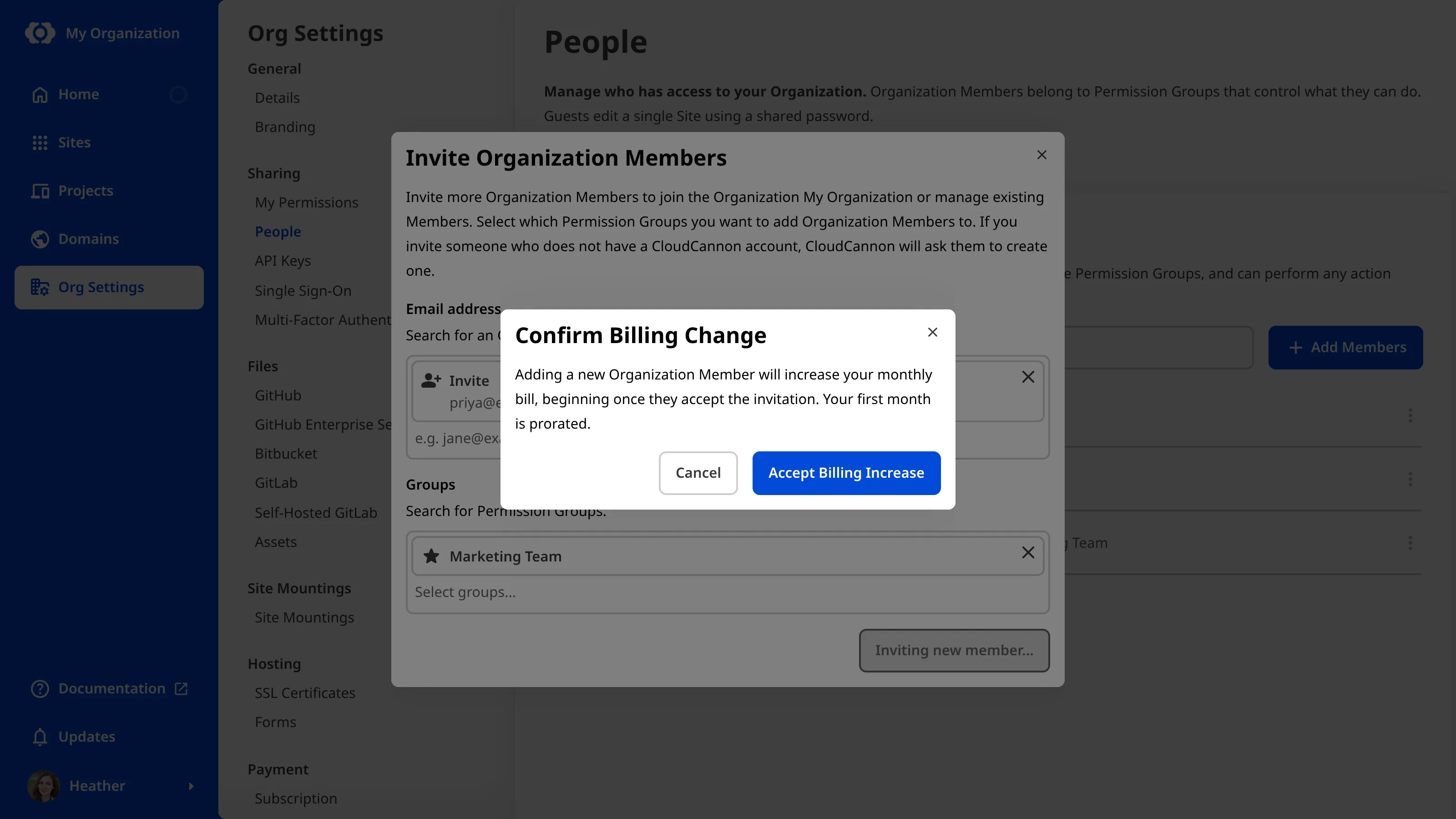
We'll cover how to add Organization Members and Custom Domains in a future guide.
How Overages work#
You can control whether Overages are enabled or disabled for your Organization, which encompasses both Build Time and Hosting Bandwidth. By default, Overages are disabled for all Organizations.
When Overages are enabled, CloudCannon will automatically extend your resources as you exceed your limits. At the end of each month, CloudCannon will invoice you for the amount of Overages you used over your Subscription Plan limit in 1-hour or 100 GB bundles, rounded up.
When Overages are disabled, and you reach the resource limit in your Subscription Plan, CloudCannon will prevent your Organization from using more:
- When you reach your Build Time limit, CloudCannon stops running Site builds for the remainder of the month or until you enable Overages. You can still save your changes, but they will not build.
- When you reach your Hosting Bandwidth limit, CloudCannon will stop serving the Sites on your Organization to website visitors for the remainder of the month or until you enable Overages. Instead, visitors to your website will see a hosting error message.

How much Hosting Bandwidth do I need?
Hosting Bandwidth is the amount of data transferred from your website's servers at CloudCannon to your website visitor. The amount of data each webpage needs is measured in megabytes (MB), and mostly depends on how many image/media files are on the page and how optimized your website is. For example, a 4 MB webpage with several images or media files will serve 25,000 page views with 100 GB of Hosting Bandwidth. Most optimized webpages are smaller than this, so 100 GB will go further.
Turn Overages on or off#
Even if you don't need Overages, we recommend enabling them to prevent your Sites from going down in the case that you do reach your limits.
Choosing your Subscription Plan took you to the Your Subscription Plan page, which is also where you set Overages.
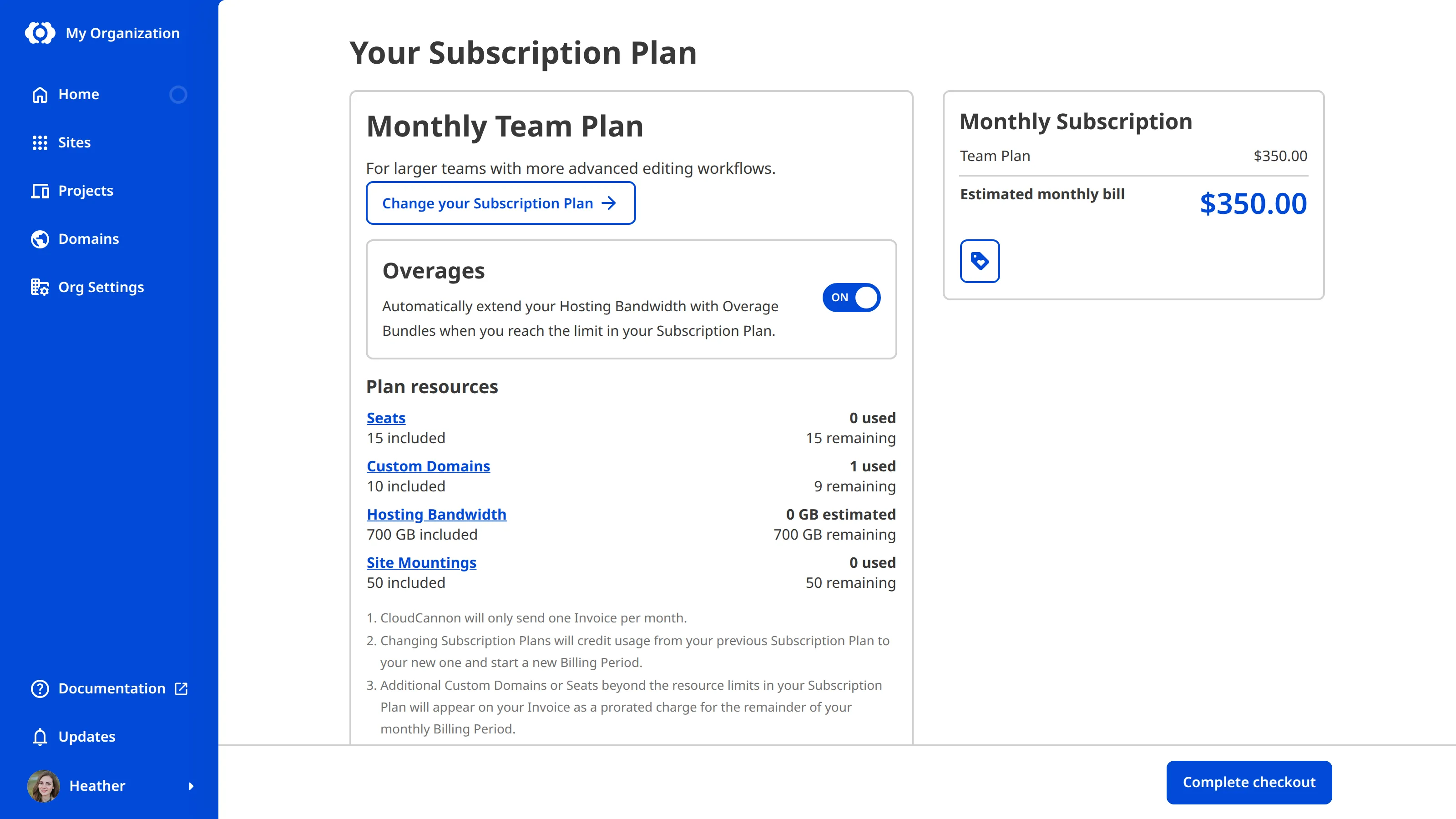
Turn Overages on or off. You don't need to save this now. CloudCannon applies your choice when you complete checkout in the next step. To change Overages after you have subscribed, use the Enable Overages or Disable Overages button that appears on this page.
Track your usage#
After you subscribe, you can keep track of how much Hosting Bandwidth and Build Time you use each month from the Usage tab on your Organization Home page or Site Dashboard. There's no need to check it during checkout; it's somewhere to return to over time. Watching these graphs helps you anticipate when your Organization or Site might reach its Subscription Plan limits, and decide whether to enable Overages or change your Subscription Plan.
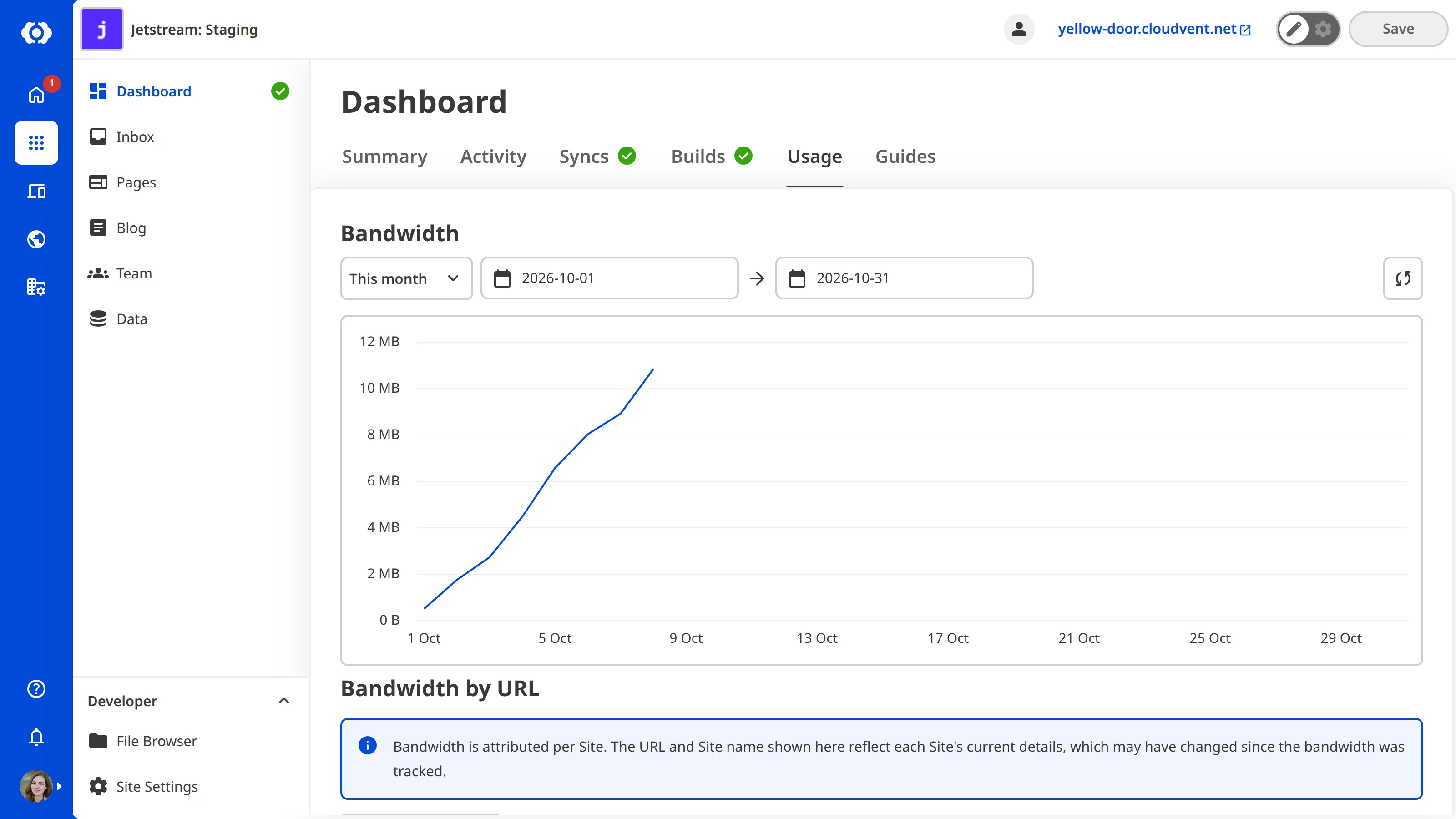
Several CloudCannon Subscription Plans have unlimited Build Time. However, CloudCannon may monitor usage with regard to the fair use of CloudCannon infrastructure, in line with our Terms of Service.
In the next step of this guide, we'll add a payment method and complete checkout.