A Client Organization A separate Organization that a Partner Organization manages but that the client uses and pays for. Client Organizations are part of the CloudCannon Partner Program and give each client their own team, billing, and login. Unlike Guest Access, which shares a single Site with someone who doesn't have a CloudCannon account, a Client Organization is a full, independent Organization. A workspace in CloudCannon that groups together Sites, Organization Members, and shared resources. It is also the unit CloudCannon bills for. You can define permissions for your Organization, controlling the access each Organization Member has to resources on CloudCannon. You can create and be a part of multiple Organizations. A set of features available to your Organization, the monthly usage limits for resources, and the price you pay for access to those features and resources, monthly or annually. Each Organization in CloudCannon can have one Subscription Plan, and can update or cancel at any time. A person who belongs to the same Organization as you. Organization Members are other CloudCannon users who have been invited to your Organization to collaborate on Sites, edit content, or manage settings. Each Organization Member has their own CloudCannon account with individual permissions assigned through Permission Groups, and uses one Seat in your Subscription Plan. Organization Members were previously called Team Members.Client Organization
Organization
Subscription Plan
Organization Member
In most cases, Organizations are entirely independent from one another. However, a Client Organization is always linked to a Partner Organization A CloudCannon Organization that belongs to a member of the Partner Program and serves as their base for managing client work. From their Partner Organization, Partners create and manage Client Organizations and track their Partner Points.Partner Organization
graph TD
  O["Your Partner Organization"] -->|Manages| CO["Client Organization"]
  CO --> SP["Subscription Plan"]
  CO --> BR["Branding"]
  CO --> PB["Project"]
  PB --> SB1["Live Site"]
  PB --> SB2["Staging Site"]
  CO --> DM["DAMs"]
  CO --> OM2["Client Organization Members"]
You can create a Client Organization if you are a member of the CloudCannon Partner Program. Client Organizations also benefit from an extended six-month Free Trial A trial period that gives a new Organization access to Standard Plan features without requiring a payment method.Free Trial
Four actions shorten that six-month trial to five days. For the full list, please read our documentation on how billing works in the Partner Program.
You can view the Client Organizations managed by your Partner Organization by clicking the Clients link in your App Sidebar, opening the Client Organizations Browser.
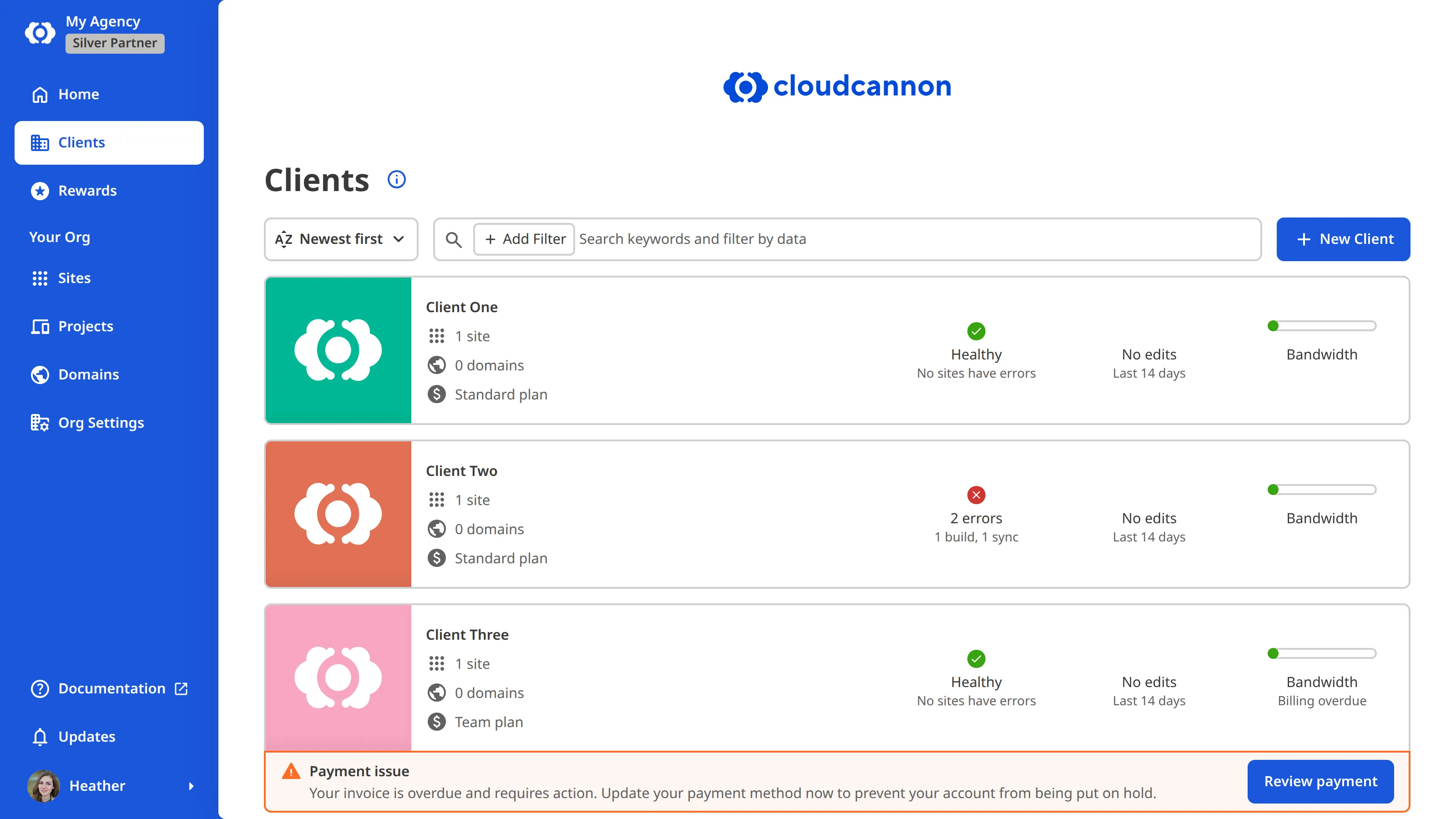
You can always tell which Organization you are working in from the top of the App Sidebar. Inside a Client Organization, its Card sits below a Card for your Partner Organization, and clicking it opens a Context Menu headed Switch Client. Inside your Partner Organization, you see only your own Card, alongside the Clients link to the Client Organizations Browser.
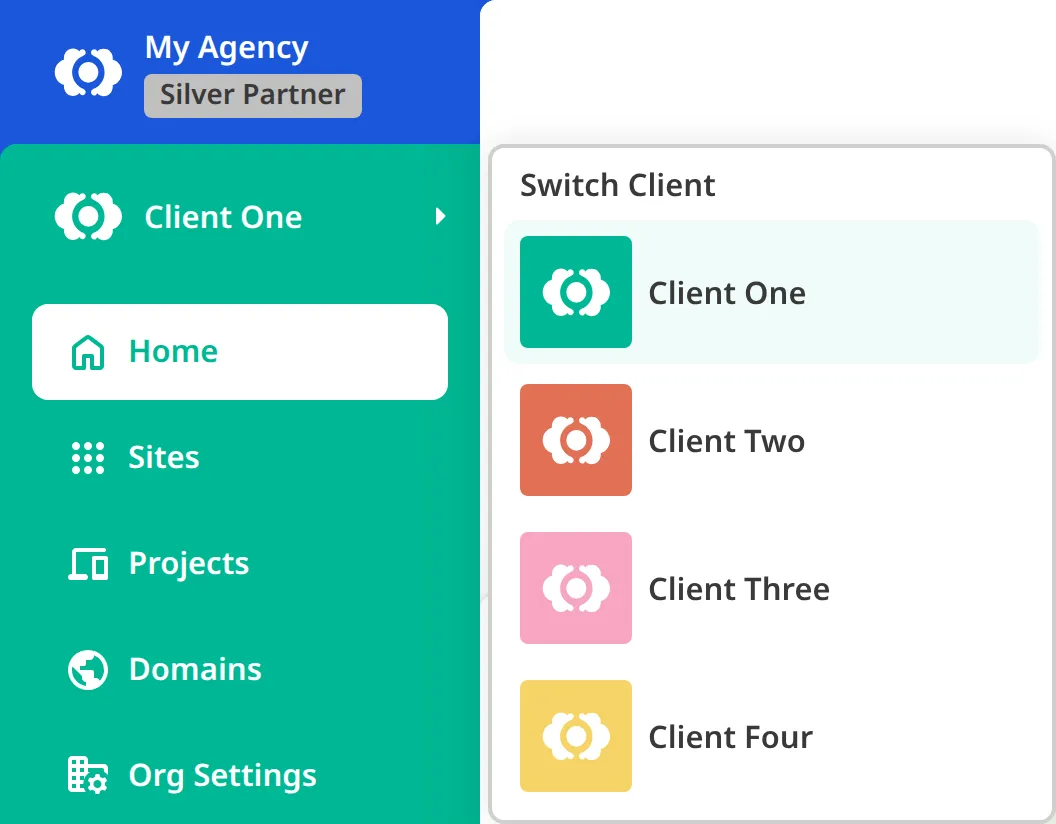
To move to another Client Organization, click the Card for your current Organization and choose a client from the Context Menu. To return to your Partner Organization, click its Card above. For more information, please read our documentation on switching between your Organizations.
Every Client Organization also has an Organization Home page, showing you a summary of what's going on in the Organization, including all the resources it contains. You can open it by clicking the Home link in the App Sidebar while you are inside that Client Organization.
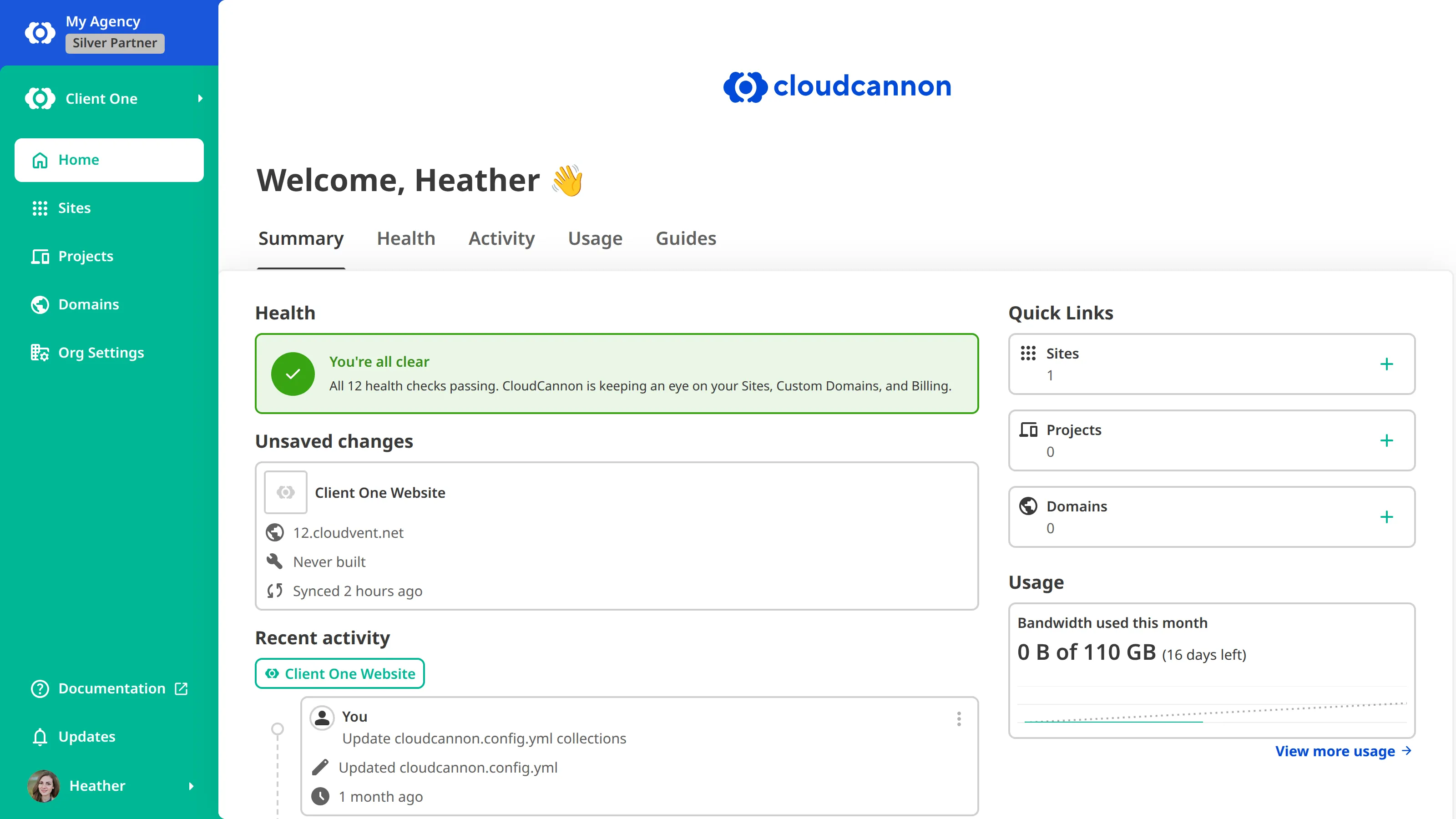
For more information, please read our documentation on managing your Client Organizations.