Welcome to CloudCannon's guide on building custom integrations with the Visual Editor CloudCannon's visual editing interface provides a user-friendly way of updating your website files on an interactive preview of your webpage. You can navigate around your website preview using links/buttons, as you would on the live version, and edit your content inline on the page, or with the data panel or sidebar. What you see in the Visual Editor is what your website visitors will see on your live webpages.Visual Editor
This guide teaches you the basics of CloudCannon's Visual Editor API CloudCannon's Visual Editor API is a public JavaScript API for building custom integrations with the Visual Editor. It lets you run your own code inside the Visual Editor to read and write content, listen for changes, and upload files using code running inside your website files. A website in CloudCannon that includes all the files, content, configuration, and settings needed to edit, build, and host a complete website.Visual Editor API
Site
The Visual Editor API provides a set of methods — what you do with these is up to you. In this guide, we'll use the CloudCannon repository "Doodle Gallery" as an example, but you are not limited to creating similar integrations. CloudCannon's Editable Regions and Rosey CloudCannon Connector are examples of custom integration built with the Visual Editor API. Additionally, the Doodle Gallery is built with Astro and React, but the Visual Editor API skills transfer to any framework or static site generator.
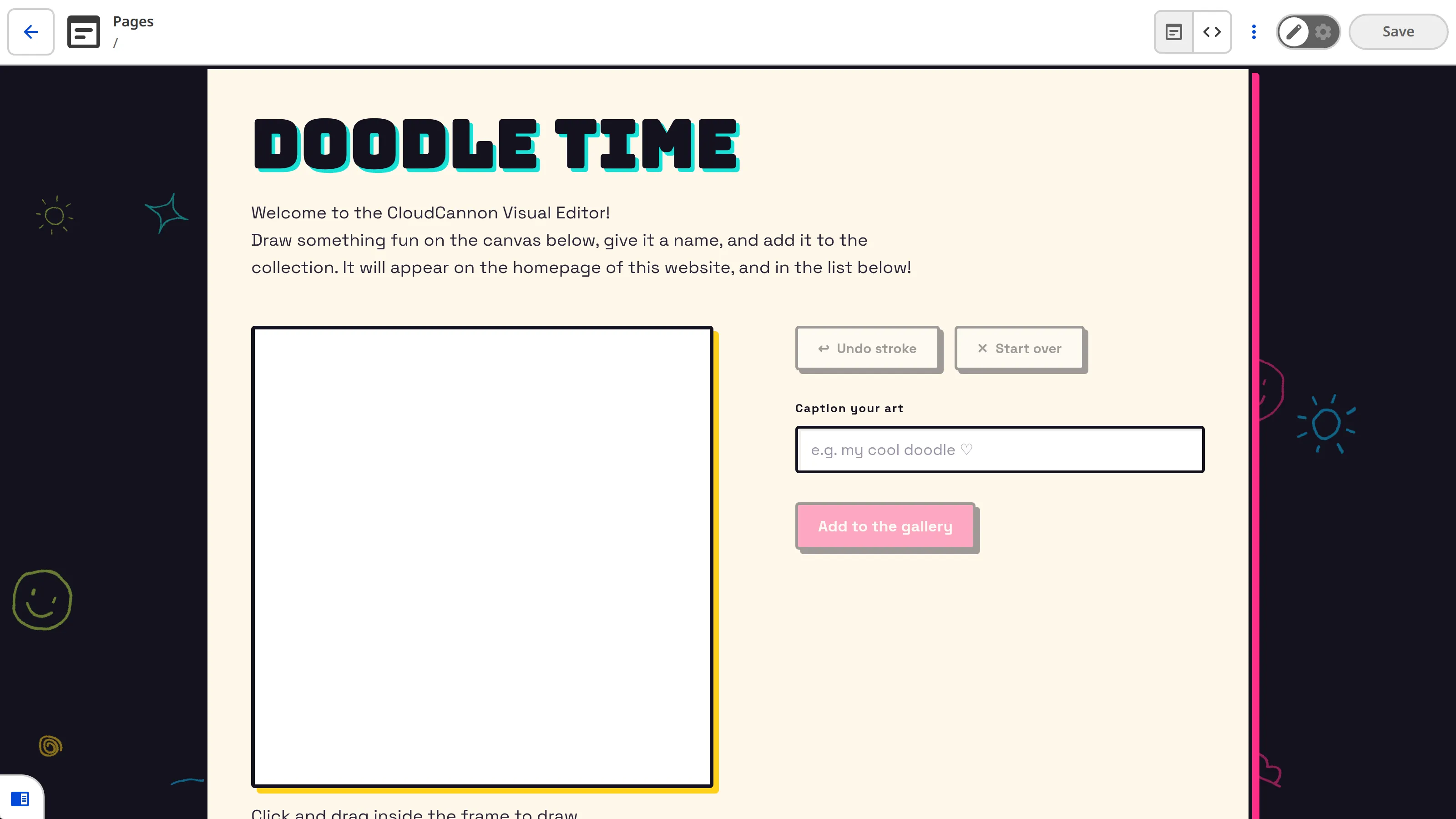
The Doodle Gallery adds a drawing tool to the Visual Editor, where Organization Members A person who belongs to the same Organization as you. Organization Members are other CloudCannon users who have been invited to your Organization to collaborate on Sites, edit content, or manage settings. Each Organization Member has their own CloudCannon account with individual permissions assigned through Permission Groups, and uses one Seat in your Subscription Plan. Organization Members were previously called Team Members.Organization Member
In this guide, we'll cover how the Visual Editor API works, how to detect the Visual Editor and initialize the API, render a custom interface, upload a file, and write new data back to the Site without overwriting other people's changes.
Before we begin, this guide assumes you already have a Site whose pages render in CloudCannon's Visual Editor, and that you're comfortable writing JavaScript. If your Site isn't set up for visual editing yet, please read our documentation on setting up visual editing first. For a complete list of API objects and methods, please read our reference documentation on the Visual Editor API.