This release reworked the Organization Home page for Partner Organizations and added Clients and Rewards to the App Sidebar. It also added the Switch Organization Menu when you click on your Organization name at the top of the App Sidebar, removed plan downgrading from the cancellation flow, and added Bitbucket and GitLab email selection to account creation.
It also addressed several issues, including those affecting Partner Rewards visibility, the Organization Home greeting, the Save Changes modal, the Subscription page, and credit card handling.
Features & Improvements#
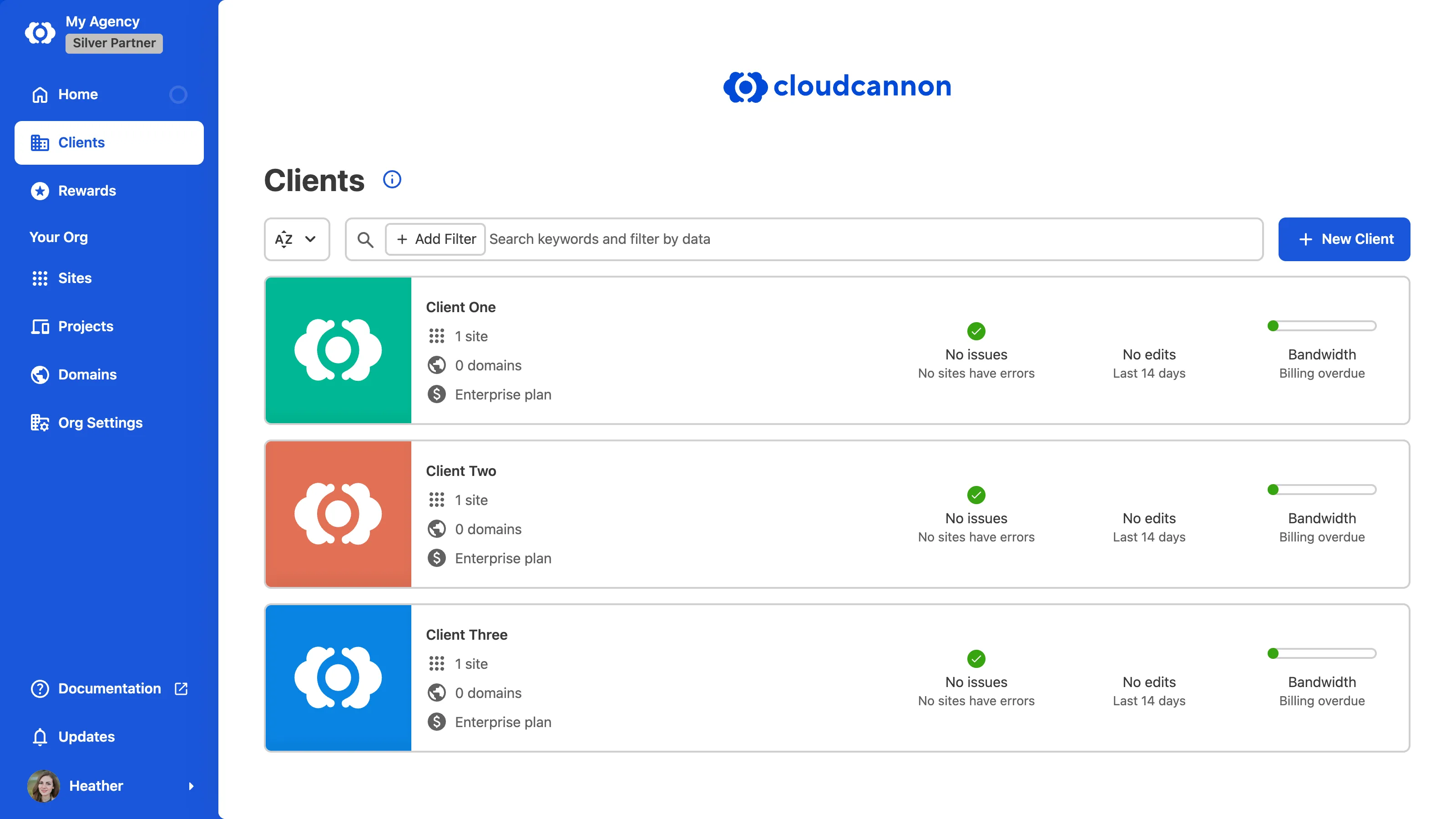
- Improved the appearance and functionality of the Partner Organization Home page, including two new links in the App Sidebar: the Client Organizations Browser and the Rewards page.
- The App Sidebar now shows Home, Clients, and Rewards, followed by a Your Org section with your Sites, Projects, Domains, and Org Settings.
- You can now access the Client Organizations Browser by clicking Clients in the App Sidebar, which lists every Client Organization linked to your Partner Organization with search and filters. Members of the Owners Permission Group can create a client from this page with the New Client button.
- You no longer need to navigate to the Organizations Browser to find your Client Organizations.
- Moved Partner Rewards page into the Partner Organization the points are associated with. You can now access the Partner Rewards page by clicking Rewards in the App Sidebar, which shows your Partner Points, including a breakdown of where those points come from, Partner Badge downloads, tier, and benefits.
- Added education modals to the Partner Organization Home page, the Client Organizations Browser, and the Partner Rewards page, which introduce each area on your first visit and can be reopened from the information button.
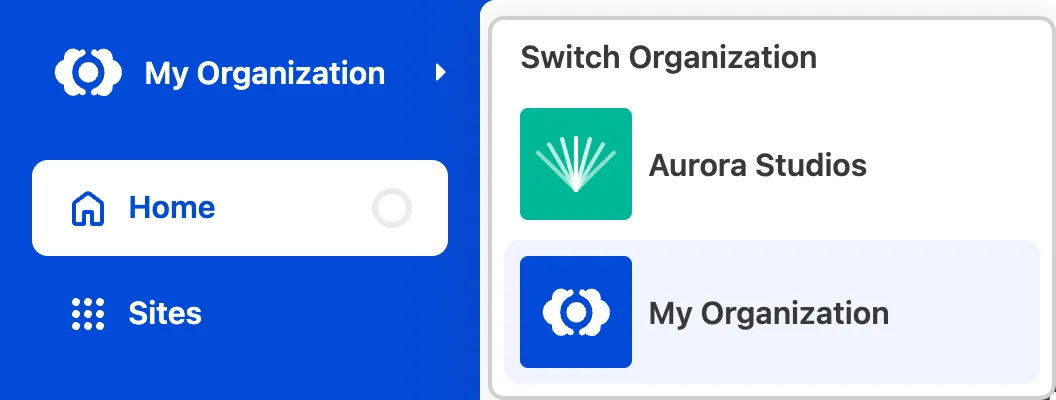
- Added the Switch Organization Menu, which you can access by clicking on your Organization name at the top of the App Sidebar.
- When you are a member of multiple Organizations, an arrow will appear next to your Organization name at the top of the App Sidebar.
- You no longer need to navigate to the Organizations Browser to open your Client Organizations or other Organizations you are a member of.
- If you are a member of many Organizations, CloudCannon will show a View more button in the Switch Organization Menu, which opens the Organizations modal.
- Added the Create new Organization option to the Account Menu.
- Updated the cancellation flow in CloudCannon to no longer require downgrading your subscription plan. To cancel your subscription, you will end billing immediately and enter a billing canceled state, which removes the credit cards attached to the Organization.
- You can now choose which email to use when signing up with GitLab or Bitbucket. This was previously available only when registering through GitHub.
- Redesigned the create pages when creating a Site, Project, or Domain.
Fixes#
- Improved the clarity of several field headings, including renaming the Sites List Logo under Organization branding to Sites Browser Logo, and the Transfer page under Site Settings to Transfer Site.
- Added distinct messaging in your Org Settings for when an Organization has no credit cards versus when it has cards but no default card set.
- Fixed an issue where Partner Rewards points were visible to all members of a Partner Organization rather than only members of the Owners group.
- Fixed an issue where the Organization home greeting showed "Welcome back" to first-time visitors, based on their Site and Client Organization count rather than their sign-in history.
- Fixed an issue where nested panels in the Data Editor were misaligned and did not scroll correctly at some widths.
- Fixed an issue where, when the create path for a Collection was misconfigured, you could not open the Save Changes modal.
- Fixed an issue where, in some cases, the Subscription page under Org Settings did not reflect the latest state after a plan change.
- Fixed an issue where, when adding a credit card during checkout, a confirmation message could cover the Submit button.
- Fixed an issue where, when prompted to add a payment method to your Organization, CloudCannon did not make that credit card your default payment method.
- Improved the reliability of file metadata loading in the Visual Editor and Data Editor by retrying interrupted downloads.
- Updated dependencies to patch security vulnerabilities.